Compare and Improve Your Product Listings
Analyze multiple product listings using data-driven insights. Uncover optimization opportunities and improve conversion rates.
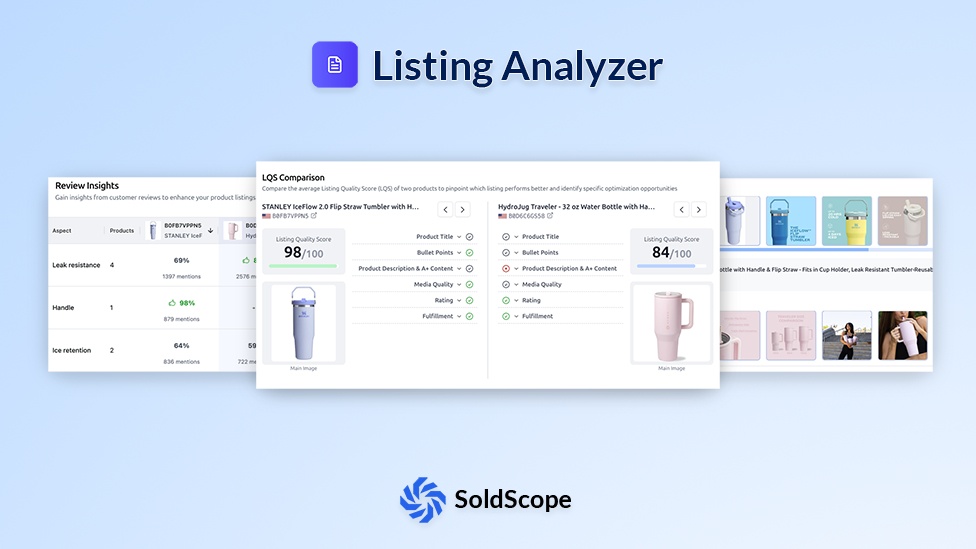
Complete Listing Intelligence
Comprehensive tools to analyze, compare, and optimize your Amazon product listings
Listing Quality Score
Evaluate your listings with a clear quality score based on key metrics.
Side-by-Side Comparison
Compare your listings side-by-side to identify strengths and weaknesses.
Media Analysis
Review and compare product images and videos for visual performance and compliance.
Review Insights
Discover recurring themes in customer reviews to identify improvement opportunities.
Multi-ASIN Comparison
Analyze multiple listings from your brand in one report.
Exportable Reports
Generate and share detailed reports for your team or clients.
Data Transparency Notice
Optimize Your Listings in 3 Steps
Enter ASINs
Add your ASIN and up to 10 other ASINs to compare.
Review Analysis
See detailed comparisons of quality scores, media, and more.
Implement Changes
Apply insights to your listing and watch your conversion rates improve.
Frequently Asked Questions
Everything you need to know about Listing Analyzer
What is the Listing Analyzer tool?
Do I need an Amazon SP-API connection to use the Listing Analyzer?
How do I use the tool?
It's simple. You can use it in two main ways:
- Analyze Your Own ASIN: Paste your product's ASIN to get a baseline score and a "to-do" list of improvements.
- Analyze Listings: Paste a top-performing ASIN to see why they are successful. You can even compare your ASIN directly against to see a side-by-side gap analysis.
What does the Listing Analyzer check?
It analyzes all the key "on-page" elements that both customers and algorithm care about. This includes:
- Title: Checks for length (character count), special characters, etc.
- Bullet Points: Checks the number of bullets, total length, and readability.
- Images: Checks the total image count, image resolution (e.g., zoom-able).
- Description: Checks for length, uppercase words, A+ content, etc.
- Ratings: Checks the total ratings count and average star rating.
What is the best way to use this tool?
Use it for market analysis.
- Go to Amazon and find the top 5 listings for your main keyword.
- Run all 5 of them and your own ASIN through the Listing Analyzer.
- Look for patterns. Do all top listings have 7+ images? Do they all have videos? Do they all put the brand name to the title?
- This tool lets you "copy their success" by reverse-engineering the structure (not the text) of their winning listings.
How does this tool fit with the Listing Builder?
They are the perfect pair.
- Listing Analyzer is the "diagnostic" tool. It tells you what's wrong with an existing listing.
- Listing Builder is the "creation and improvement" tool. It's the place where you go to fix the problems the Analyzer found, or to build a new listing from scratch.
You can run the Analyzer, then go to the Builder to implement the changes, and finally, use the Rank Tracker to see if your changes improved your rank.
Ready to Optimize Your Listings?
Start analyzing your product listings today and uncover opportunities to boost your sales.
Analyze Now