The Most Advanced Amazon Rank Tracker
- Organic and sponsored tracking
- Multi-ASIN, up to 3× daily
- Geo tracking by location
- SQP and PPC data integration
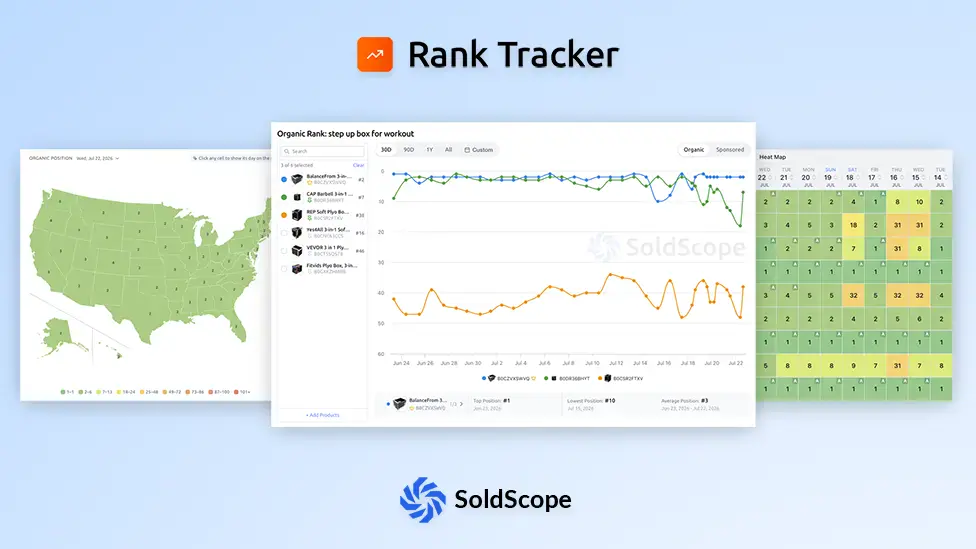
Everything You Need for Rank Monitoring
Comprehensive tracking features to help you stay competitive on Amazon
Organic & Sponsored Tracking
Monitor both organic and sponsored positions to get a complete picture of your visibility.
Multi-ASIN Rank Tracking
Monitor all product variations and other products' rankings for the same keywords.
Flexible Monitoring Schedules
Depending on keyword importance, we track ranks up to 3 times per day.
Geo Tracking
Track keyword rankings by US state with an interactive map and per-state heatmap.
SQP Integration
Search Query Performance data - clicks, purchases, and market share per keyword.
PPC Integration
Connect Amazon Ads to see spend, ACOS, clicks, and sales alongside your rank data.
Visual Rank Trends
See your ranking performance over time with intuitive charts and historical data.
Rank Heatmap
See rankings at a glance with color-coded cells, from green to deep orange.
Multi-Marketplace Support
Track rankings across different Amazon marketplaces (US, UK, DE, and more).
Boost Mode
Boost tracking frequency when you need real-time insights most.
AI Keyword Suggestions
Our AI recommends high-impact keywords, so you stop guessing.
Product Groups
Organize and track similar products together with shared keyword sets and quota.
Data Transparency Notice
Starter
- Up to 500 tracked keywords
- Up to 50 boosts and geo
- 10+ other SoldScope tools
- See all features
Standard
- Up to 2500 tracked keywords
- Up to 250 boosts and geo
- 10+ other SoldScope tools
- See all features
Professional
- Up to 5000 tracked keywords
- Up to 500 boosts and geo
- Complete coverage across all data tools
- See all features
Spot Trends at a Glance with the Rank Heatmap
Color-coded cells turn weeks of ranking data into an instant visual signal - green means strong, deep orange means trouble.
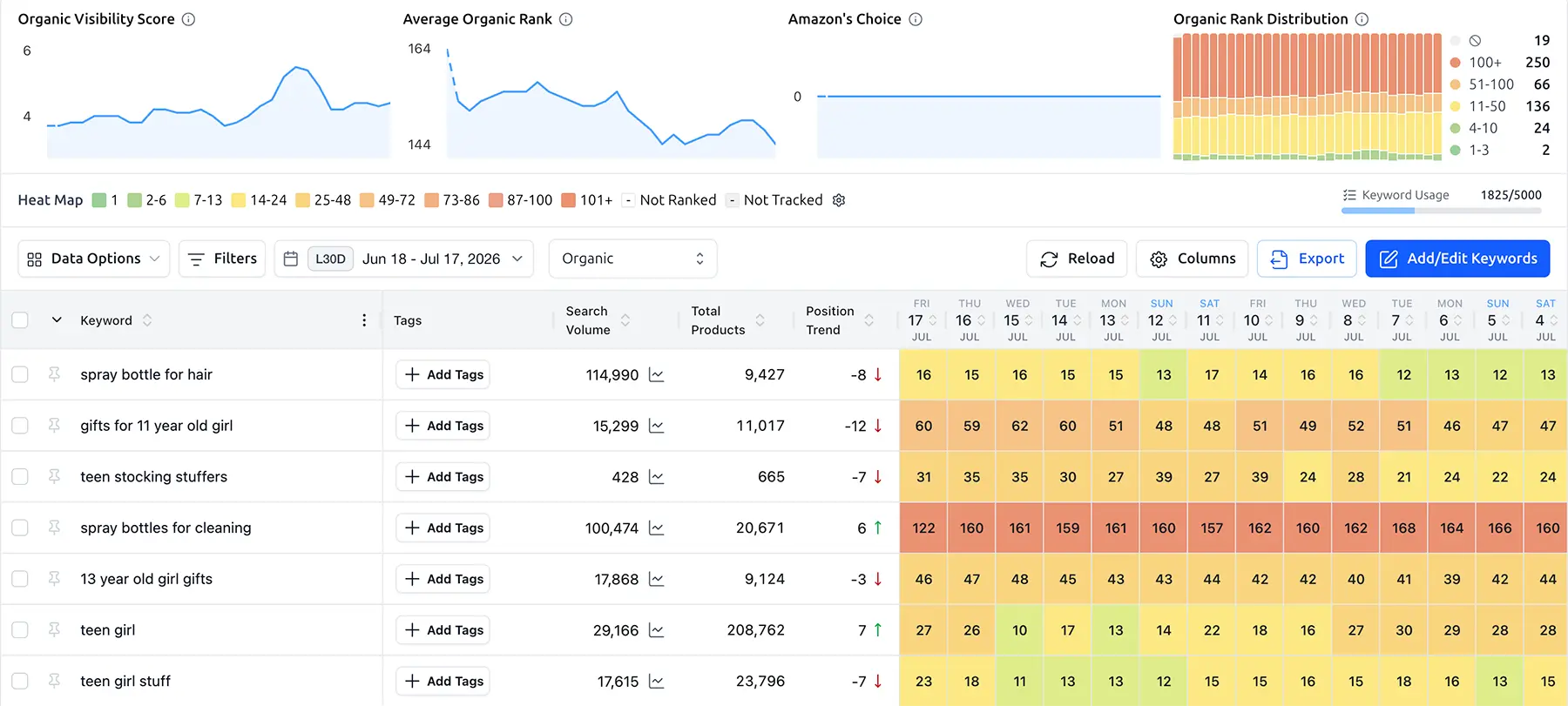
Color-coded positions
Each cell is shaded from green (top ranks) to deep orange (low ranks), so you can scan keywords in seconds.
Day-by-day history
See how every keyword moved each day over the selected period without scrolling through endless tables.
Instant anomaly detection
A sudden color shift immediately highlights a ranking drop or jump that needs your attention.
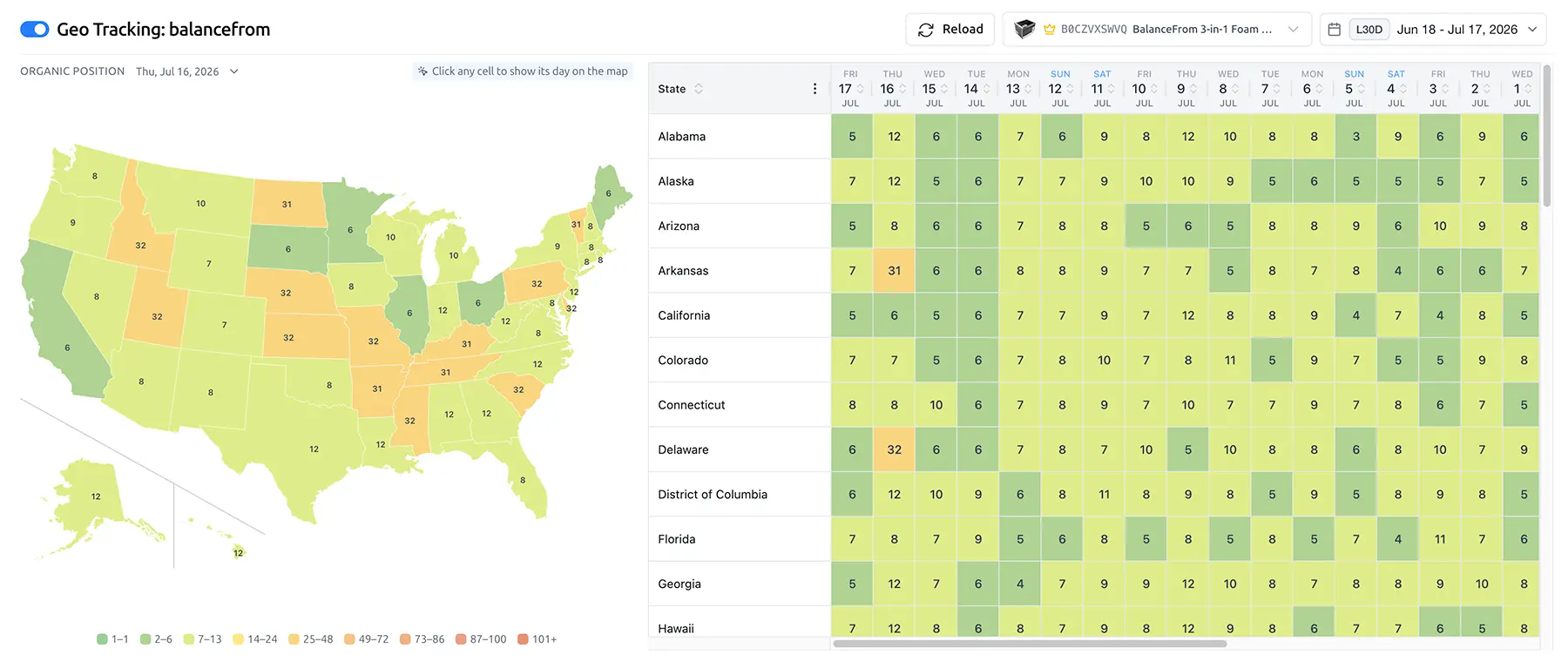
See Where You Rank, State by State
Amazon rankings vary by location. Track your position across US states with an interactive map and per-state heatmap.
Interactive US map
Click any state to drill into its ranking data and understand regional performance.
Per-state heatmap
Color intensity shows your rank strength in each state, revealing geographic strengths and gaps.
Localize your strategy
Spot weak regions and act on them. Adjust inventory placement, delivery, and ad spend where it matters.
Track Multiple ASINs Under One Keyword Set
Group any ASINs under a shared set of keywords. Your variations, your other products in the same niche, and competitors. Track them together, with quota counted once per keyword in the group.
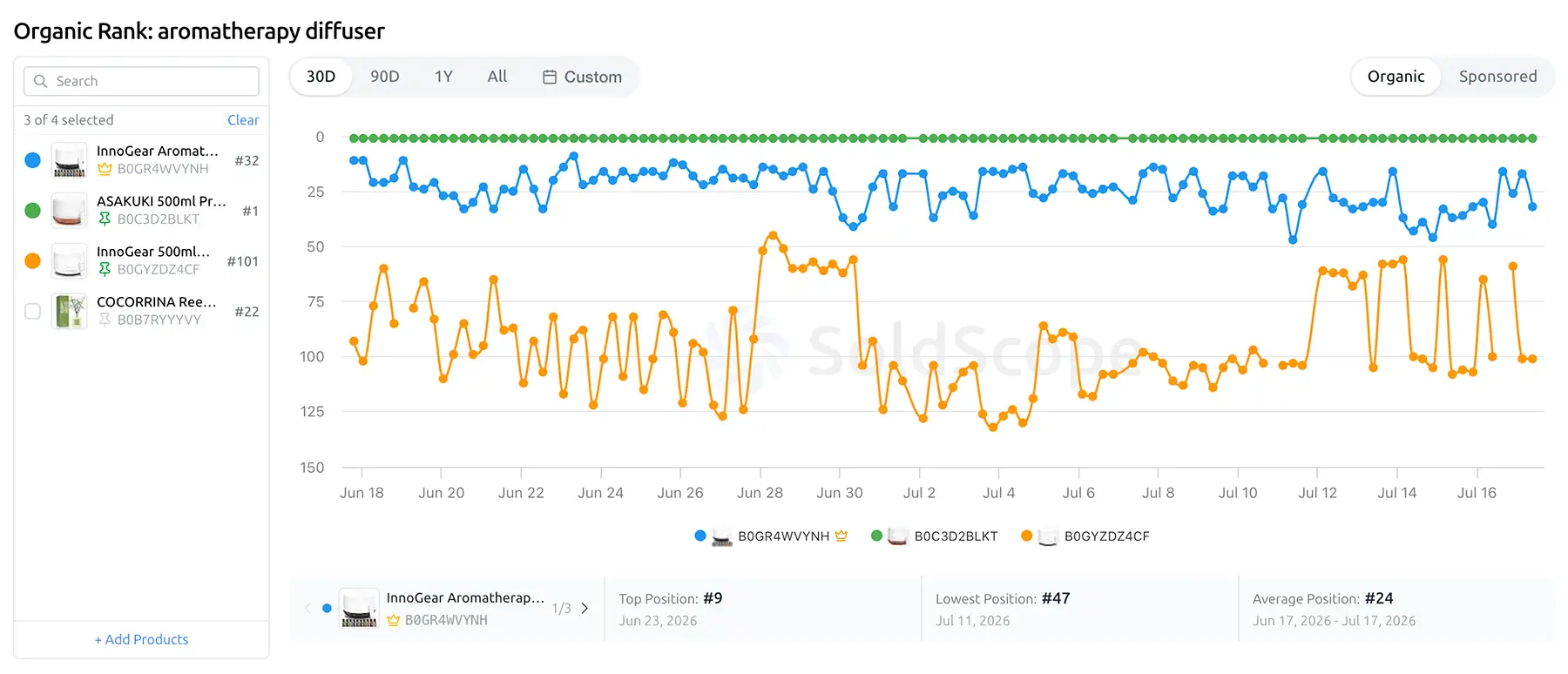
Many ASINs in one group
Track your variations, niche products, and competitors side by side against a single keyword set.
Save on keyword quota
Keywords are counted once per group, not per ASIN. Track a whole niche without multiplying your quota.
Side-by-side comparison
Compare rank trends across every ASIN in the group to see which one is gaining or losing momentum.
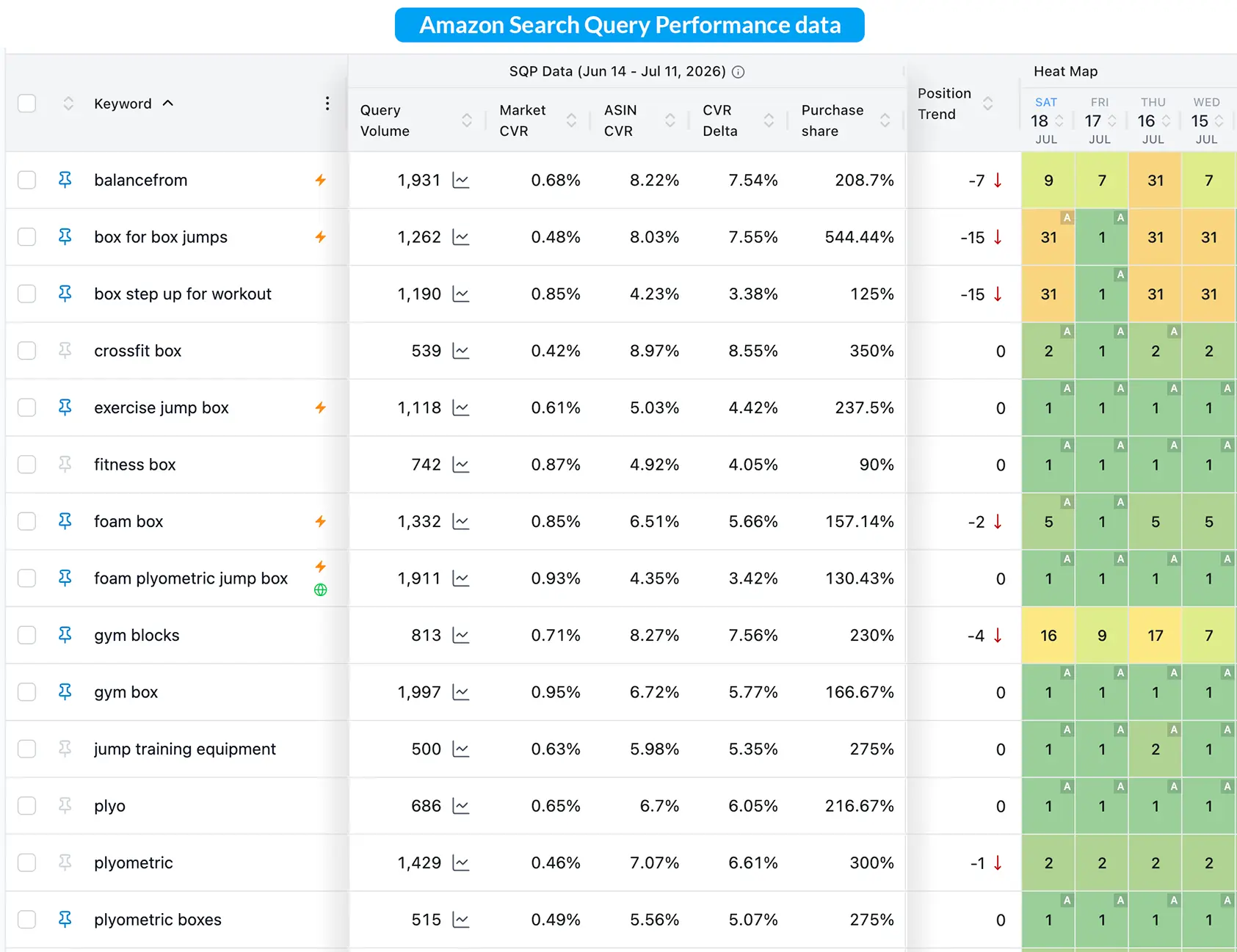
Enrich Your Rankings with SQP Data
Connect your Amazon account to overlay official Search Query Performance data - clicks, purchases, and market share - right next to your rank data.
Clicks & purchases
See how many clicks and purchases each tracked keyword generates, not just where you rank.
Market share
Understand your share of clicks and conversions for each query to gauge true keyword value.
Search Frequency Rank
Know how often a keyword is searched on Amazon to prioritize the terms that matter most.
Connect Your Ads to See the Full Picture
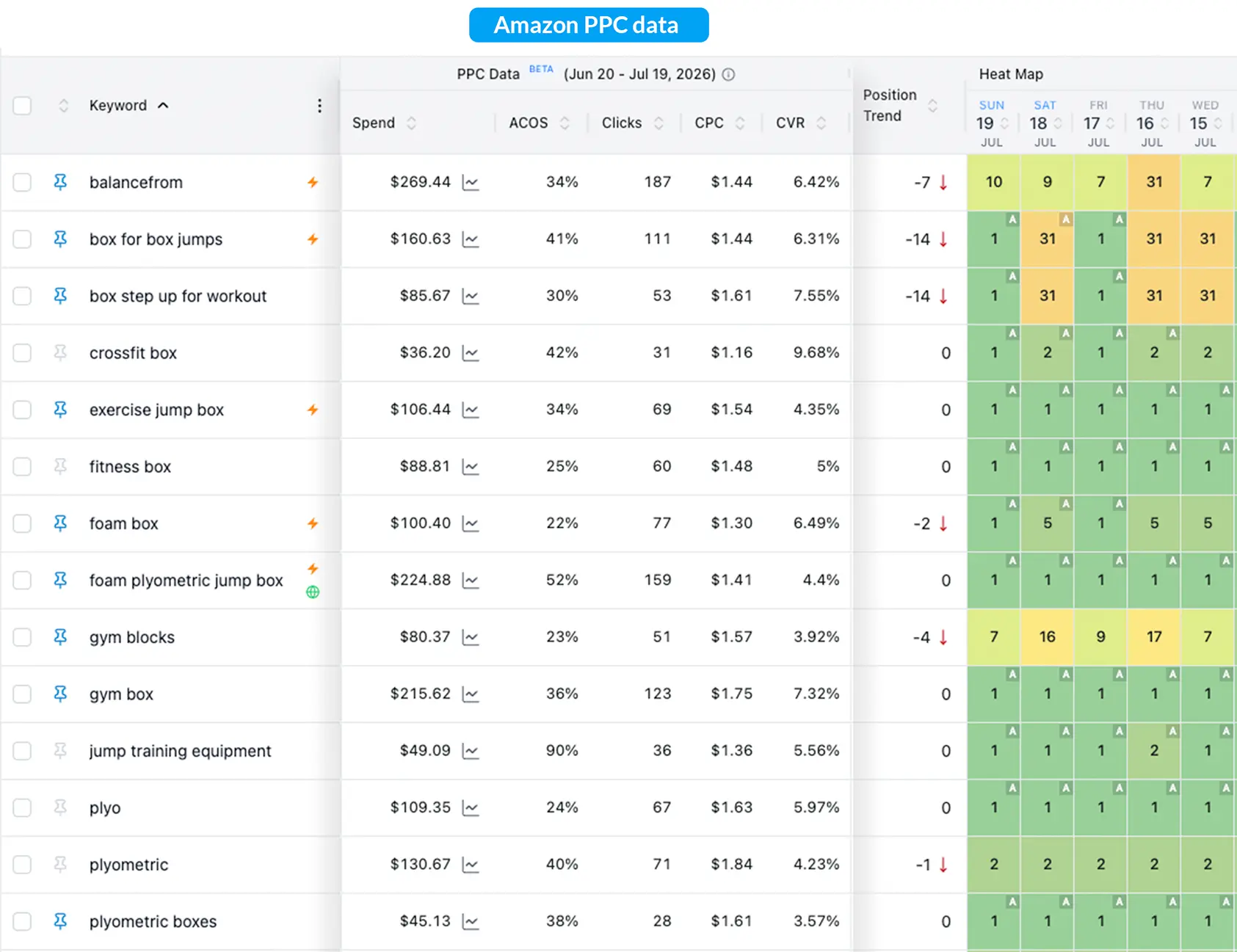
Link Amazon Ads to view spend, ACOS, clicks, and sales alongside your organic rank data in a single dashboard.
Spend & ACOS
Track ad spend and ACOS per keyword to measure profitability alongside organic performance.
PPC clicks & sales
See how your paid campaigns contribute clicks and sales for each tracked keyword.
Organic + paid correlation
Spot whether aggressive PPC campaigns are helping your organic rank stick over time.
Switch Without Losing Your History
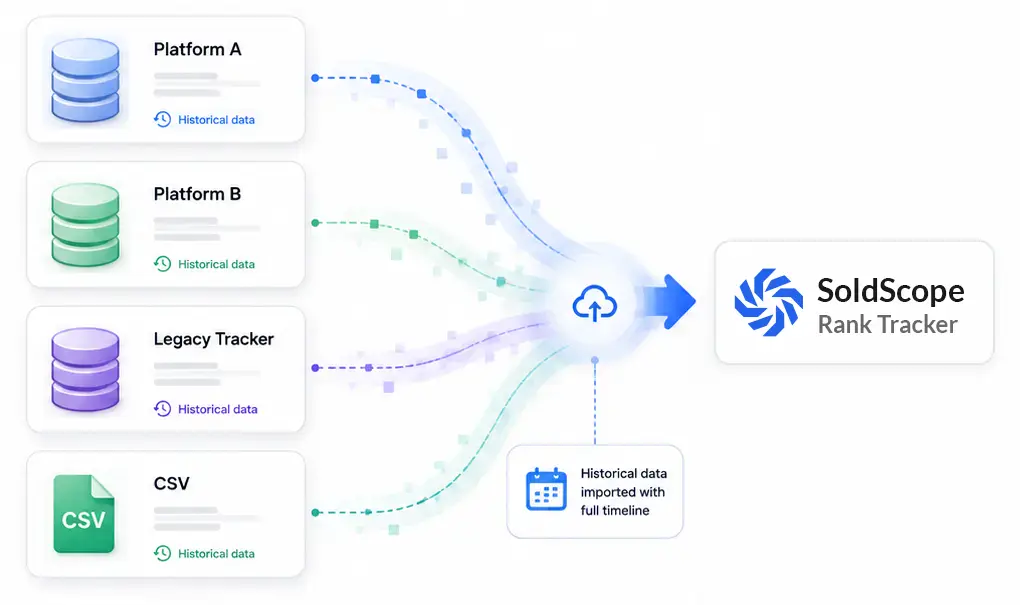
Moving from another rank tracker? We'll migrate your historical data for you - from virtually any platform, free of charge.
Keep years of data
Your rank history moves with you, so your data stays intact from day one.
Almost any platform
If your current tracker lets you export your data, we can bring it over.
Free and done for you
No migration fees and no manual work on your side. Our team does everything.
Why Track Rankings?
Without tracking, you're flying blind. You won't know if your SEO efforts are working or if you're losing momentum.
The SoldScope Advantage
With precise data, you can make strategic adjustments, measure your ROI, and confidently grow your organic traffic.
Data-Driven SEO for Real Growth
Use our Rank Tracker to get actionable insights that translate into higher rankings and more sales.
- Measure the impact of your listing optimizations.
- Identify new keyword opportunities based on market movement.
- Diagnose traffic drops by correlating them with rank changes.
- Justify your marketing spend with clear performance reports.
Frequently Asked Questions
Everything you need to know about Rank Tracker
What is the Rank Tracker tool?
Do I need an Amazon SP-API connection to use the Rank Tracker?
No, you do not. The core rank-tracking functionality is available to all users, as it relies on public data. You can track your ASINs and other ASINs without connecting your account.
The SP-API connection is optional but highly recommended for Brand Registry owners. When you connect your account, we enrich your Rank Tracker dashboard. We will pull in official Brand Analytics data (like Search Frequency Rank, Click Share, and Conversion Share) and display it right next to the public rank data for your tracked keywords. This gives you a single, powerful dashboard to see not only where you rank, but also how valuable that keyword is.
Read moreHow do I use the tool?
It's a simple setup:
- Go to the Rank Tracker tool.
- Enter the ASIN you want to monitor (e.g., your own product).
- Add the list of keywords you want to track for that ASIN (e.g., keywords you found using our Keyword Research tool).
- That's it! Our system will begin tracking and will update your dashboard every day.
How often is my rank updated?
Why should I track my rank?
"What gets measured, gets managed." You track your rank to:
- See if your optimizations are working: Did changing your title or bullets move your rank?
- Monitor market trends: Is your visibility declining on your most important keywords?
- Detect problems: A sudden drop in rank (or disappearing entirely) could mean your listing was "de-indexed" for that keyword, and you need to take action.
- Measure PPC impact: See if aggressive ad campaigns are helping your organic rank "stick."
What's the difference between Rank Tracker and Keyword Research?
They work perfectly together:
- Keyword Research is for Discovery. Use it to find new keyword opportunities.
- Rank Tracker is for Monitoring. Once you find those keywords, you add them to the Rank Tracker to monitor your own performance for them over time.
Prefer to work programmatically? Use the Amazon API to pull this data into your own tools.
Never Lose Sight of Your Rankings
Start tracking your most important keywords today and take control of your organic search success.
Climb the Ranks