SP-API Integration
Unlock the Full Power of SoldScope
Connecting your Amazon Seller Central account to SoldScope via SP-API doesn't just flip a technical switch — it changes what the platform can actually do for you. Once your account is integrated, SoldScope can work directly with your listings, reports, and Brand Analytics data, so you get smarter alerts, deeper insights, and faster execution instead of endless manual work.
What is SP-API?
Amazon's Selling Partner API (SP-API) is Amazon's official way for approved apps to securely access your own Seller Central data — listings, reports, Brand Analytics, and more — directly from Amazon instead of through manual exports.
With SP-API, tools like SoldScope can:
- Pull fresh, structured data about your catalog and performance
- Automate repetitive tasks that normally require clicking around in Seller Central
- Power dashboards, alerts, and workflows tailored to how you run your business
Apps that use SP-API are listed in the Selling Partner Appstore — Amazon's curated directory of third-party tools that undergo policy and security review. When you connect SoldScope, you're using that same trusted framework, with permissions you control from your Seller Central account.
Is it safe to connect SoldScope via SP-API?
Yes, it's completely safe.
Amazon enforces strict best-practice standards for every SP-API integration, including its Data Protection Policy (DPP) and Acceptable Use Policy (AUP). SoldScope is built around these requirements: your account is authenticated through Amazon's own consent flow, your data is encrypted and logically segregated from other sellers' data, and it is never shared or exposed to others — neither directly nor in aggregated competitive views.
You can learn more on our Security & Compliance page.
What do you gain when you connect SP-API to SoldScope?
Once your Seller Central account is connected, SoldScope becomes an operational command center for your Amazon business. Instead of simply reading reports, it can act on your data: monitor risks, surface opportunities, and push changes back to your listings when you're ready.
SP-API unlocks capabilities that are simply not possible when you only work with public marketplace data.
Some SoldScope tools only work when SP-API is connected. Others still provide value without it, but become dramatically more powerful once they can use your private reports and Brand Analytics.
To make this clear, we'll group them into:
- Tools that strictly depend on SP-API
- Tools that are partially dependent — SP-API unlocks advanced features
Tools Strictly Dependent on SP-API
These tools rely directly on your private seller data and essentially don't make sense without SP-API integration.
Smart Alerts
What it is
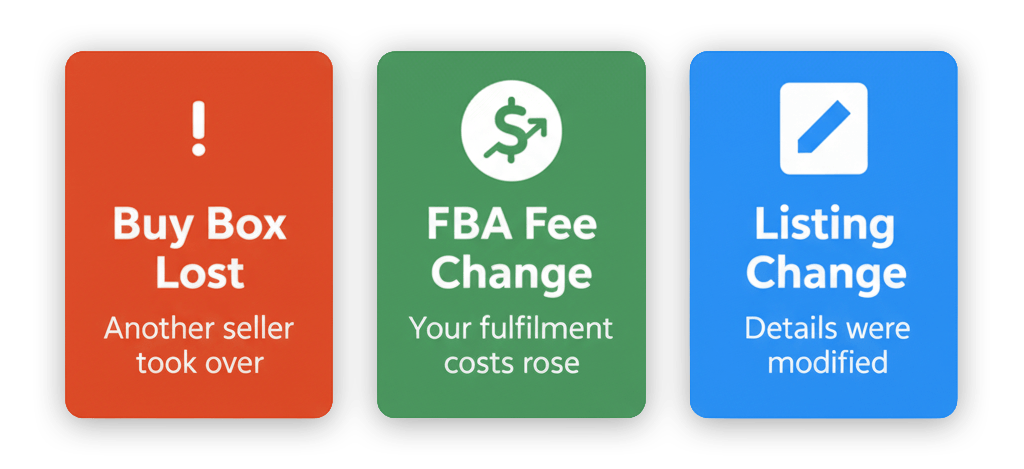
Smart Alerts is your always-on monitoring layer for critical changes in your Amazon business. It continuously watches your catalog, Buy Box, and listing health and notifies you when something happens that can impact sales.
How SP-API powers Smart Alerts:
- Imports all ASINs tied to your account so monitoring is complete by default
- Tracks Buy Box ownership and key listing status changes (inactive, suppressed, blocked)
- Flags unusual behavior such as sudden drops in orders or abnormal refund patterns
Reimbursement Service
What it is
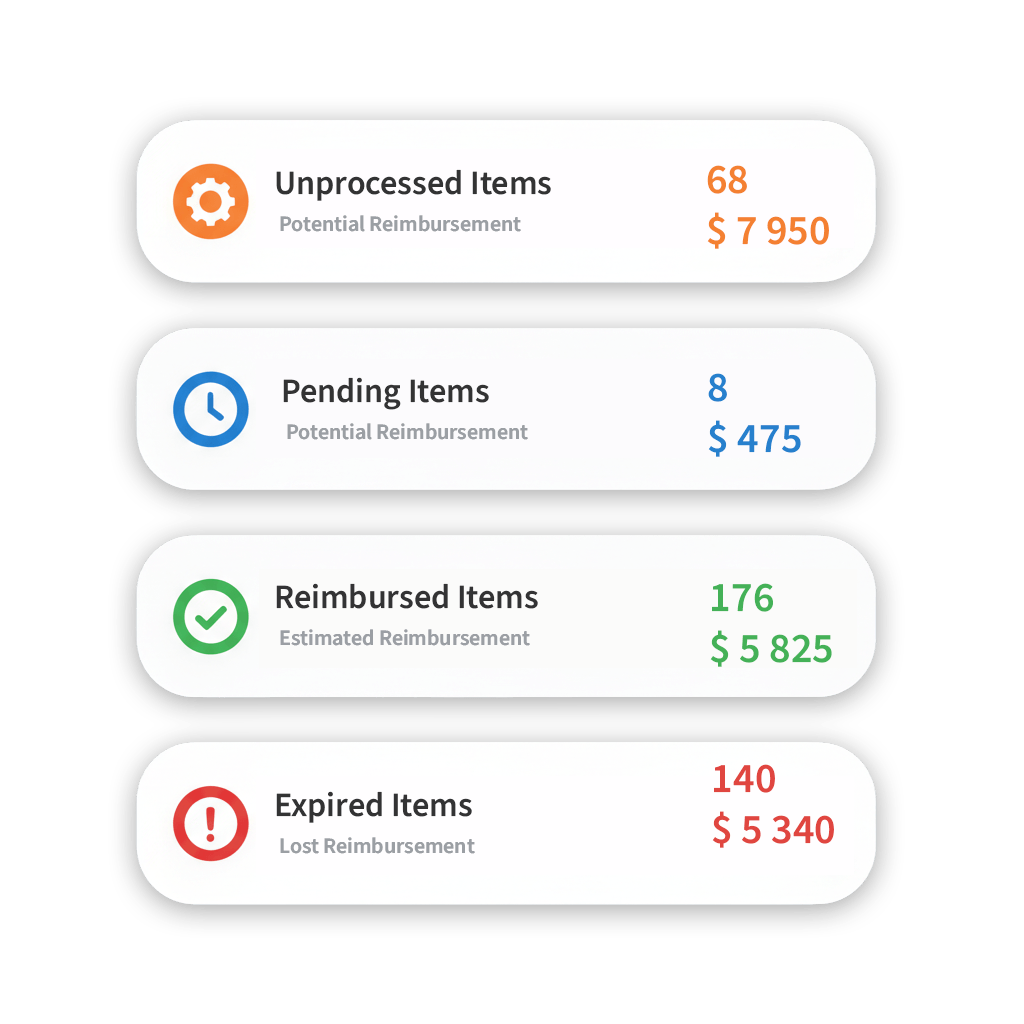
SoldScope's Reimbursement Service helps you systematically find and recover money Amazon may owe you for lost or damaged FBA inventory, incorrect refunds, and other operational discrepancies.
Learn more about Reimbursement ServiceHow SP-API powers Reimbursement Service:
- Provides access to the detailed FBA and operations reports required to calculate potential reimbursements
- Automatically surfaces discrepancies (lost or not-returned units, misapplied adjustments, incomplete reimbursements)
- Structures the data you need to file clear, well-documented claims and speed up the claims process
Tools Partially Dependent on SP-API
These tools are already useful on their own — they leverage public marketplace data and SoldScope's proprietary models. But once you integrate SP-API, especially if you are Brand Registered, they gain an extra layer of precision by using your Brand Analytics data.
Listing Builder
What it is
Listing Builder helps you create and improve product detail pages — titles, bullets, descriptions, and keywords — in a structured, data-driven workflow.
Learn more about Listing BuilderWhat SP-API unlocks:
-
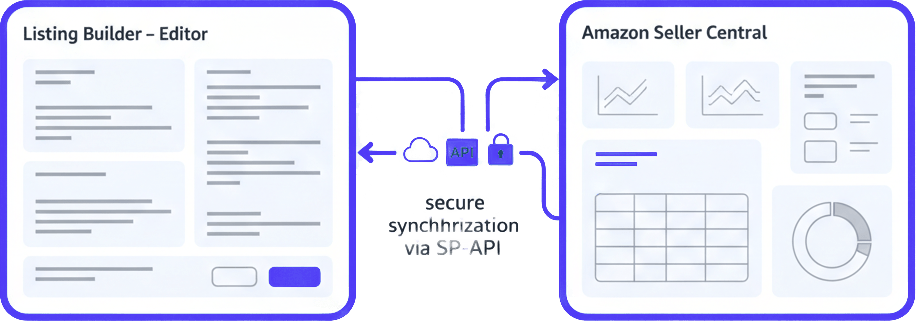
1-click sync with Seller Central
Instead of copy-pasting between SoldScope and Seller Central, SP-API lets you send approved listing changes back to your Amazon catalog in a single click.
-
Import existing listing content
Current titles, bullets, descriptions, and backend keywords are pulled in via SP-API and become the starting point for optimization.
-
Central source of truth for copy
When you update a listing in SoldScope and sync via SP-API, your content in Seller Central and your internal documentation stay aligned — no more outdated versions floating around.
Keyword Research (with Brand Analytics)
What it is
Keyword Research helps you discover and prioritize keywords based on demand, competition, and relevance for your products.
Learn more about Keyword ResearchWhat SP-API + Brand Registry unlocks:
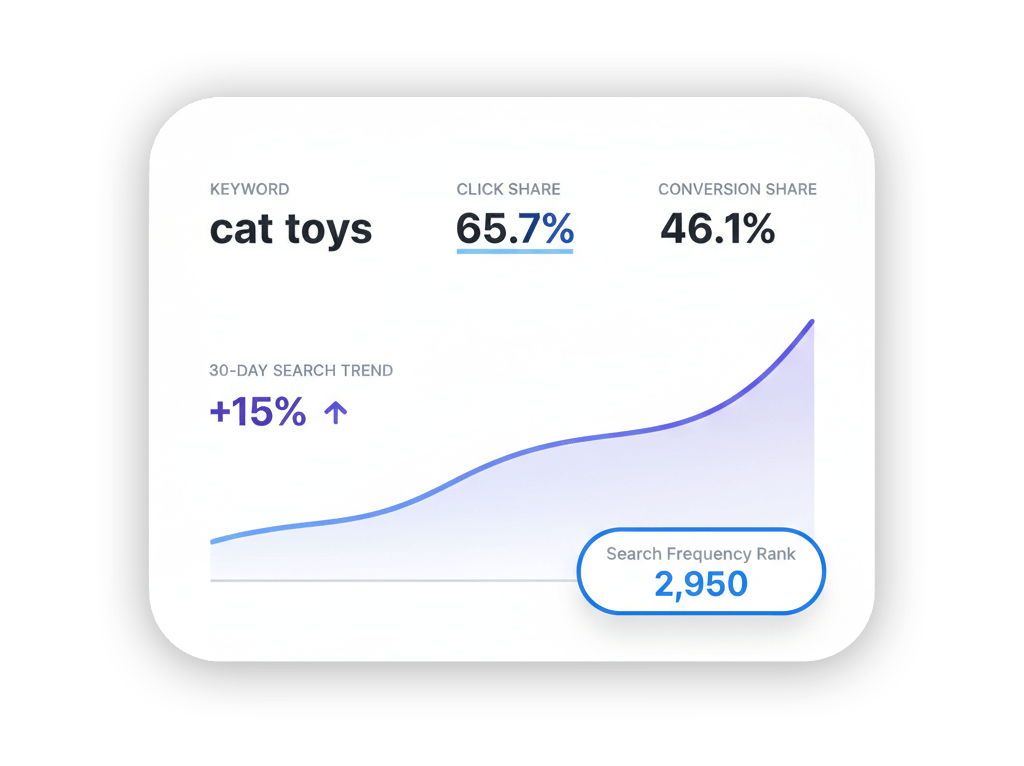
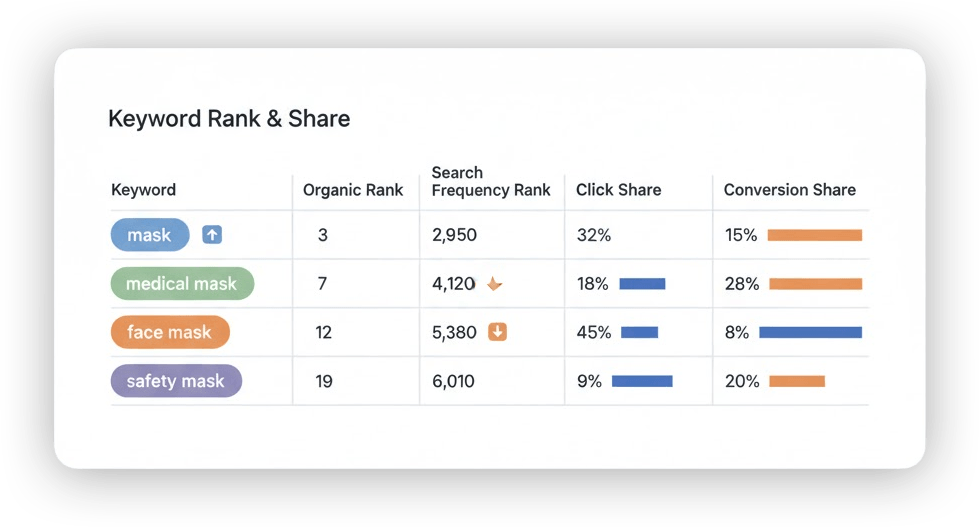
If your are Brand Registered Seller and connected via SP-API, SoldScope can use your own Brand Analytics data to add new metrics and visualizations to your keyword workflow:
-
Click Share — the share of total clicks for a search term that go to your products
-
Conversion Share — the share of total orders for that search term that your products capture
-
Search Frequency Rank (SFR) charts — how important a search term is over time within Amazon search
You're not only looking at theoretical demand; you see how much of that demand you already own. You can quickly spot search terms where Click Share is high but Conversion Share is low (offer or listing problem), or the opposite — strong conversion but not enough traffic.
Rank Tracker (with Brand Analytics)
What it is
Rank Tracker monitors the dynamics of your organic (and optionally sponsored) positions for key search terms, helping you see how listing changes, pricing, and campaigns affect visibility.
Learn more about Rank TrackerWhat SP-API + Brand Registry unlocks:
If your are Brand Registered Seller and connected via SP-API, Brand Analytics data brings a layer of precision to classic rank tracking:
-
Click Share & Conversion Share per keyword
You see not just where you rank, but how much of the clicks and orders you actually capture from that query.
-
Search Frequency Rank
You can overlay organic rank, Search Frequency Rank, Click Share, and Conversion Share to understand which queries are truly strategic, where you are underperforming despite solid positions, and where small improvements in rank can translate into outsized revenue gains.
Bringing it all together
When you connect Seller Central to SoldScope via SP-API, you:
- Turn on Smart Alerts that watch your catalog, Buy Box, and listing health for you
- Activate Reimbursement Service, which systematically searches for potential reimbursements and prepares data for claims
- Give Listing Builder the ability to sync content between SoldScope and Seller Central in a single click
- Supercharge Keyword Research and Rank Tracker with your own Brand Analytics — Click Share, Conversion Share, and SFR visualizations tailored to your brand
If you want to manage your Amazon business as a truly data-driven asset — instead of just reacting inside Seller Central — integrating via SP-API is the key that unlocks the full potential of SoldScope.
Ready to unlock the full power of SoldScope?
Connect your Seller Central account via SP-API and start working smarter, not harder.
Get Started Now