GTIN vs UPC: What Amazon Sellers Really Need to Know

Sarah Johnson

If you’re listing products on Amazon, you’ve probably run into terms like GTIN, UPC, EAN, and FNSKU. They’re easy to mix up—and mistakes here can get your listings suppressed or even your account flagged.
This guide breaks down GTIN vs UPC specifically from an Amazon seller’s perspective: what each one is, how they’re related, when you need them, and how to avoid common barcode problems on Amazon.
GTIN vs UPC: The Simple Explanation
GTIN (Global Trade Item Number) is the number that uniquely identifies your product worldwide.
UPC (Universal Product Code) is a specific type of GTIN, usually a 12‑digit number used mainly in the US and Canada, and often printed under a scannable barcode.
A useful way to think about UPC vs GTIN:
• GTIN = the concept / identification standard
• UPC = one format of GTIN
On Amazon:
• In most categories, when Amazon asks for a GTIN, they accept UPC, EAN, ISBN or sometimes GTIN-14
• For US-based sellers, “UPC code vs GTIN” often doesn’t matter in practice—your UPC (GTIN‑12) usually satisfies Amazon’s “GTIN” requirement.
Types of GTINs You’ll See as an Amazon Seller
GTIN is an umbrella term. The main formats relevant to Amazon sellers are:
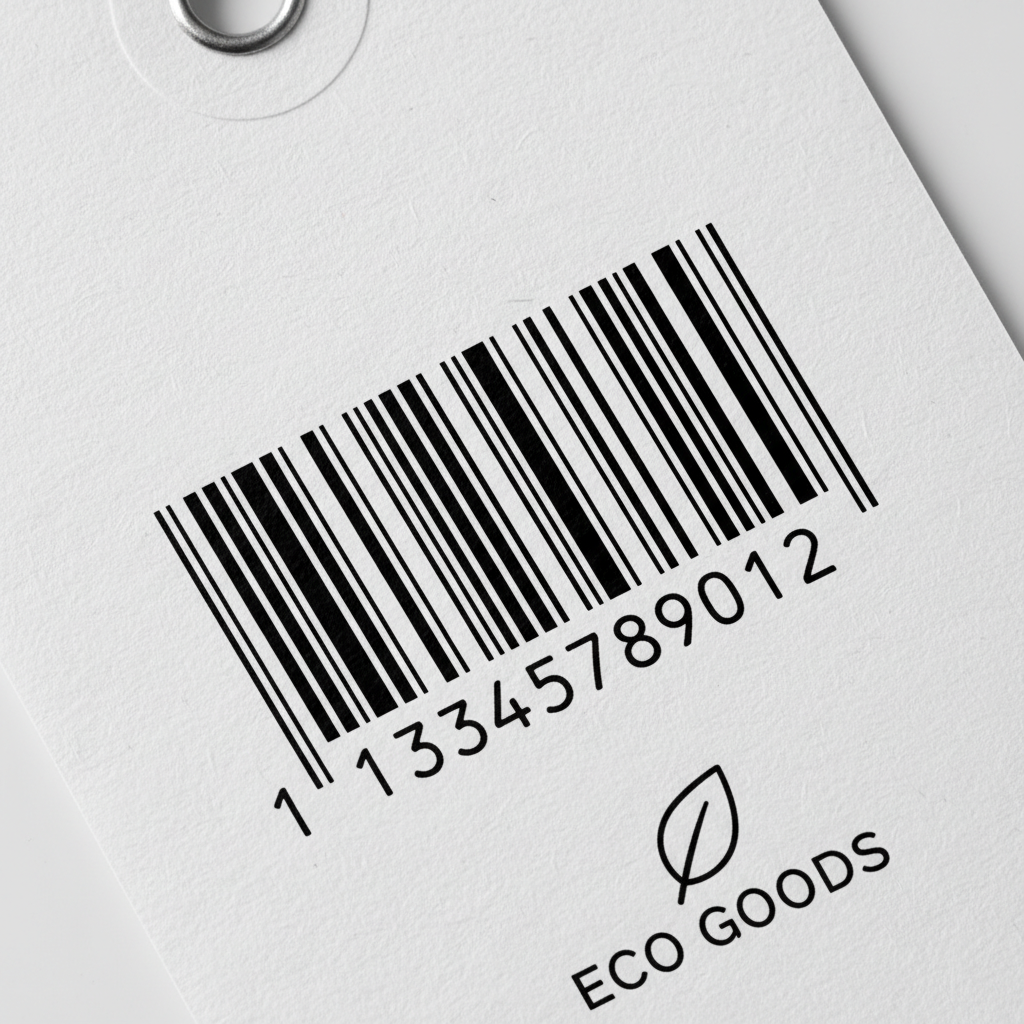
• GTIN‑12 = UPC
• 12 digits
• Standard in the US and Canada
• Most common requirement for Amazon.com
• GTIN‑13 = EAN
• 13 digits
• Standard outside North America (Europe, many other regions)
• Common on products imported from overseas manufacturers
• GTIN‑8
• 8 digits
• Used for very small products or special packaging
• Less common for typical Amazon sellers
• GTIN‑14 (ITF‑14)
• 14 digits
• Often used for cases/cartons, outer packaging
• Relevant for logistics, usually not required for standard Amazon consumer listings
So when you’re comparing GTIN vs UPC:
• Every UPC you buy through GS1 is a GTIN‑12
• Every EAN is a GTIN‑13
• Amazon treats them all as variants of GTIN for listing purposes
Where GTIN/UPC Shows Up in Your Amazon Workflow
On Amazon, GTINs and UPCs appear in several places:
3.1. Product creation
When you create a new listing, Amazon usually asks for:
• Product ID (this is where your GTIN goes)
• Type of ID (UPC, EAN, ISBN, GTIN‑14, etc.)
If you’re selling:
• Your own brand (private label)
• You typically use your own GS1-issued UPC/EAN
• Or request a GTIN exemption if you qualify
• Existing branded products
• You use the same GTIN (UPC/EAN) as the brand owner
• Amazon often auto-fills this if you match to an existing ASIN
3.2. FBA labels (FNSKU)
When using Fulfillment by Amazon (FBA):
• FNSKU = Amazon’s internal barcode linking inventory to your seller account
• It’s printed on labels you stick on each unit (unless you use manufacturer barcode / stickerless inventory)
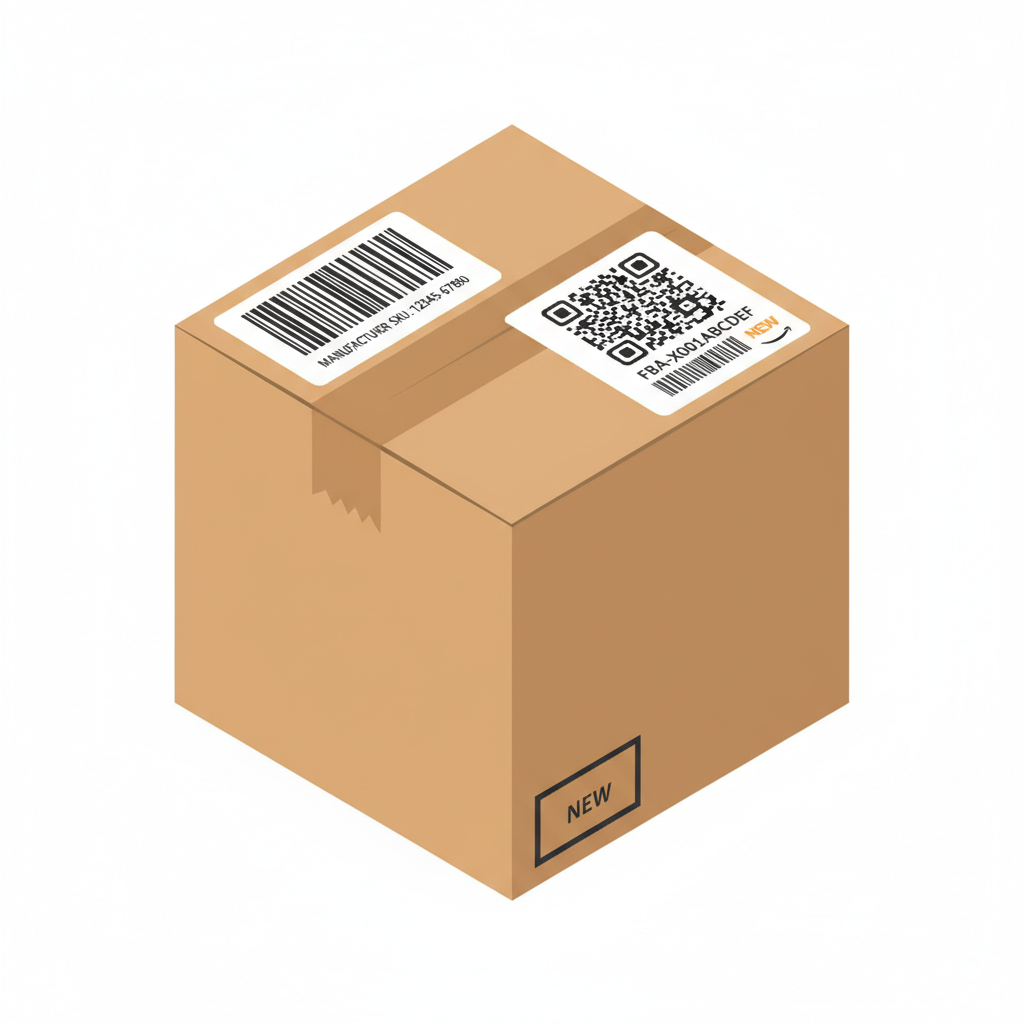
FNSKU is not a replacement for a GTIN/UPC:
• GTIN/UPC identifies the product globally
• FNSKU identifies the product inside Amazon’s system
You usually still need a valid GTIN (UPC/EAN) to create the listing before you ever get an FNSKU.
Do You Need a UPC or GTIN to Sell on Amazon?
In most cases, yes. But there are two main paths:
4.1. Path 1: Use a valid GTIN (UPC/EAN/ISBN)
You must do this if:
• You’re selling branded goods that already have barcodes
• You’re in categories that strictly require barcodes (e.g., many consumer goods, grocery, health & household)
Amazon will often:
• Check your UPC/EAN against the official GS1 database
• Flag codes that don’t match your brand or don’t exist
4.2. Path 2: Apply for a GTIN exemption
You may qualify for a GTIN exemption if:
• You sell handmade, custom, or one-of-a-kind items
• Your brand is not yet barcoded (and you don’t want to use GTINs initially)
• You sell certain products that Amazon explicitly allows without GTINs
Even with a GTIN exemption, Amazon will still generate:
• ASIN = Amazon’s unique ID for that listing
• Possibly FNSKU if using FBA
But you won’t need to provide a UPC/EAN for those specific listings.
Why Amazon Cares So Much About GTINs and UPCs
For Amazon, consistent product identification is critical because it:
• Prevents different sellers from using the same barcode for different products
• Helps Amazon group identical items under the same ASIN
• Reduces listing abuse, duplicates, and counterfeit issues
• Keeps product catalogs cleaner and search results more accurate
For you as a seller, valid GTIN/UPC usage helps:
• Get your listings approved faster
• Avoid suppression for “invalid product ID”
• Maintain trust and eligibility in programs like Brand Registry and Buy Box competition
GTIN vs UPC: Common Amazon Misunderstandings
Here are frequent points of confusion for sellers:
6.1. “GTIN and UPC are totally different things”
Not really.
• A UPC is a type of GTIN (GTIN‑12)
• On Amazon, if they ask for GTIN, they’re usually happy with a UPC or EAN, as long as it’s valid and yours to use
6.2. “I can buy cheap UPCs anywhere online”
This is risky.

• Amazon increasingly validates UPCs against GS1
• If the code doesn’t match your brand name in GS1 records, Amazon can:
• Suppress or remove your listing
• Ask for proof of brand ownership and barcode rights
• In severe or repeated cases, restrict your listing abilities
Best practice:
Buy GTINs (UPCs/EANs) via GS1 (directly or through official partners), not from random low-cost resellers.
6.3. “Once I have an FNSKU, I don’t need a UPC”
Wrong.
• You normally need the GTIN first to create the listing
• The FNSKU is generated after the listing exists
• If you later change or lose the underlying GTIN, you can run into catalog and compliance issues
How to Choose Between UPC and EAN as a Seller
If you’re deciding between UPC vs GTIN‑13 (EAN) for your own products, consider:
• Selling mainly in the US/Canada?
• Use UPC (GTIN‑12) – it’s what most US systems expect
• Selling mainly in Europe or globally?
• Use EAN (GTIN‑13) – standard outside North America, but still acceptable on Amazon.com
• Multichannel / multi-region strategy?
• Either format is technically global, but keep it consistent:
• One GTIN per unique product/variation
• Same GTIN across all marketplaces (Amazon, Shopify, retail, etc.)
Practical Steps to Get Barcodes Right for Amazon
Step 1: Decide your product strategy
• Private label / own brand? You’ll likely need your own GS1 prefix
• Reselling existing brands? You’ll use their existing GTINs
Step 2: Get your GTINs from GS1
• Visit the GS1 organization for your country
• Choose:
• A single GTIN (for a very small product line), or
• A company prefix (for multiple products/variations)
Make sure registration shows your legal entity/brand.
Step 3: Assign one GTIN per unique product
Each variation needs its own GTIN:
• Color
• Size
• Pack quantity
• Material, etc.
Never reuse GTINs for different products.
Step 4: Add GTIN/UPC to your Amazon listing correctly
When creating a new product:
• Set Product ID Type = UPC/EAN/ISBN/GTIN‑14 (whichever you have)
• Paste the exact number (without spaces or extra characters)
• Ensure the brand name you enter matches what’s associated with that GTIN in GS1
Step 5: Print or add barcodes to your packaging (if needed)

• For retail-ready packaging, the UPC/EAN is typically printed on the box/label
• For FBA, decide if you’ll:
• Use manufacturer barcode (your UPC/EAN) for fulfillment, or
• Use Amazon’s FNSKU label (applied to each unit)
When You Might Not Need GTINs at All
In some cases, GTINs/UPCs are not necessary:
• Purely internal inventory control (in your own warehouse or shop)
• You can create your own custom codes for internal systems
• But those won’t work for Amazon or other retailers
• Certain Amazon categories with GTIN exemptions, such as:
• Handmade items
• Custom bundles
• Some books or collectible items (depending on the rules)
Check Amazon’s current GTIN exemption policy by category, as rules change.
Quick Comparison: GTIN vs UPC for Amazon Sellers
Aspect – GTIN – UPC (GTIN‑12)
What it is – Global product ID standard (umbrella) – One format of GTIN (12-digit)
Typical length – 8, 12, 13, or 14 digits – Always 12 digits
Common formats – GTIN‑8, GTIN‑12, GTIN‑13, GTIN‑14 – GTIN‑12
Regional focus – Global – Mainly US & Canada
Amazon usage – “GTIN” field accepts UPC/EAN/ISBN/GTIN‑14 – Often the default Product ID type
Who issues them – GS1 – GS1 (as GTIN‑12)
For Amazon’s purposes:
Valid, GS1-based GTINs (UPCs/EANs) tied to your brand are what matter most.
Key Takeaways for Amazon Sellers
• GTIN vs UPC isn’t a true either/or:
• A UPC is simply one type of GTIN (GTIN‑12)
• For Amazon:
• You usually need a valid GTIN (UPC/EAN/ISBN) unless you have a GTIN exemption
• Amazon increasingly checks those codes against GS1 data
• Always:
• Get your GTINs from GS1 or official channels
• Use one GTIN per unique product/variation
• Make sure the brand name and GTIN ownership match
If you share your situation (private label, reseller, region, number of SKUs), I can outline a tailored GTIN/UPC plan for your Amazon catalog.