Listing Optimization: Turning Analysis into Action

Olivia Reyes
Running a report in the Listing Analyzer is only the first step. The real value lies in identifying the "Content Gaps" between you and the market leaders. This guide covers how to use each data block to build a superior listing.
1. Close the "LQS Gaps"
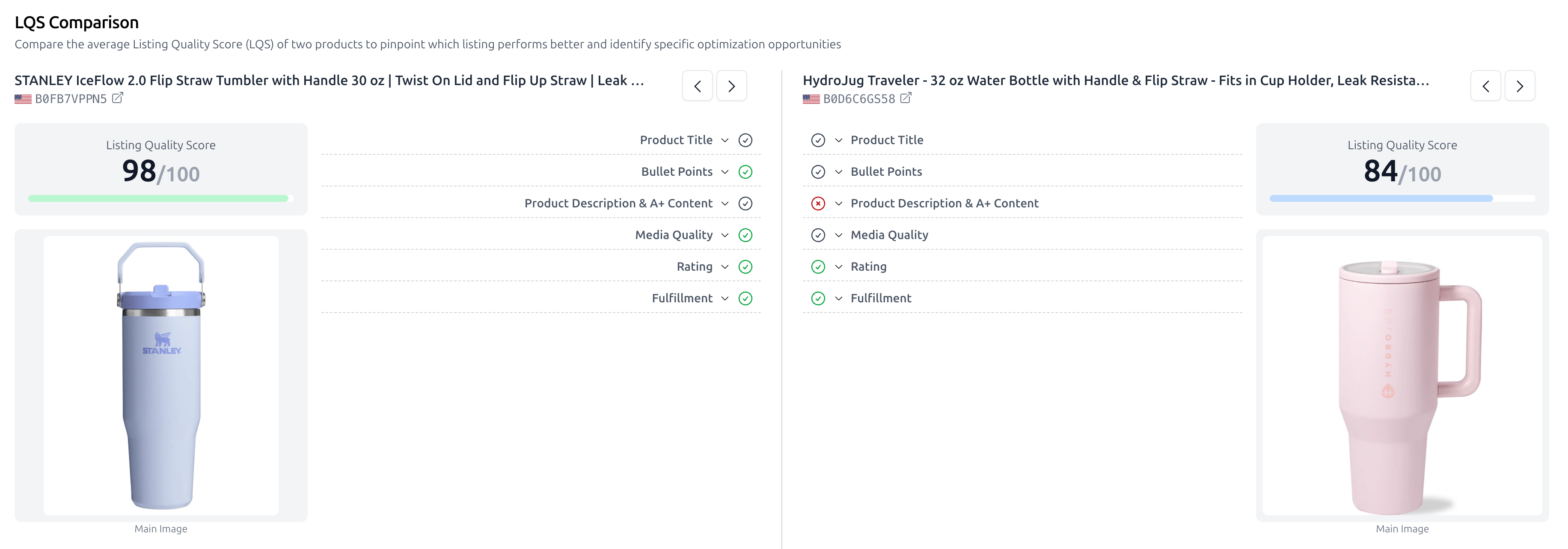
The LQS Comparison block is a binary audit of your listing's hygiene.
The Strategy: Look for rows where your competitors have a green checkmark and you have a red "X".
Priority Fixes: If a top-performing competitor has a 100% LQS because they have a specific video type or a certain character count in their bullets, your first task is to match those technical requirements.
The "Side-by-Side" Advantage: Use the side-by-side view to compare your Title structure directly against theirs to see if you are missing high-volume keywords they’ve included.
2. Win the Visual War
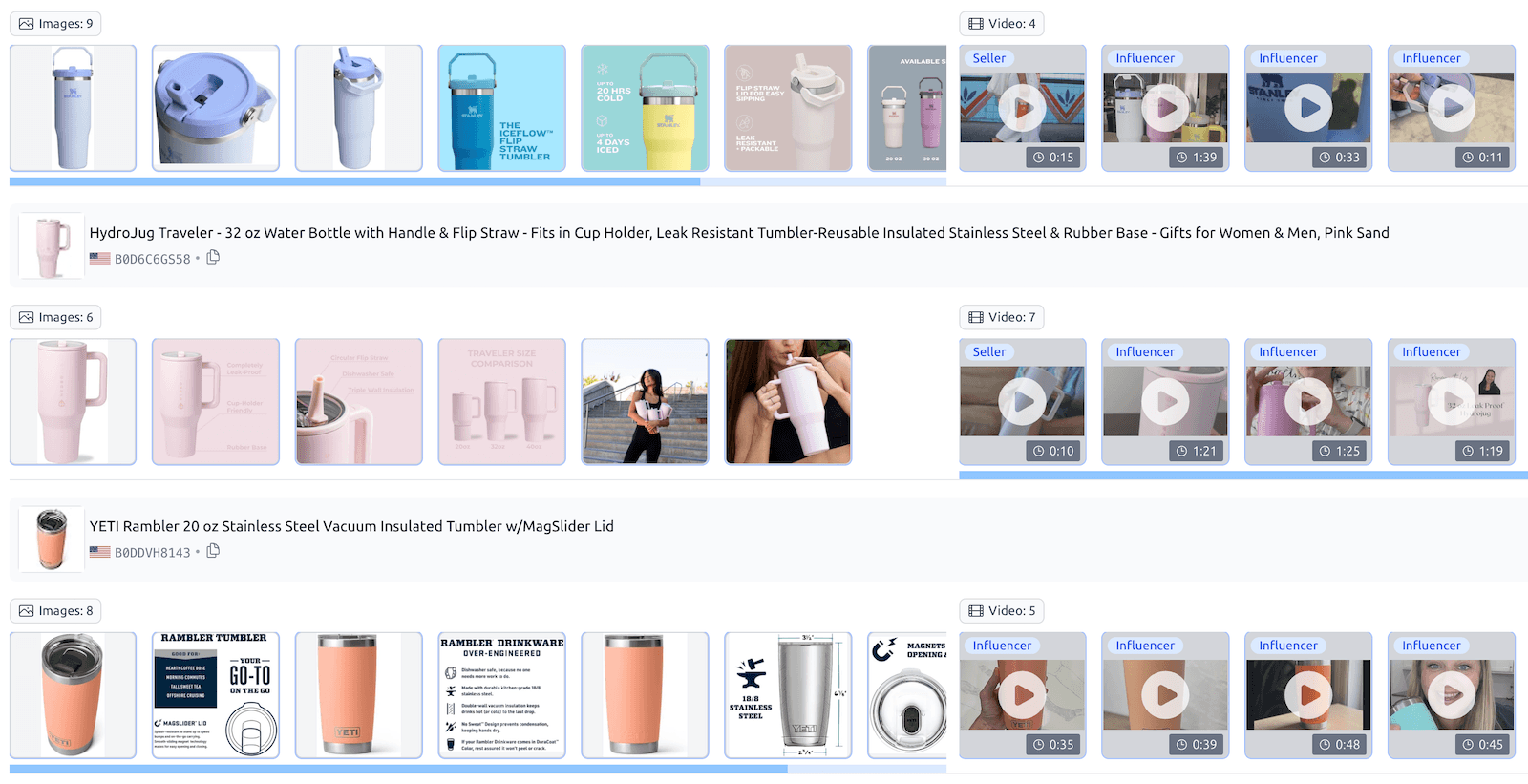
The Media Comparison section reveals the "Visual Blueprint" of your niche.
Identify Missing Content: Are your competitors using 360° views or Influencer videos while you only have a basic product video?
Image Count Check: If the market average is 7 images and you only have 5, you are leaving conversion on the table.
Visual Benchmarking: Look at the main images side-by-side. If their main image "pops" more due to better lighting or 3D rendering, you know exactly what to tell your photographer.
3. Copywriting with "Review Insights"
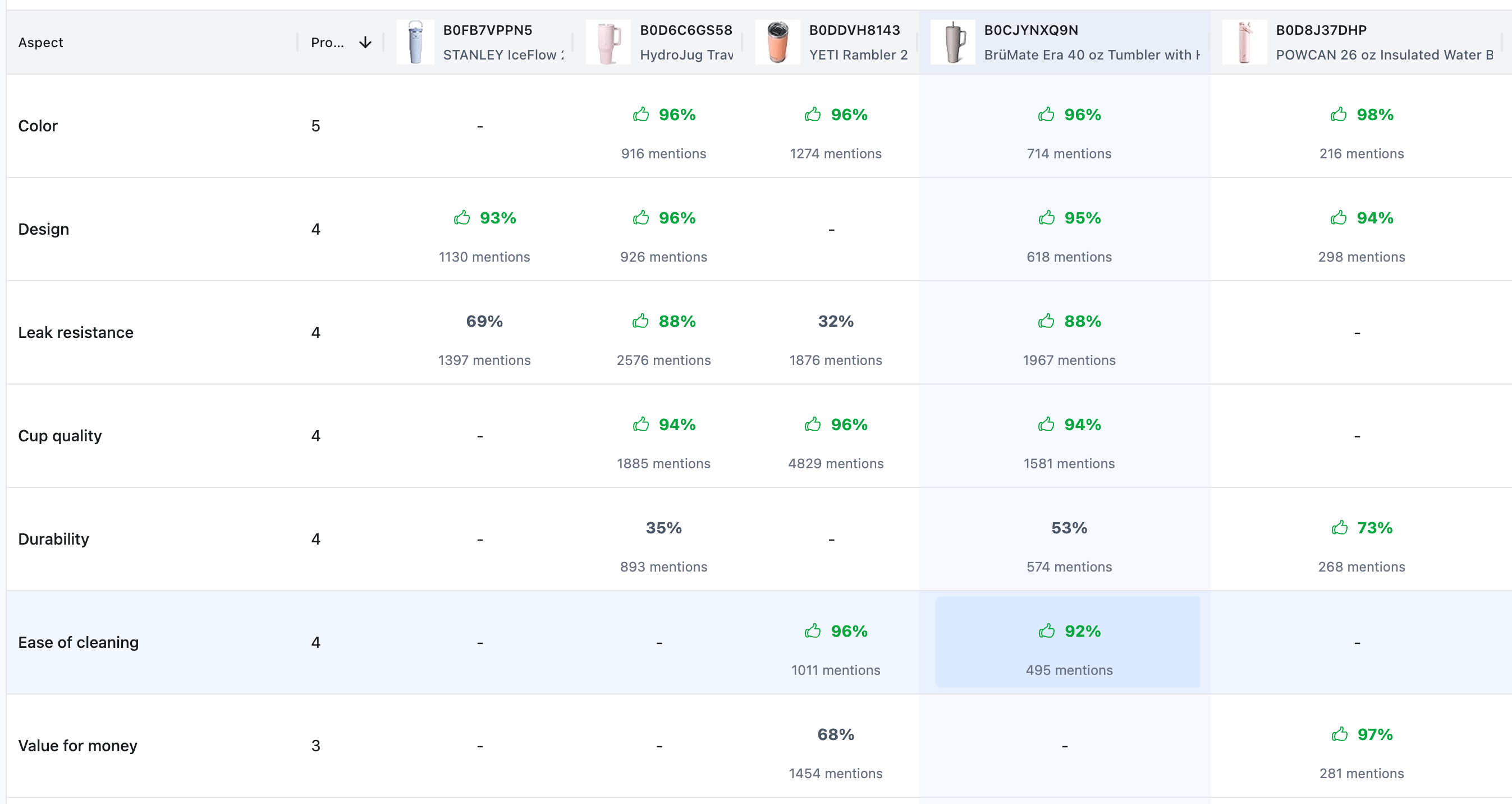
This is the most powerful block for high-converting copywriting. Review Insights aggregate what customers actually care about based on Amazon's AI summaries.
Highlight Strengths: If a competitor’s summary mentions "Great insulation" but only has a 70% positive rating for it, and your product performs better, make "Superior Insulation" your #1 bullet point.
Overcome Objections: If the Review Insights show a common complaint in the niche (e.g., "Lid leaks"), specifically state "100% Leak-Proof Guaranteed" in your secondary images and A+ content.
Source of Truth: Remember, these insights are pulled from Amazon’s official product summary, meaning they are the exact features Amazon’s AI has determined are most relevant to buyers.
4. Market Positioning with Snapshots
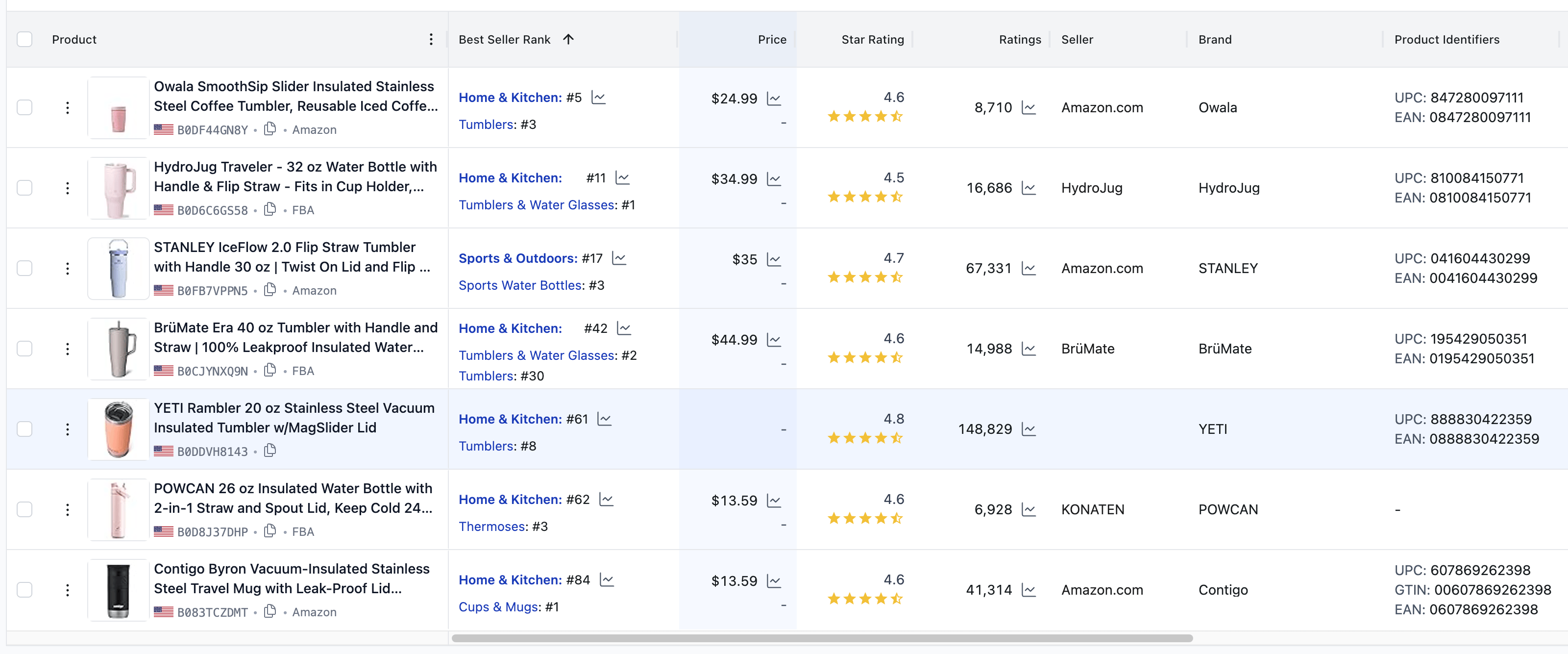
The Product Snapshot table helps you understand if your listing "health" matches your business reality.
Price vs. Performance: Compare your Listing Quality Score against your Price and BSR (Best Seller Rank).
The Opportunity: If you find a competitor with a high BSR (they sell a lot) but a low LQS, they are vulnerable. By creating a listing with a higher LQS and better media, you can steal their market share even with fewer reviews.
Your Optimization Checklist
Audit: Open LQS Comparison and fix every Red Circle.
Visualize: Match or exceed the image/video count found in Media Comparison.
Persuade: Use the keywords and aspects found in Review Insights to rewrite your Bullet Points.
Benchmark: Use the Product Snapshot to ensure your price point is competitive for your current BSR.