Getting Started with the SoldScope API

Olivia Reyes
The SoldScope API gives you programmatic access to the same tools you use in the SoldScope app. Use it to automate workflows, pull data into your own dashboards, sync research with your team's tools, or build custom integrations on top of SoldScope's data.
This article walks you through what's available, how to get set up, and where to go for detailed reference documentation.
What you can do with the API
The API exposes SoldScope's main research tools, plus utilities for managing your account and past searches.
Product Research lets you discover Amazon products that match criteria like niche, price range, BSR, sales volume, or fulfillment type. You can browse Amazon's category tree, filter by detailed attributes, and access product variations.
Keyword Research helps you find the keywords driving traffic to specific products. Search by a single ASIN, compare keyword overlap across up to 10 ASINs, or research opportunities by keyword phrase.
Rank Tracker tracks keyword positions for your products over time, so you can monitor visibility and performance trends programmatically.
Beyond running new research, the API also lets you list past searches, fetch previously saved data, and check authentication - all without spending against your quota.
Authentication
Every API request requires a Personal Access Token. To create one:
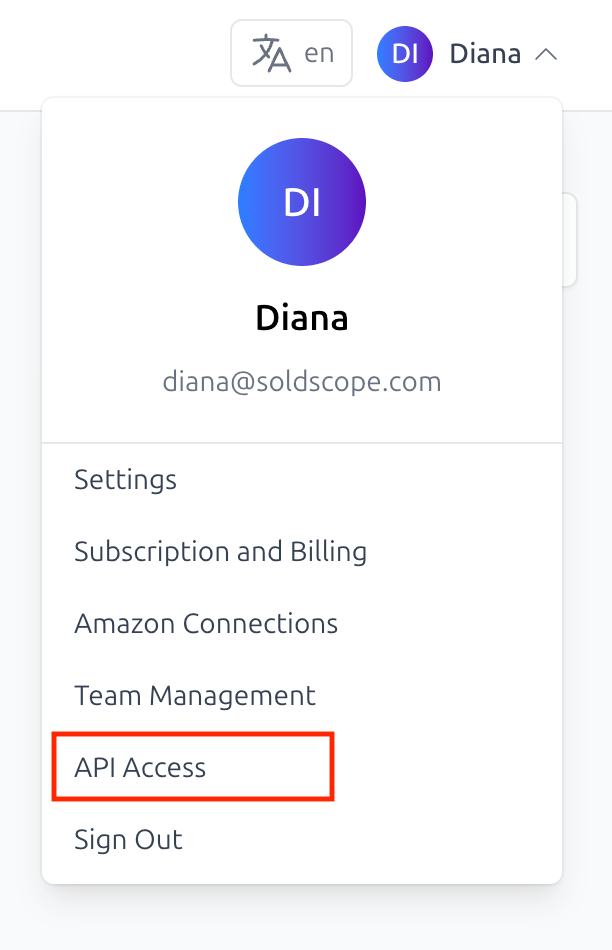
Open API Access in your SoldScope account.
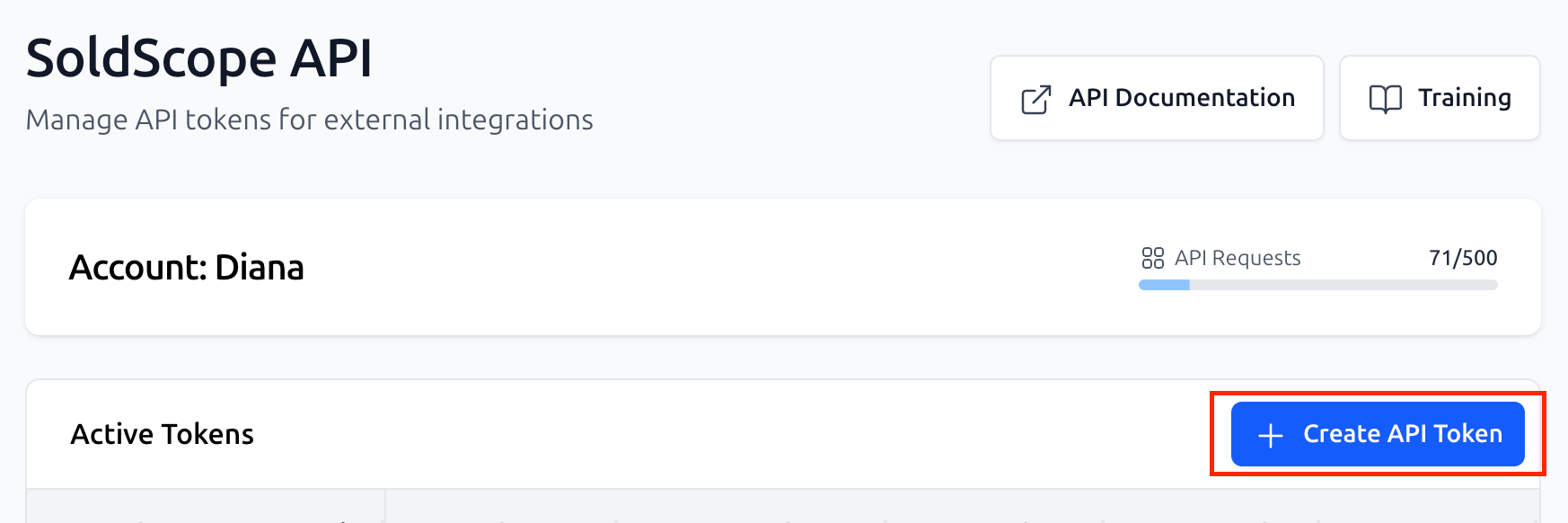
Click Create API token and give it a name.
Copy the token - it is shown only once, so store it somewhere safe.
Pass the token in the Authorization header of every request:
Authorization: Bearer <your-token>
To verify your token works, call GET /auth/check. A 200 response with your account info confirms you're set up correctly.
Rate limits
Your subscription plan includes a monthly quota of API requests. Endpoints that count toward this quota are marked with a ◈ symbol in the API reference sidebar and a Metered badge on the endpoint page - typically the ones that run new searches or generate fresh research data.
Free endpoints (authentication, listing account info, fetching previously saved data) don't count toward your quota.
Every API response includes headers that show your current usage, how many requests you have left, and when the quota resets. If you run out, metered endpoints return 402 Payment Required until your next billing cycle or until you upgrade your plan. Free endpoints continue working normally.
Getting started
The shortest path from zero to your first request:
Create a token in your SoldScope account.
Verify it with a
GET /auth/checkrequest.Try a search - pick a tool (Product Research, Keyword Research, or Rank Tracker) and run an example request from the API reference. Most endpoints include code samples you can copy directly.
Where to find more
The full API reference documents every endpoint, parameter, and response code, with interactive examples you can run right from the docs. It's the source of truth for request formats and the specific workflows for each tool - including how to paginate, poll for asynchronous searches, and handle errors.
The API is actively developed - we ship new endpoints regularly, and they appear in the reference as soon as they go live. It's worth bookmarking the reference and checking back occasionally to see what's new.
For questions or feedback about the API, reach out to support.