Free Amazon FBA Calculator - Fees, Profit & Revenue Estimator
Understanding your profit margin formula is key to success. Our tool acts as a gross margin calculator, helping you see exactly what stays in your pocket after Amazon takes its cut.
Try the complete SoldScope experience - no strings attached, sign up for free.
How to Use the Amazon Fees Calculator (Step-by-Step)
Navigating Amazon's fee structure can be complex, but our calculator simplifies it into three easy steps. Follow this three-step guide to validate your product's profitability in seconds.
Step 1: Define Your Product
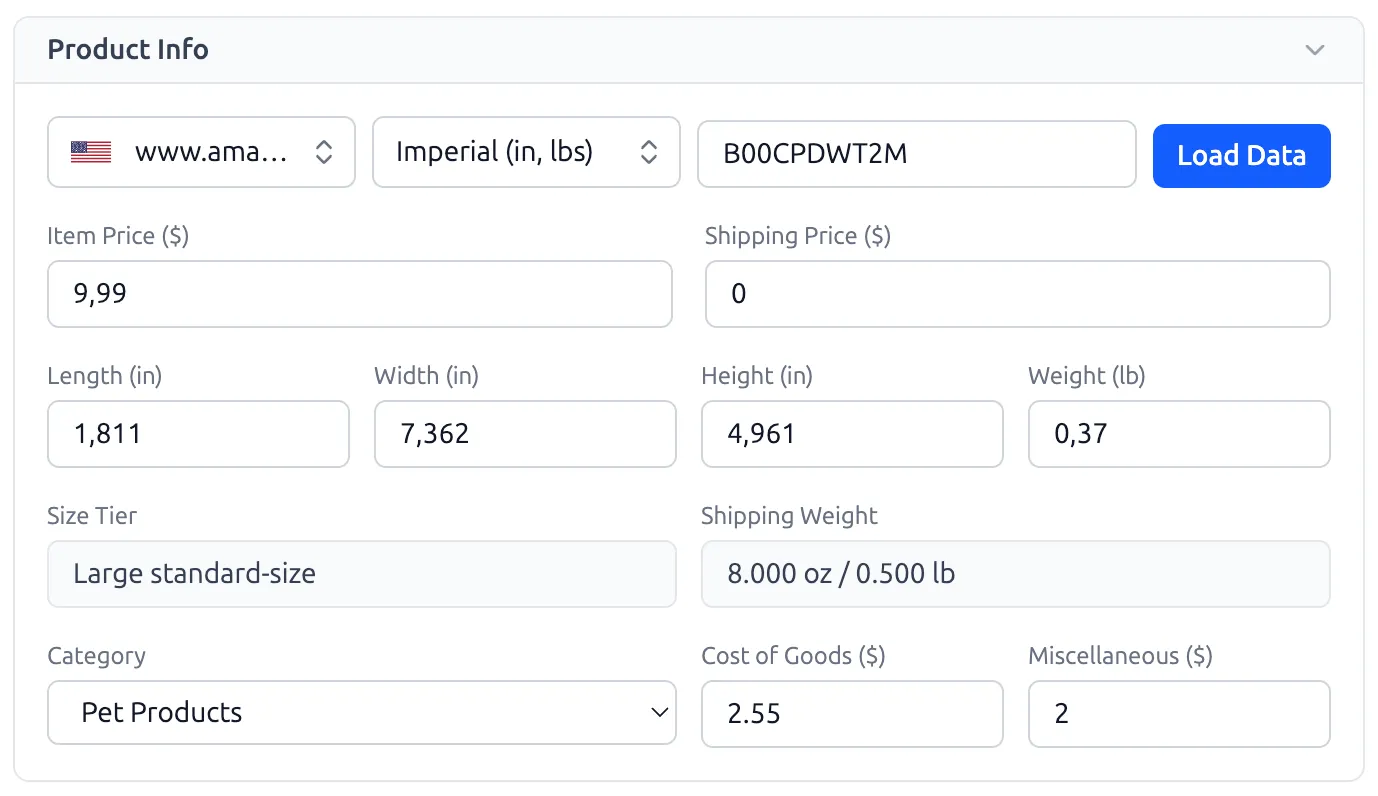
Start by identifying the product you want to analyze. You have two options:
- • Automatic: Enter the ASIN (Amazon Standard Identification Number) in the search bar and click "Load Data". The calculator will automatically pull the product’s dimensions, weight, price, and current category.
- • Manual: If you're researching a new product idea, manually input the dimensions (Length, Width, Height) and Weight. This is crucial as Amazon’s fulfillment fees are heavily dependent on the Size Tier.
In the Product Info section, enter your expected Item Price (what the customer pays). Don't forget to include:
- • Cost of Goods (COGS): The total manufacturing cost per unit.
- • Miscellaneous: Your inbound freight costs from the supplier to the FBA warehouse and any extra costs like custom packaging or inspection fees.
Step 2: Compare FBA vs. FBM Fulfillment
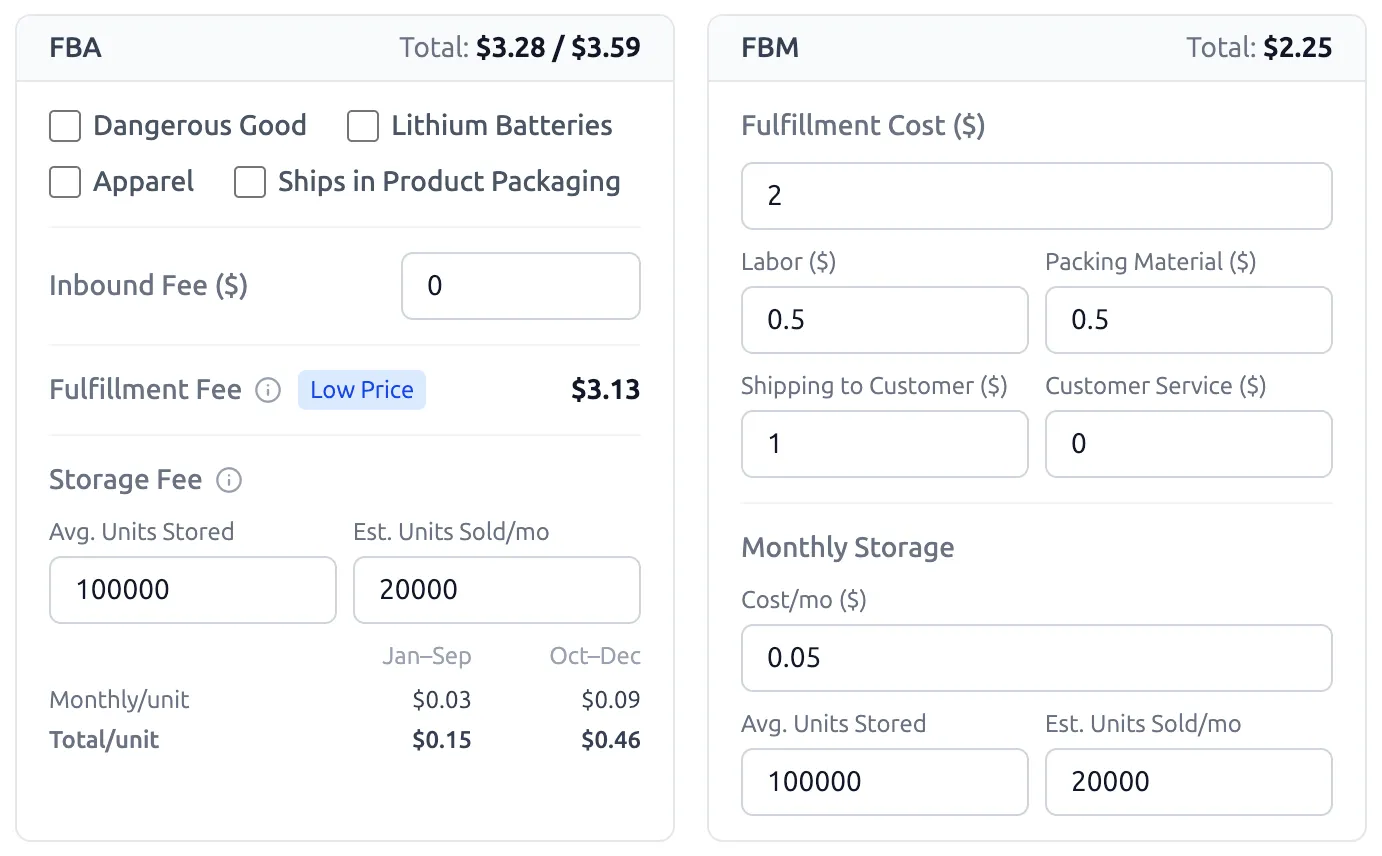
Our tool provides a side-by-side comparison of the two main fulfillment models:
- • FBA (Fulfillment by Amazon): Toggle options for Dangerous Goods or Apparel to see how they impact specialized fees. The tool automatically calculates storage fees for both peak (Oct–Dec) and off-peak seasons.
- • FBM (Fulfillment by Merchant): Enter your own storage, labor, and shipping costs to see if self-fulfillment offers a better margin for your specific business model.
Step 3: Analyze Your Results
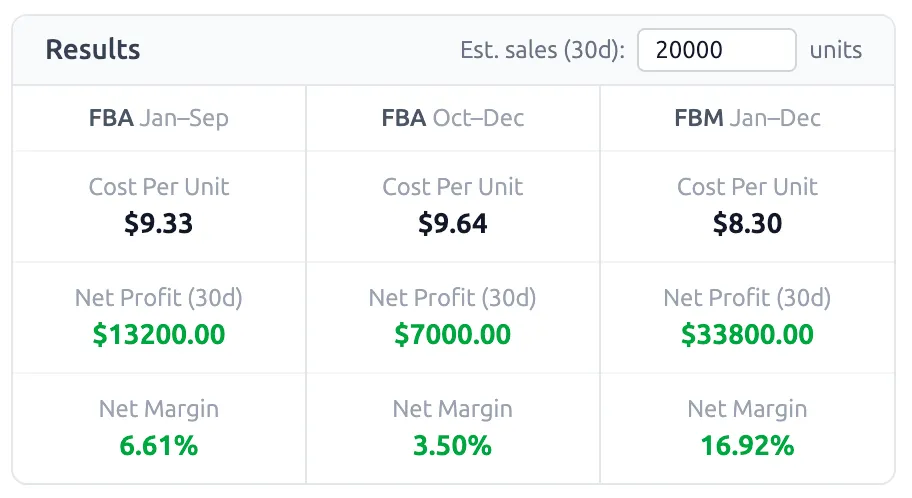
Scroll to the Results dashboard to see your financial health at a glance. We break down the data into:
- • Net Profit: What you keep after all Amazon fees and COGS.
- • Net Margin: Your profit percentage (aim for 20%+ for a healthy business).
- • ROI (Return on Investment): How much money you're making back relative to your spend on inventory.
Every metric - from dimensional weight surcharges to digital service fees - is derived from verified Amazon Seller Central documentation. We use industry-standard accounting formulas (Net Margin, ROI, and COGS) to provide a transparent breakdown of your expenses, helping you avoid hidden costs that impact your bottom line.
Disclaimer: This tool is intended for estimation purposes only. While we strive for 100% accuracy based on current Amazon fee structures, SoldScope does not warrant the finality of these calculations. Actual fees may vary based on Amazon’s final measurements and policy updates.
Free Amazon FBA Calculator
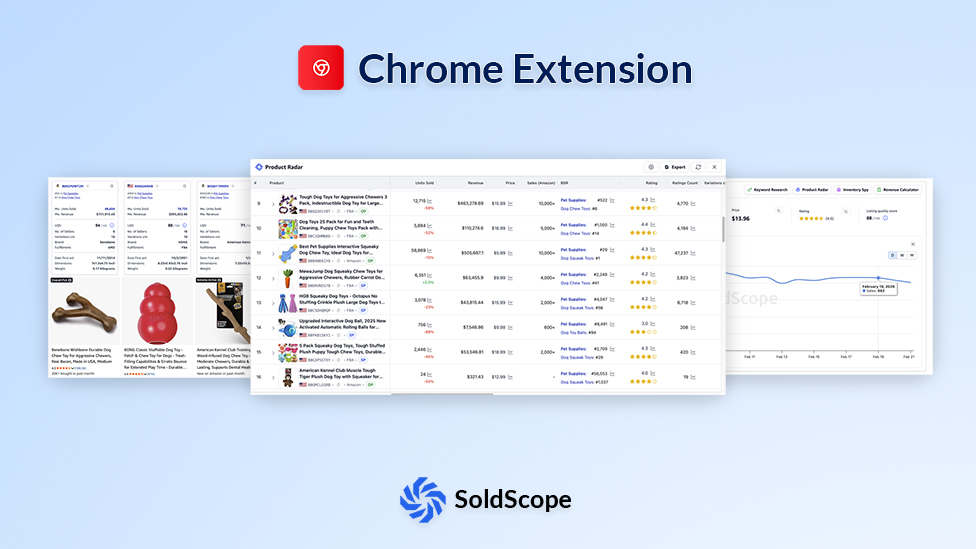
Chrome Extension
Get the most accurate Amazon revenue calculator data without leaving Amazon.com. Speed up your product research with our lightweight, powerful browser tool.
- Real-time fee updates for FBA & FBM
- Works on all global marketplaces (USA, UK, CA, etc.)
- Completely free for SoldScope users
More Than Just an FBA Fee Tool: A Complete Profit Margin Calculator
-
What you can calculate with this calculator
-
- Amazon FBA fees
- Product profit
- Revenue estimates
- Net margin
- ROI
-
FBA Fees Breakdown
-
- Referral Fee
- Fulfillment Fee
- Storage Fee
- Long-Term Storage Fee
- Additional Fees
-
Why this matters
-
- Fees define your profit, not your price
- Even small costs can destroy margins
- Every product has different fees
- Ignoring fees leads to bad decisions
- You can’t scale without cost clarity
Everything You Need to Know About Amazon Profitability
Using an Amazon fba calculator is just the first step. To build a sustainable business, you need to master the metrics that drive growth.
The Profit Margin Formula
Knowing how to calculate profit margin is essential for pricing your products correctly. In the world of Fulfillment by Amazon, we use this standard formula:
*Net Profit = Sales Price - COGS - Amazon Fees - Shipping
e.g., "$35 price − $12 COGS − $7 fees = $16 profit = 45.7% margin"
Why ROI Matters More Than Margin
While margins show health, ROI (Return on Investment) shows efficiency. To calculate ROI on Amazon, you compare your profit against the capital tied up in inventory.
1. Account for Hidden Amazon FBA Fees
A standard fba revenue calculator might miss small details. Always account for monthly storage fees, especially during Q4, and long-term storage fees for slower-moving inventory. Our amazon seller calculator updates these automatically.
2. Gross Margin vs. Net Margin
As a gross margin calculator, we show you the profit after direct costs (COGS and Amazon fees). However, don't forget your "off-Amazon" expenses like PPC advertising, insurance, and software subscriptions when looking at your final take-home pay.
3. FBA vs FBM: Choosing Your Model
Sometimes, Fulfillment by Merchant (FBM) can be more profitable for heavy or oversized items. Use our amazon profit calculator to toggle between models and see which one maximizes your ROI.
Frequently Asked Questions
What is an Amazon FBA Calculator?
How does the FBA revenue calculator work?
How do I calculate profit margin for my Amazon product?
What is the difference between FBA and FBM fees?
Does this tool work for Amazon UK, Canada, and India?
How accurate is the Amazon fee calculator?
How do I calculate ROI on Amazon FBA?
Is the SoldScope FBA calculator free to use?
What expenses should I include in the "Cost of Goods"?
Does SoldScope have an Amazon FBA calculator extension?
Found a Profitable Product?
Now Let’s Make It a Bestseller.
Calculating your FBA profit margin is the first step. The next is finding the right Amazon keywords to drive traffic and sales. Use SoldScope to dominate your niche with data-driven insights.