Automate Your Review Requests
Stop manually requesting reviews one order at a time. SoldScope automatically sends review requests for eligible orders, so you can boost your ratings and save hours of repetitive work.
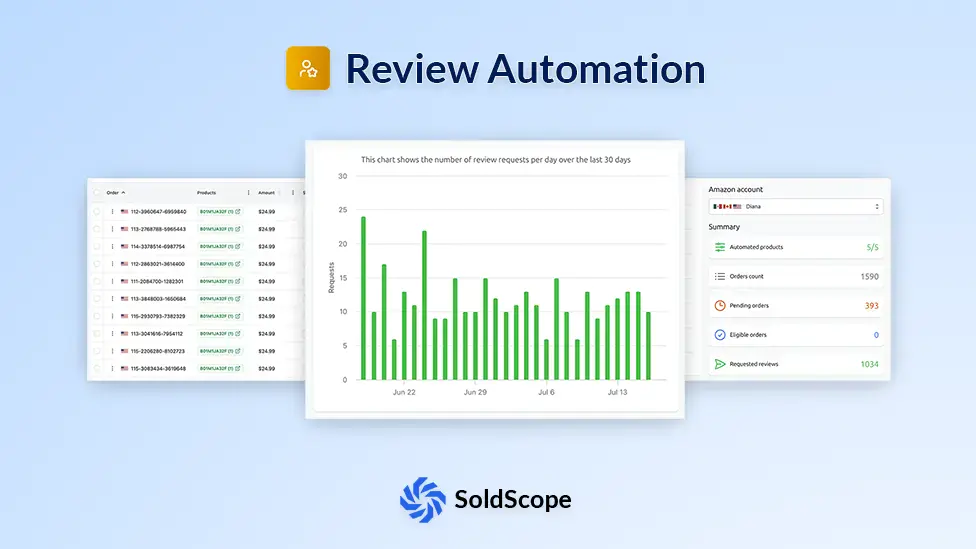
Everything You Need to Automate Reviews
Powerful automation features to help you collect more reviews and grow your Amazon business
Amazon TOS Compliant
Every request is sent through Amazon's official API, keeping you fully compliant with Seller Central policies.
Automated Review Requests
Automatically send review requests for eligible orders without lifting a finger.
Smart Request Timing
Configure exactly how many days after shipping to send requests, at the optimal time of day.
Per-Product Automation
Enable or disable automation for individual products and fine-tune settings per marketplace.
Order Tracking
Monitor every order's review request status — from pending and eligible to requested and expired.
Performance Dashboard
Track your review request activity with a 30-day chart and summary stats at a glance.
Data Transparency Notice
Your Review Automation at a Glance
See exactly how many review requests are sent every day, which products are automated, and which orders are still eligible - all in one clean dashboard.
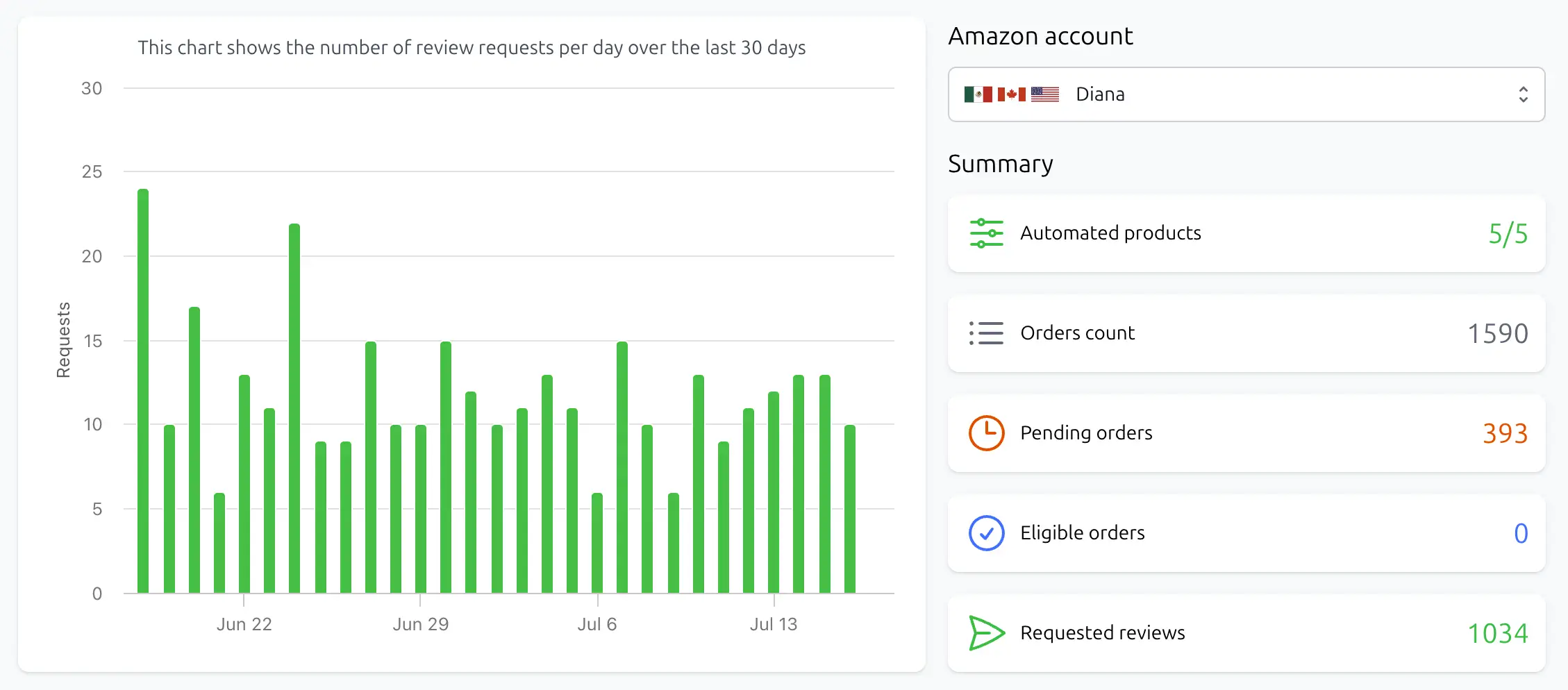
30-day request chart
Track daily review request volume over the last 30 days to spot trends and measure performance.
Summary stats
Instantly see your total products, automated products, order counts, and pending eligible orders in one place.
Multi-account switching
Manage multiple Amazon Seller accounts from a single dashboard with a simple account selector.
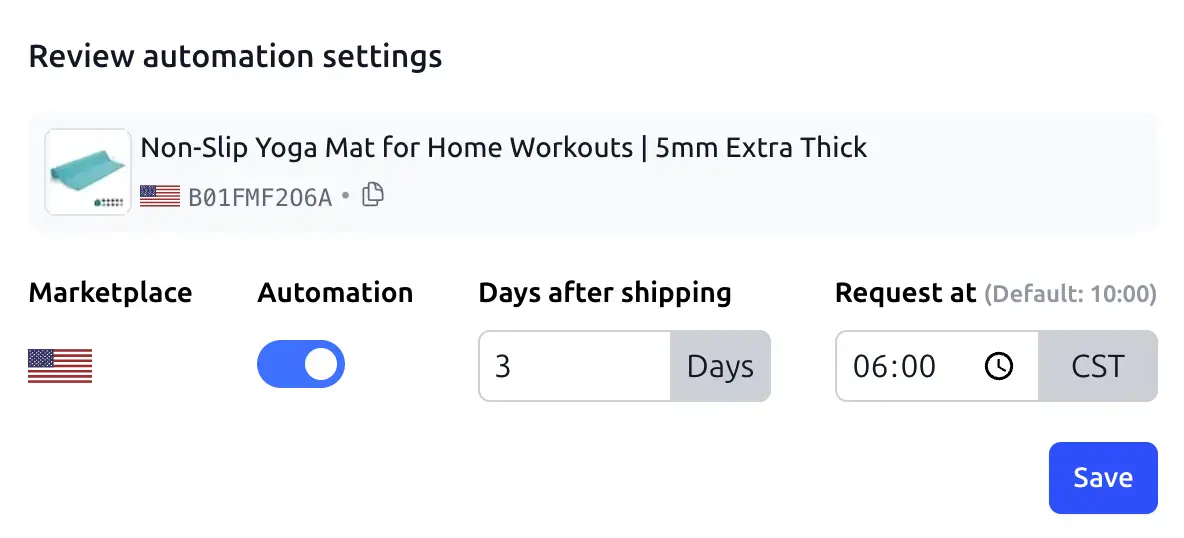
Fine-Tune Automation Per Product
Enable or disable review automation for individual products, configure delays and request times per marketplace, and apply settings across all variations with one click.
Per-product toggle
Turn automation on or off for each product individually - you're always in full control of which orders get review requests.
Configurable delay & time
Set how many days after shipping to wait (1–20 days) and the exact time of day to send requests, optimized per marketplace timezone.
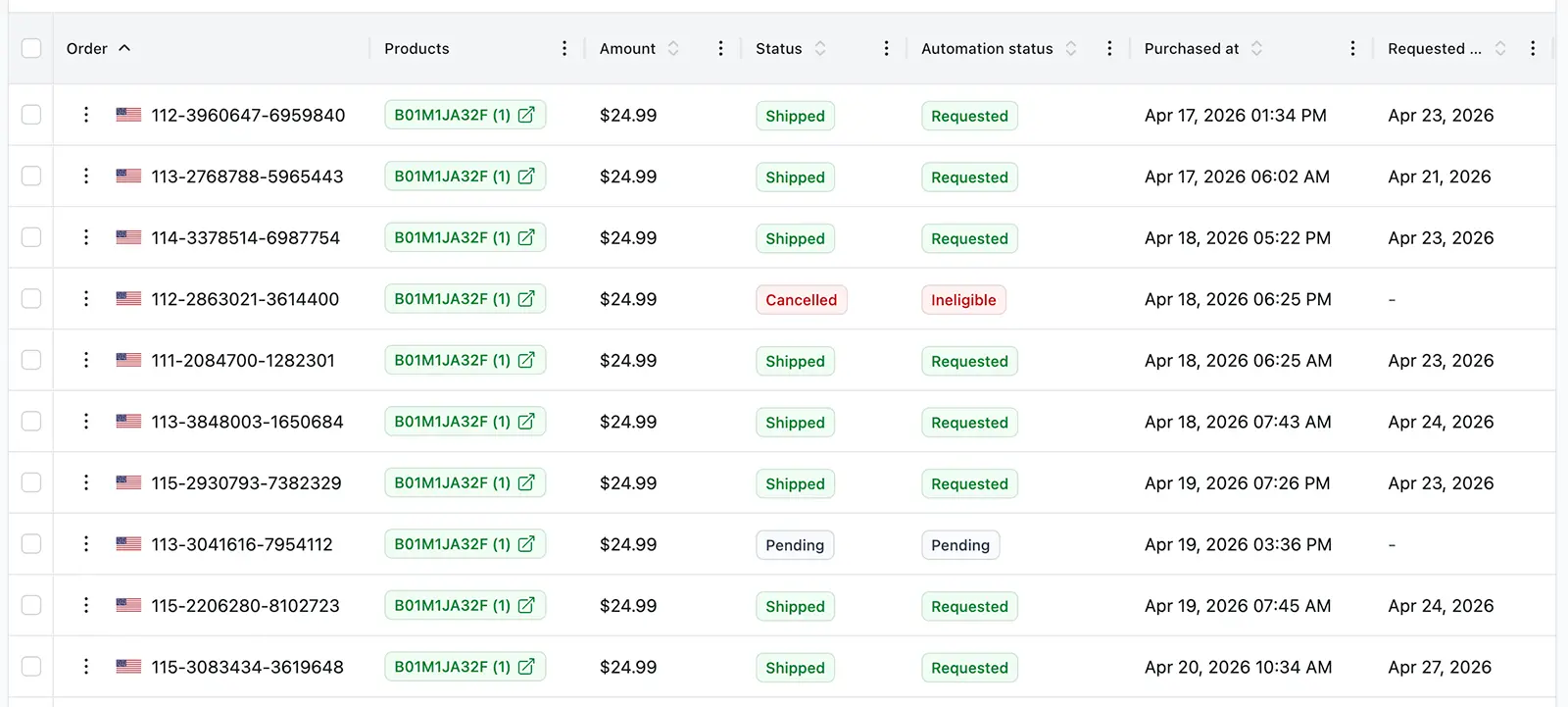
Track Every Order's Review Status
See the full lifecycle of each order - from purchase to shipping, eligibility, and the final review request - so nothing slips through the cracks.
Full status pipeline
Every order shows its current status: pending, ineligible, eligible, scheduled, requested, expired, or error.
Eligibility tracking
Know exactly which orders are within Amazon's 5–30 day review request window and ready to be processed.
Filter & search
Quickly find specific orders by status, marketplace, or product to focus on what needs your attention.
Start Collecting Reviews in 3 Steps
From setup to your first automated review request in minutes — no technical expertise required.
Connect Your Account
Securely link your Amazon Seller Central account via SP-API to unlock review automation.
Configure Automation
Choose which products to automate, set the delay after shipping, and pick the optimal request time.
Collect Reviews
Sit back as SoldScope automatically sends review requests for every eligible order and tracks results.
Frequently Asked Questions
Everything you need to know about Review Automation
What is Review Automation?
Do I need an Amazon SP-API connection to use this tool?
How do I use the tool?
- Connect your Amazon Seller account via SP-API.
- Open the Review Automation tool and select your account.
- Enable automation for the products you want to collect reviews for.
- Configure the delay (days after shipping) and the time of day to send requests.
- That's it! SoldScope will automatically request reviews for every eligible order.
When exactly are review requests sent?
Can I manually request a review?
Can I change automation settings after orders are already placed?
What happens if an order contains multiple products?
Ready to Boost Your Ratings?
Start automating your review requests today and turn more orders into valuable customer feedback.
Start Automating