Integrating Bright List and Index Checker: Automating Your Workflow

Olivia Reyes
Verifying your indexing is a critical step after any SEO update or product launch. The integration between Bright List and the Index Checker creates a seamless loop: you use your curated lists to run checks and instantly save the results back into your folders for further optimization.

Why Use This Integration?
Zero Manual Entry: Stop copy-pasting keywords from external spreadsheets into the checker.
Close the SEO Loop: Keywords that are "Not Indexed" can be sent immediately back to your folders to be addressed in the Listing Builder.
Organized Data Flow: Run bulk indexing checks based on specific projects, niches, or product launches defined in your Bright List structure.
How to Use the Integration
This integration works in two directions: preparing your search and managing your results.
1. Starting a Check Using Bright List
Instead of typing keywords manually, you can instantly import them from your existing research folders.
How to do it:
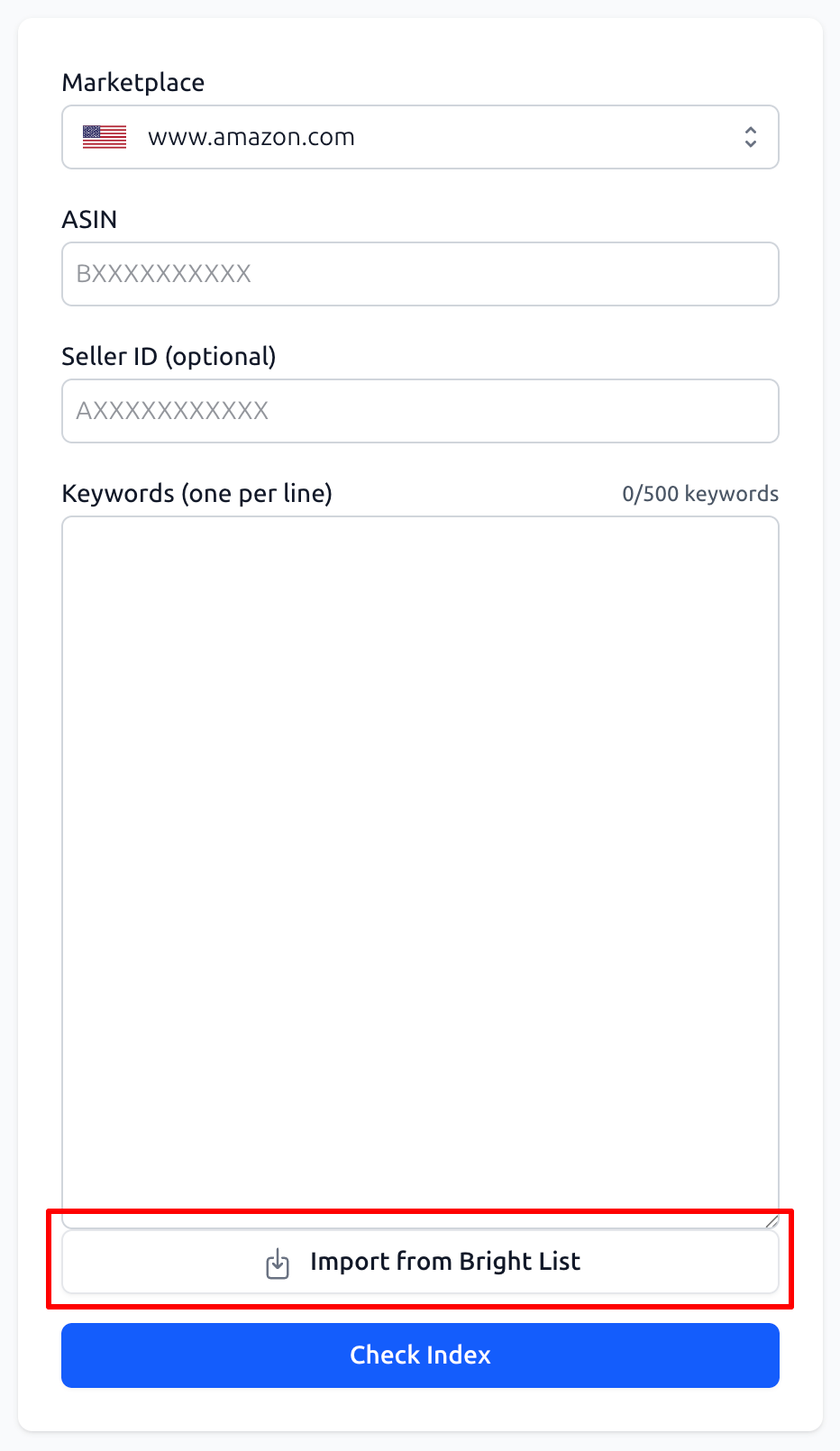
In the Index Checker tool, go to the input form.
Click the "Import from Bright List" button located below the keyword input field.
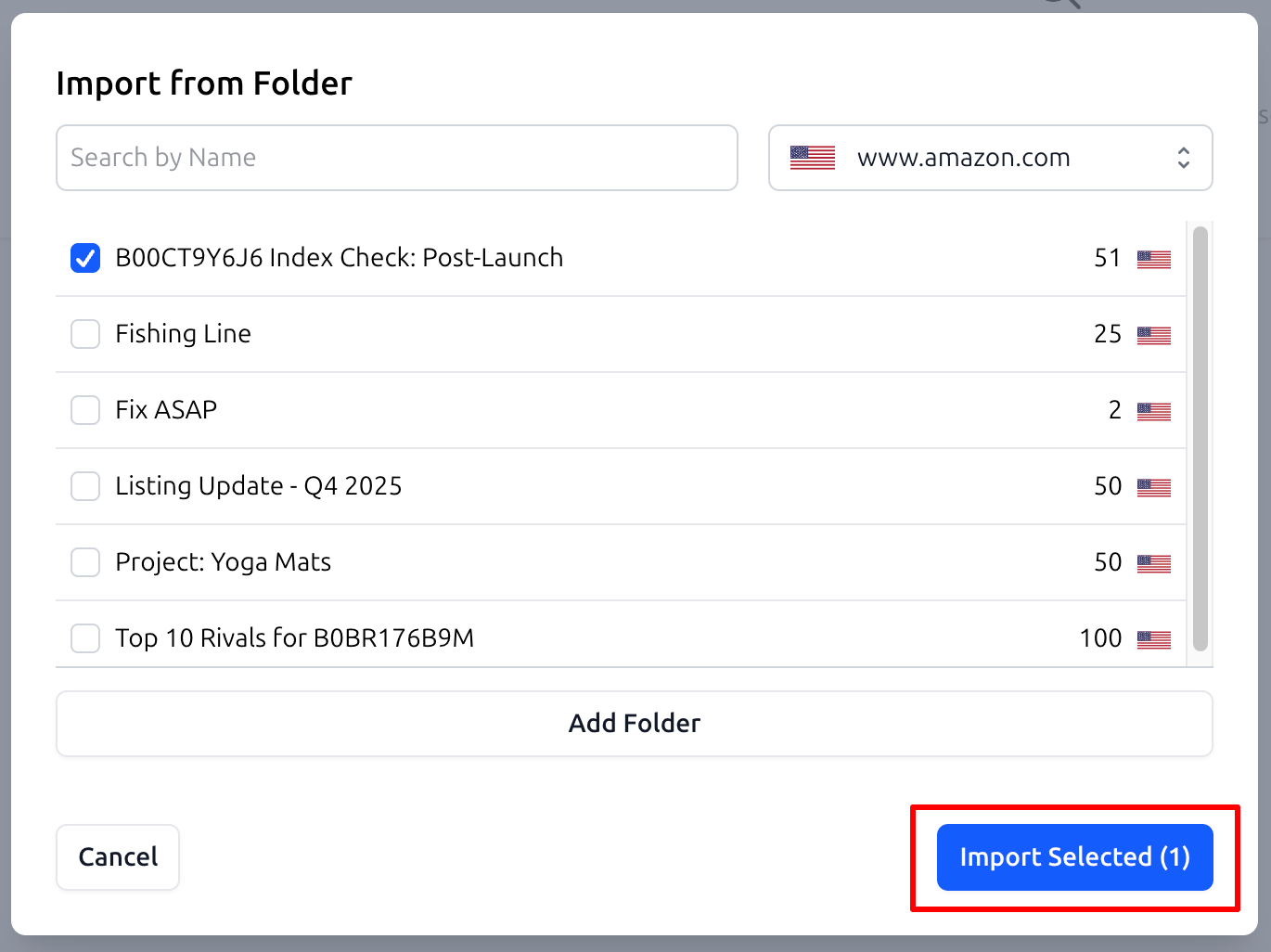
In the "Import from Folder" modal, select the folder you need (e.g.,
Project: Yoga MatsorSEO: Main Keywords).Click "Import Selected". All keywords from that folder will be automatically populated into the search form.
2. Saving Results Back to Bright List
Once the check is complete, you may find keywords that are "Not Indexed." You need to save these to fix them later.
How to do it:
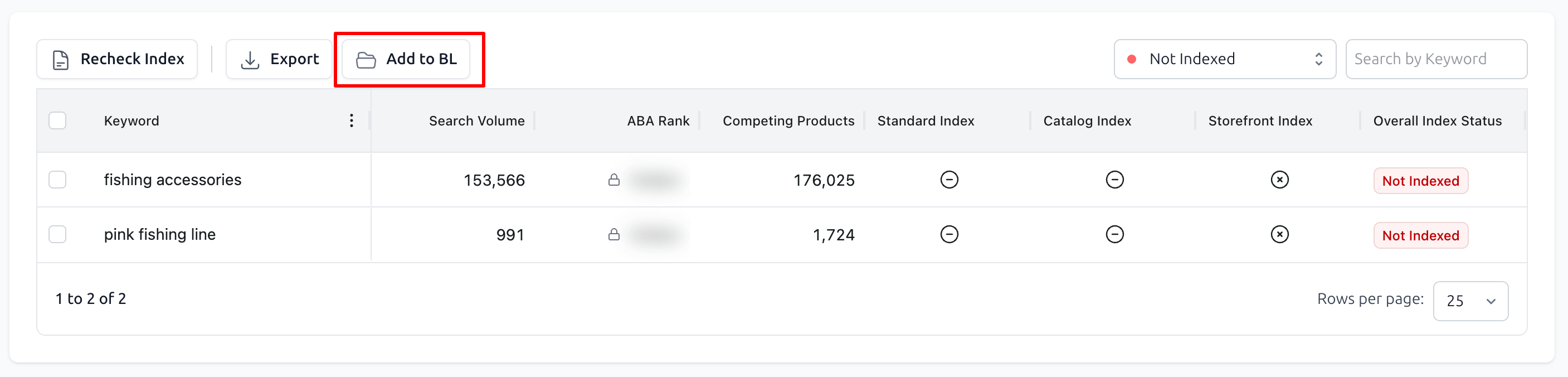
In the results table, select the keywords you want to save (e.g., filter for those with the "Not Indexed" status).
Click the "Add to BL" button in the top control panel.
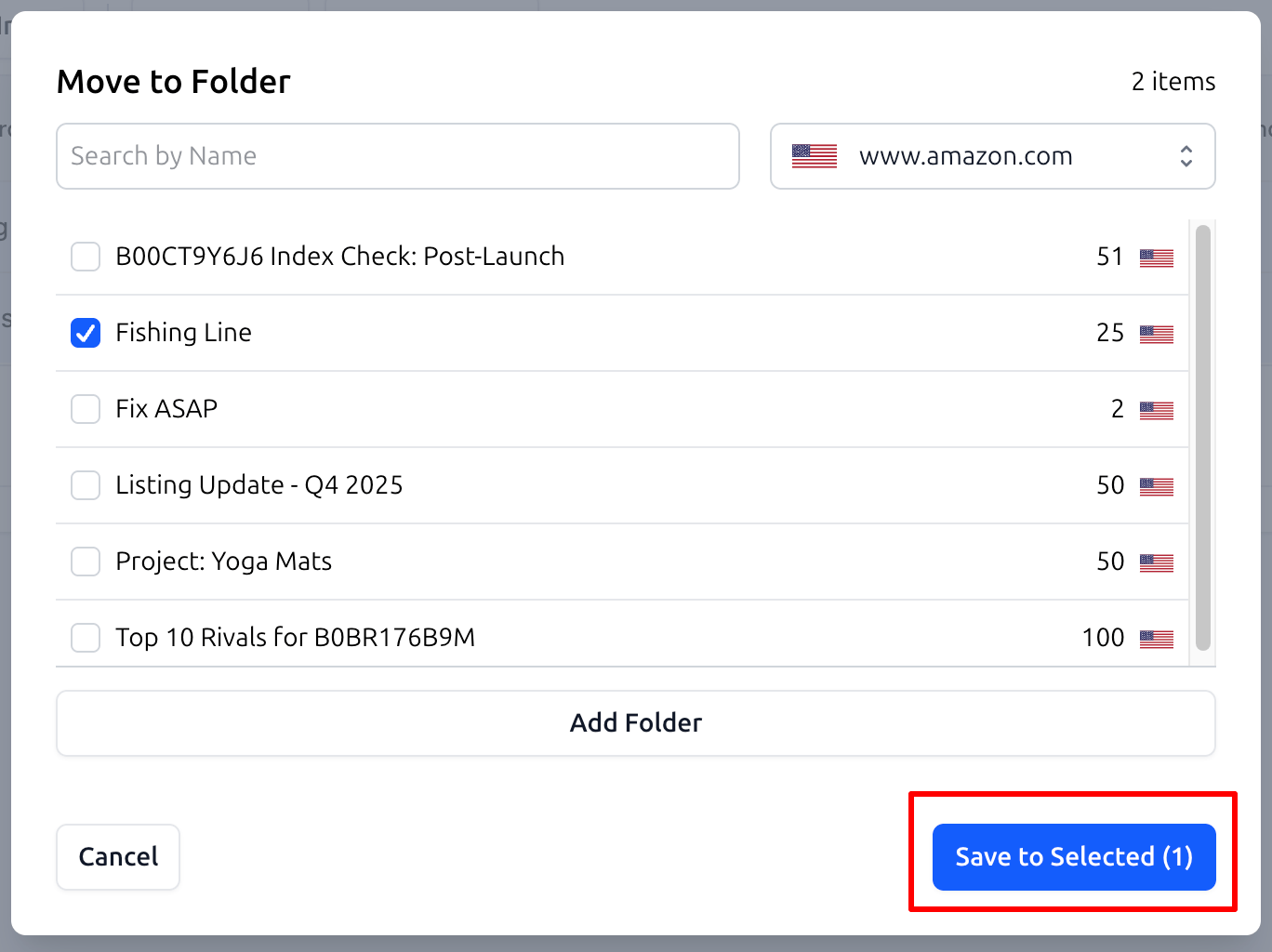
In the "Move to Folder" modal, choose a destination folder for these "problem" keywords (e.g.,
Fix ASAPorCritical: Verify) and click "Save to Selected".
Practical Use Cases
1. Post-Optimization Verification
After you have added new keywords using the Listing Builder, you need to know if Amazon’s algorithm has recognized them.
Workflow: Import your
Index Check: Post-Launchfolder into the Index Checker. Any terms that are still not indexed should be moved to a folder namedSEO: Second Passfor further refinement.
2. Identifying Competitor Gaps
You have identified a list of high-volume keywords where your top rivals are ranking.
Workflow: Load the list from your
Top 10 Rivalsfolder into the Index Checker. Save any keywords that are Not Indexed for your own product into a folder likeGrowth Opportunities. You can then open this list in the Listing Builder to bridge the gap.
3. Routine Health Checks
Keep your main traffic drivers under control.
Workflow: Once a week, import your
High Priority Keywordsfolder into the Index Checker. If any vital keywords drop out of the index, save them to aUrgent: Re-Indexfolder and alert your team.
Summary
The connection between Bright List and the Index Checker eliminates the friction of manual data management. It ensures that every important keyword is exactly where it needs to be, allowing you to move from research to verification and back to optimization in seconds.