Integrating Bright List and Product Research: Organizing Your Opportunities

Olivia Reyes
Product Research is where you discover opportunities, but Bright List is where you turn those opportunities into concrete projects. This integration allows you to move found ASINs instantly into organized folders, preparing them for deep analysis, keyword harvesting, or rank tracking.

Why Use This Integration?
No More "Side Notes": Stop manually copying ASINs into external spreadsheets or notepad apps.
Structured Brainstorming: Immediately categorize your found products by niche, brand, or priority.
Fuel for Other Tools: Your saved lists act as the "input data" for tools like the Listing Analyzer or Keyword Research.
How to Use the Integration
Moving products from your search results into your collections is designed to be fast and flexible, offering both individual and bulk options.
1. Exporting a Single Product
If you find a specific product that perfectly matches your criteria while browsing, you can save it in a single click.
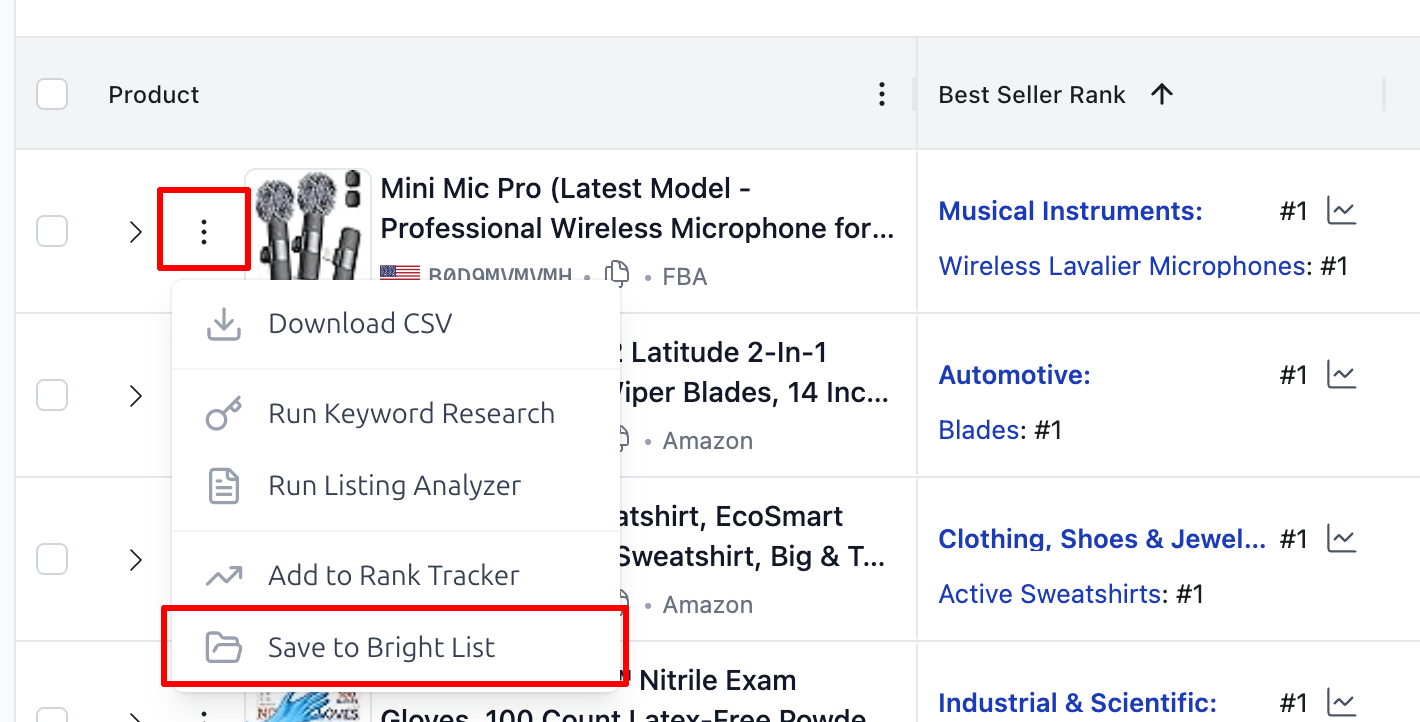
How to do it:
Find the product in the Product Research results table.
Click the Menu Icon (three dots) at the end of the row.
Select "Save to Bright List" from the dropdown menu.
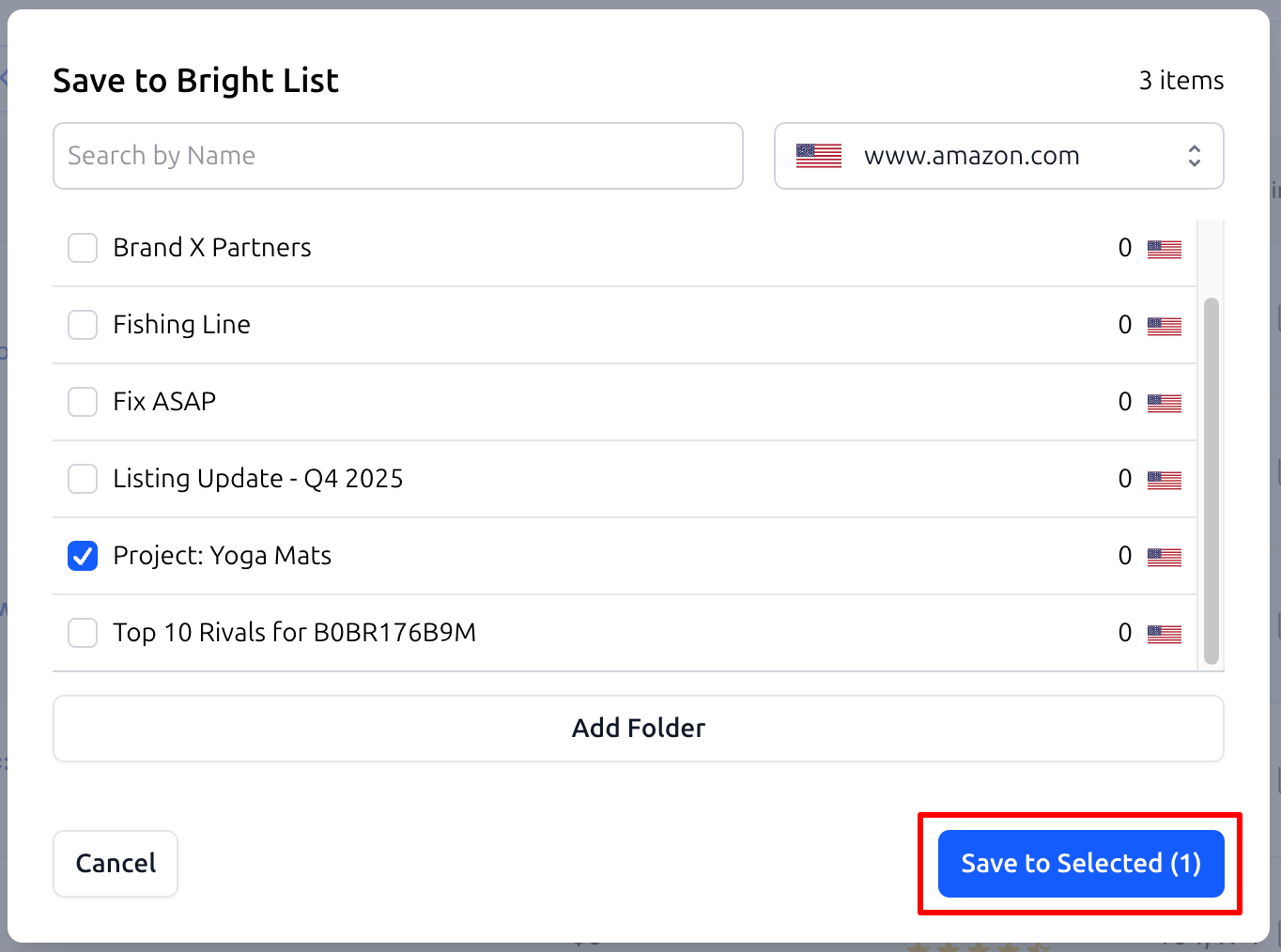
Choose your target folder and confirm the save.
2. Bulk Exporting Products
When you have applied deep filters and found a group of high-potential products or competitors, it is more efficient to save them all at once.
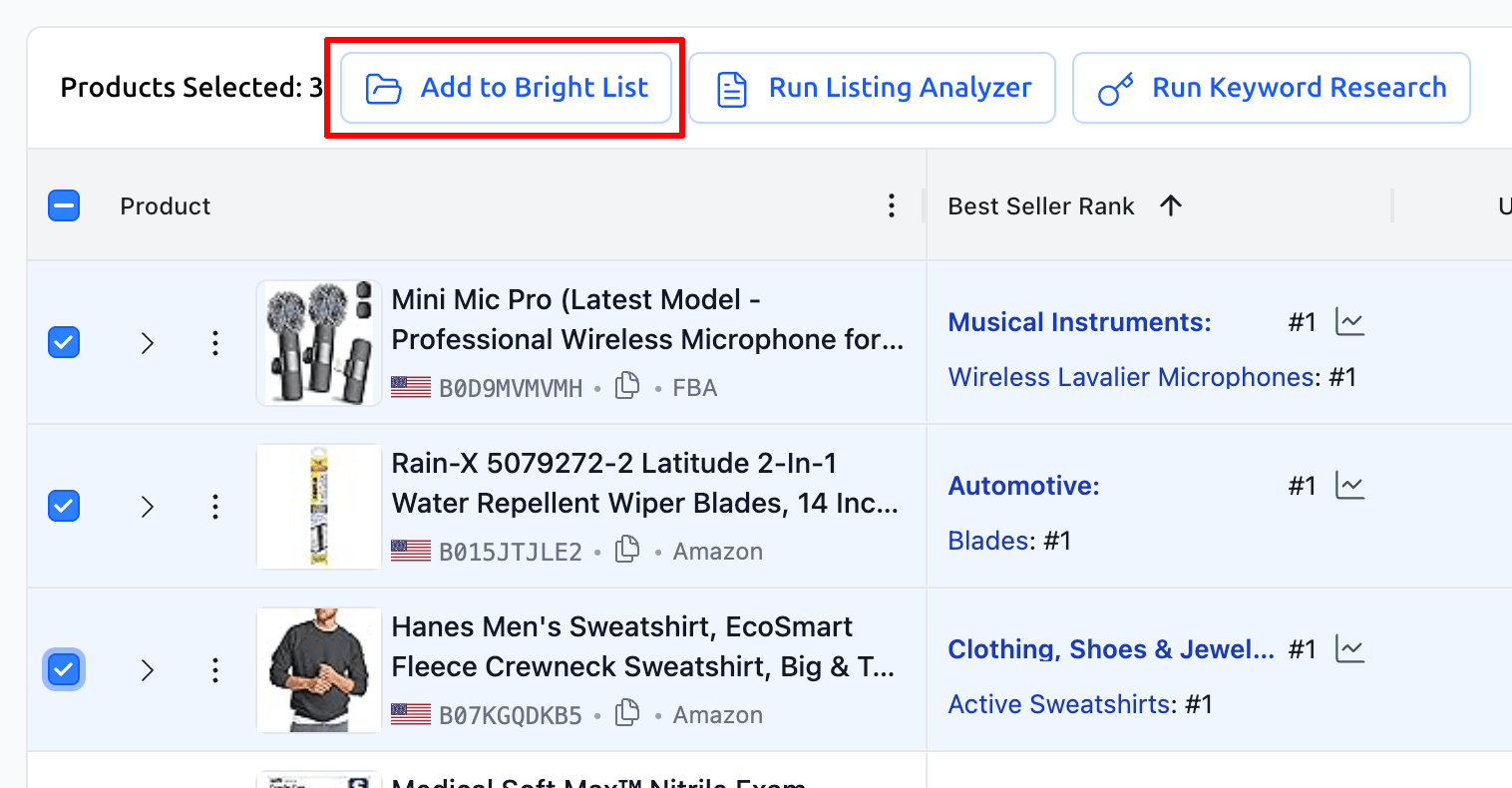
How to do it:
Select the products you want by clicking the checkboxes on the left side of the product image.
To select all products on the current page, use the Master Checkbox in the table header.
Click the "Add To Bright List" button that appears in the top control panel.
In the modal window, select your project folder and click "Save to Selected".
Practical Use Cases
1. Niche Scouting & Shortlisting
When exploring a new category, you might find dozens of potential products.
Workflow: Filter for high-demand products, select the top 20, and bulk export them to a folder named
Niche: Yoga Mats - Potential. Later, you can pull this entire list into the Listing Analyzer to see why they are successful.
2. Building a Direct Competitor List
To track your market share, you need a curated list of your closest "neighbors" in the search results.
Workflow: Search for products most similar to yours and bulk save them to a folder named
My Direct Rivals. This list becomes the foundation for your Rank Tracker.
3. Sourcing Expansion Ideas
If you are planning to launch complementary products.
Workflow: Search in related categories and save individual products to a folder named
Product Ideas: Cross-Sell. This allows you to build a database of ideas to revisit during your next supply planning phase.
Summary
The Bright List and Product Research integration is the entry point of your SoldScope workflow. It turns chaotic searching into an organized database, ensuring that no profitable opportunity is ever lost.