Integrating Bright List and Influencer Radar: Managing Your Partner Database

Olivia Reyes
Finding influencers is only half the battle. The real work begins with organizing your contacts and planning your outreach. The integration between Bright List and Influencer Radar allows you to instantly turn discovered profiles into structured lists for your marketing team.
Why Use This Integration?
Centralization: Keep your influencer database in the same workspace as your product and keyword research.
Scalability: Easily categorize influencers by brand, niche, or platform (e.g., TikTok vs. Amazon Live).
Team Collaboration: Create shared folders of potential partners that your marketing managers can access and execute on.
How to Use the Integration
Saving an influencer to your database is designed to be a quick, two-click process.
Step 1: Select Your Influencer
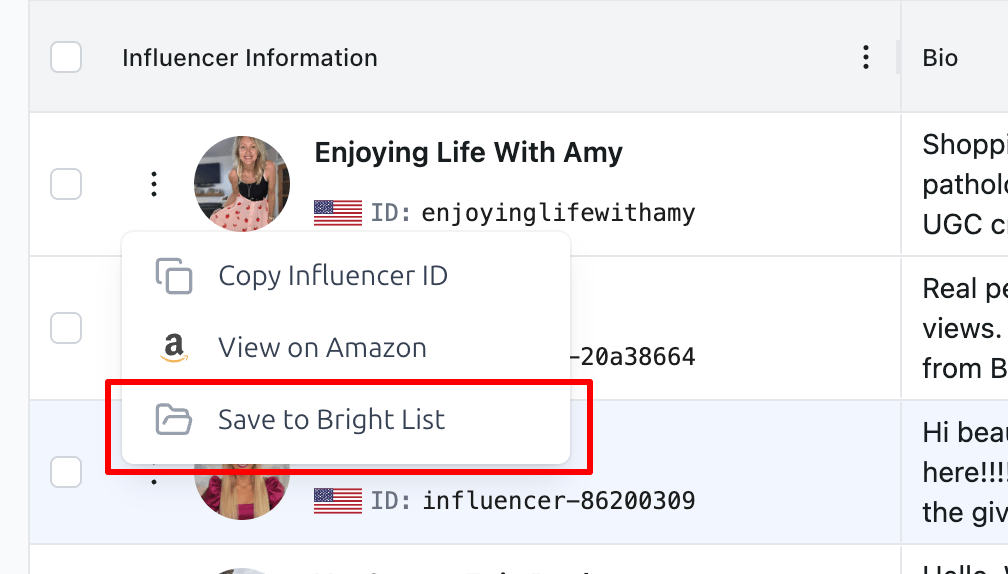
In the Influencer Radar search results, find a profile that fits your brand. Click on the Menu Icon (three dots) next to the influencer's profile information.
Step 2: Initiate the Save
From the dropdown menu, select the option "Save to Bright List".
Step 3: Choose or Create a Folder
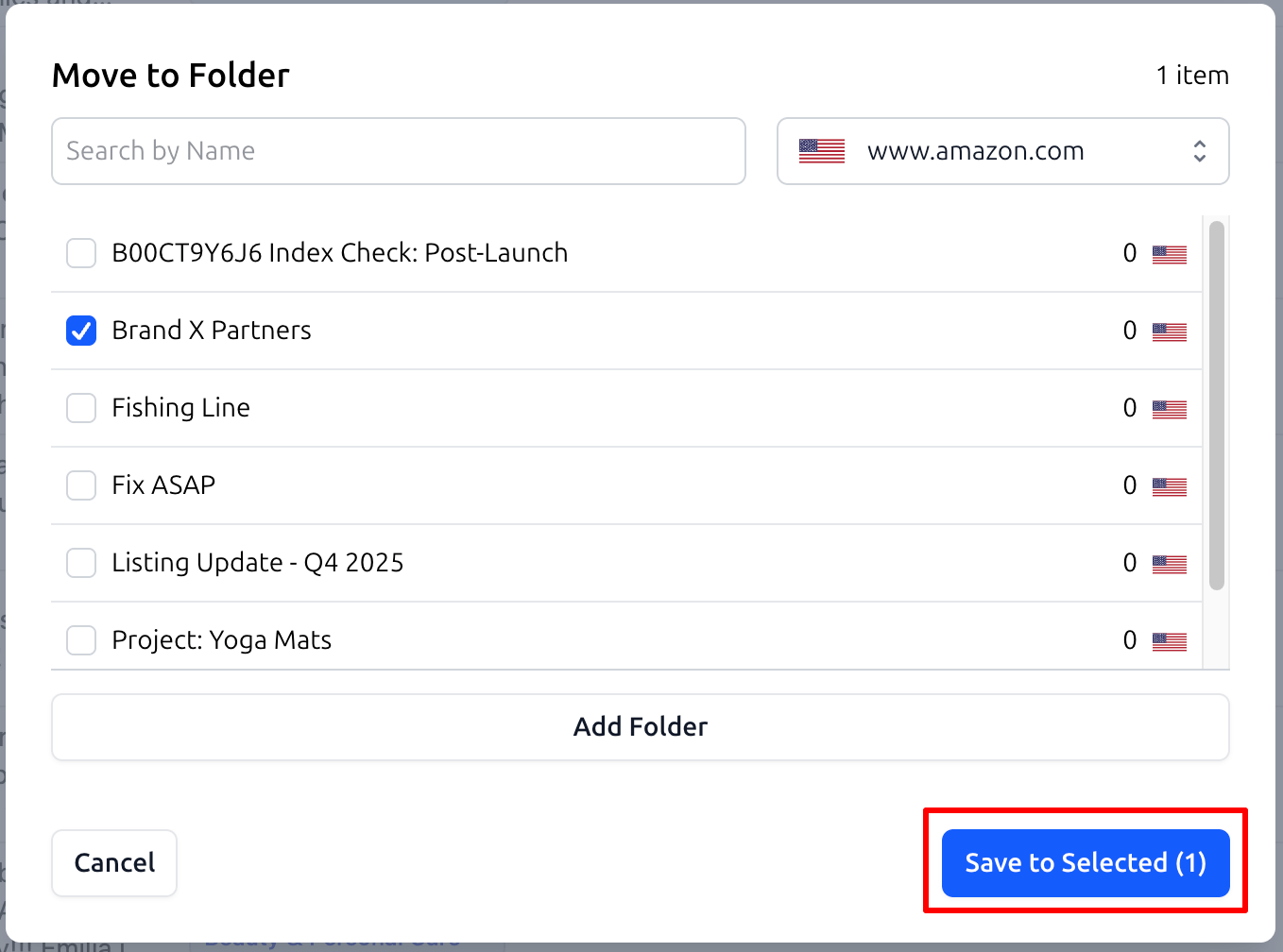
The "Move to Folder" modal will appear (see screenshot: IR-BL-2.png):
Select a Folder: Check the box next to an existing folder, such as
Brand X Partners.Create New: If you need a new category, you can add a folder directly within this window. Once you have made your selection, click "Save to Selected". The profile is now stored in your Bright List.
Practical Use Cases
1. Outreach Shortlisting
Instead of contacting every influencer immediately, curate a high-quality list first.
Workflow: Create a folder named
Q4 Outreach: Pet Bloggers. Save all matching candidates there. Later, your team can open this folder and begin a consistent outreach campaign.
2. Seasonal Campaign Planning
Major sales events like Prime Day or Black Friday often require different types of content creators.
Workflow: Use specific folders like
Prime Day 2026: Video Reviews. Save influencers who specialize in video unboxings so you can launch your campaign instantly when the time comes.
3. Monitoring Competitor Partners
If you notice an influencer successfully promoting a rival product in your niche, you should keep them on your radar.
Workflow: Save them to a folder called
Competitor Partners: Analysis. This helps you track the content formats they use and identify new marketing trends for your own brand.
Summary
The Bright List and Influencer Radar integration removes the friction from your marketing workflow. By moving from "discovery" to "organization" in seconds, you ensure your partner database stays clean, professional, and actionable.