Integrating Bright List and Rank Tracker: From Research to Monitoring

Olivia Reyes
One of the most time-consuming tasks for an Amazon seller is manually managing keyword lists. The integration between Bright List and Rank Tracker eliminates this burden by allowing you to move your curated research into active monitoring with just a few clicks.
Why Use This Integration?
Speed: Stop copy-pasting hundreds of keywords from spreadsheets into your tracking tools.
Organization: Keep your tracking aligned with your specific research projects or product launches.
Accuracy: Ensure you are tracking the exact keywords you identified during your research phase without manual entry errors.
How to Use the Integration
Using your saved Bright List collections to power your Rank Tracker is a straightforward process.
Step 1: Access the Keywords Menu
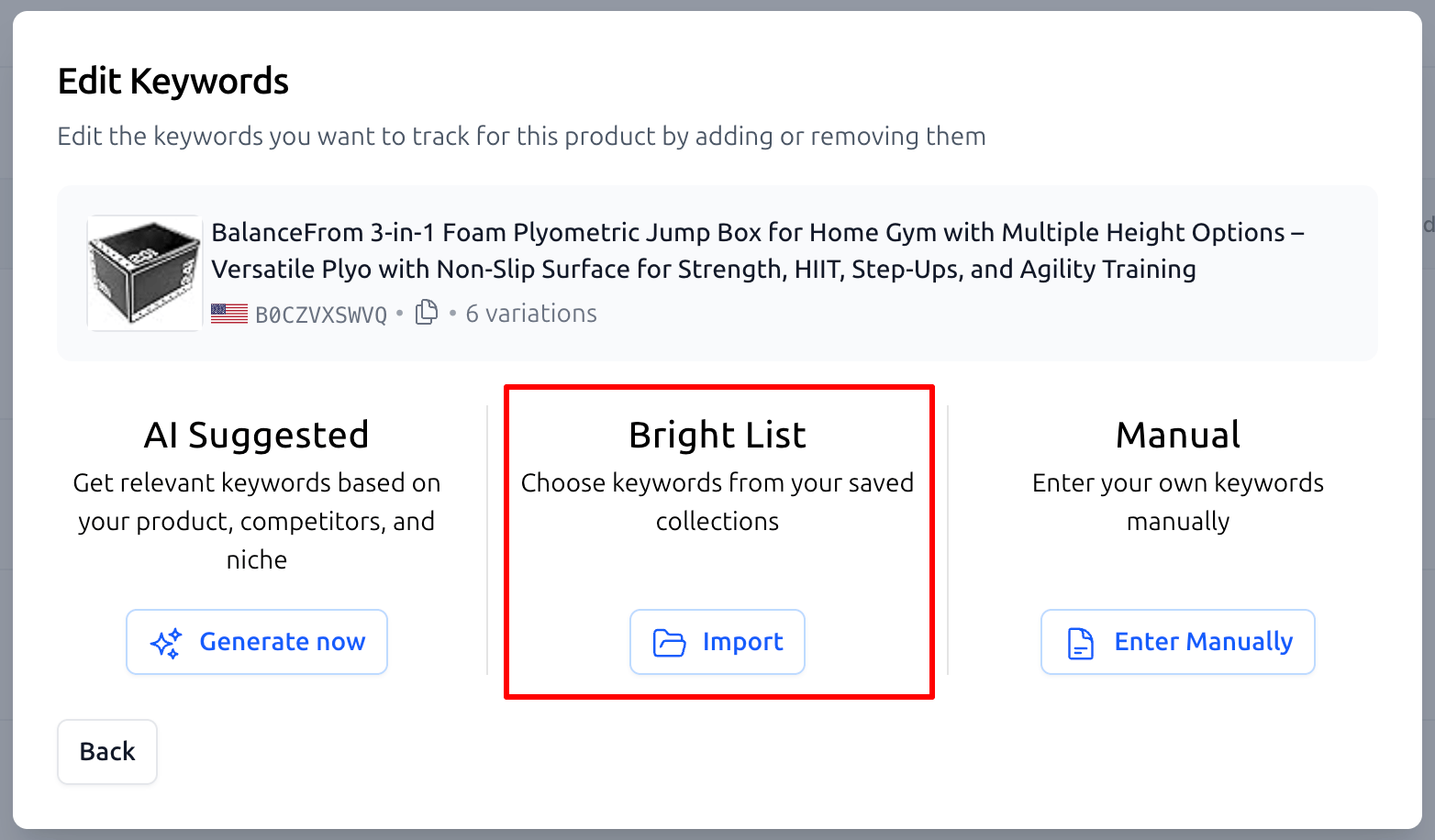
When you are setting up a new product or updating an existing one in the Rank Tracker, navigate to the Add Keywords or Edit Keywords section. You will be presented with three ways to add keywords:
AI Suggested: Based on your product and niche.
Bright List: Importing from your existing collections.
Manual: Entering keywords yourself.
Click the Import button under the Bright List option.
Step 2: Select Your Collection
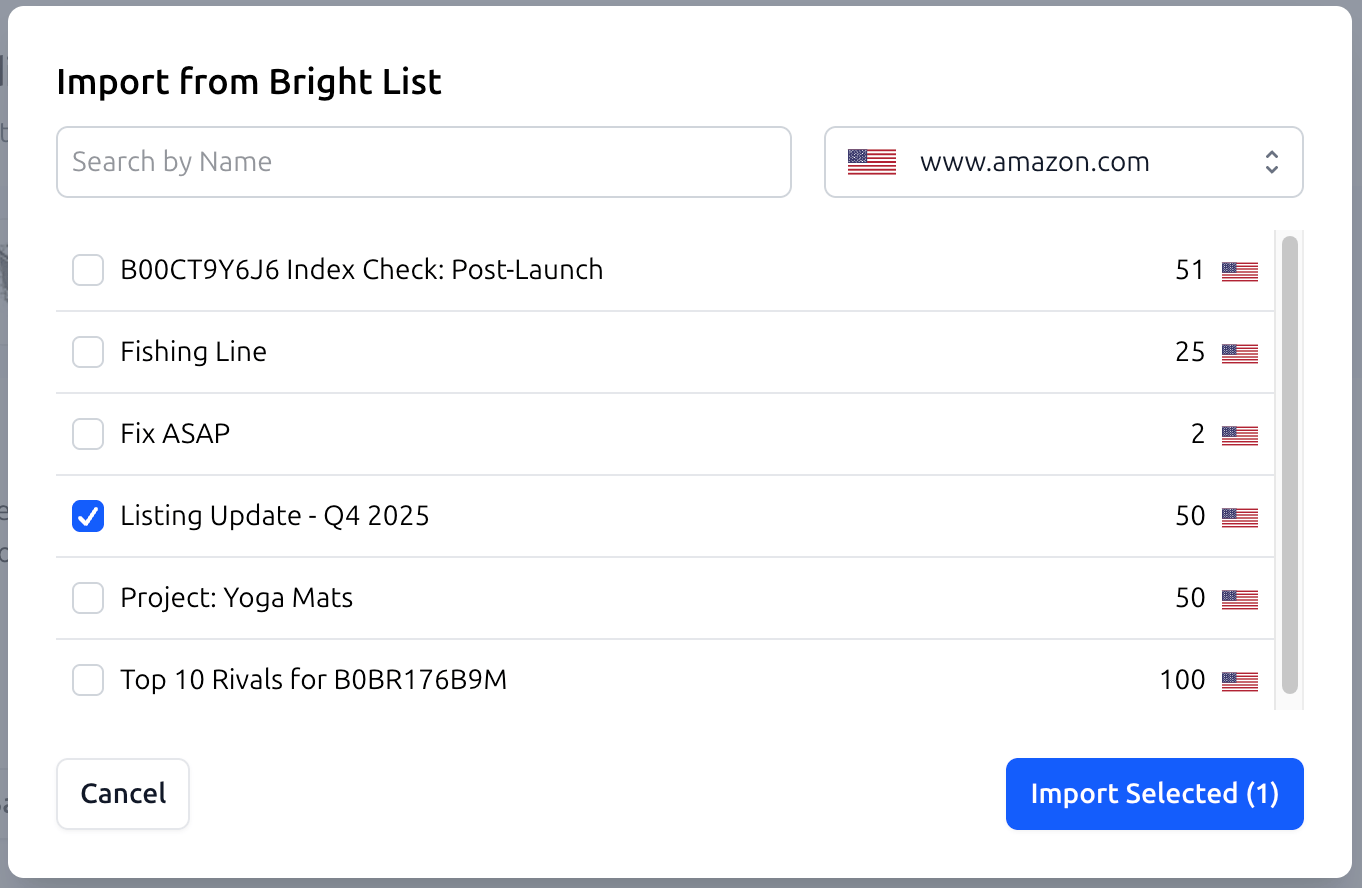
A modal titled Import from Bright List will appear. Here, you can see all the folders you have previously organized during your research phase.
The interface allows you to:
Search for a specific list by name.
Filter by the specific Amazon marketplace (e.g., www.amazon.com).
Select one or multiple folders to import.
Once you have selected the relevant folders - such as Listing Update - Q4 2025 - simply click Import Selected. All keywords within those folders will be added to your Rank Tracker instantly.
Essential Use Cases
1. Post-Launch Performance Audit
After launching a product, you need to know if you are gaining ground on your primary targets.
Workflow: Save the keywords you used in your launch phase to a folder named
Index Check: Post-Launch. Import this list into the Rank Tracker to monitor your organic climb for these critical terms.
2. Seasonal Inventory Updates
When preparing for Q4 or Prime Day, you likely have a specific set of seasonal keywords.
Workflow: Organize your seasonal research into a folder like
Listing Update - Q4 2025. As the season approaches, import them into the Rank Tracker to see how your visibility changes during high-traffic periods.
3. Monitoring Competitor Gaps
If you identify a group of keywords where your competitors are ranking but you are not, you need to track your progress as you optimize for them.
Workflow: Create a folder such as
Top 10 Rivals for [ASIN]. Import these "competitor keywords" into your tracker to measure the success of your SEO aggressive-bidding campaigns.
Summary
The Bright List to Rank Tracker bridge ensures that your research never goes to waste. By centralizing your data and automating the transfer process, SoldScope allows you to focus on strategy and growth rather than data management.