Competitor Analysis and the Leaderboard

Olivia Reyes
To win on Amazon, you don’t just need a high-quality listing - you need a listing that outperforms your direct rivals. The Competitor Analysis suite in SoldScope allows you to pull back the curtain on your competition's strategy, helping you identify SEO gaps and find inspiration for your own content.
Managing Your Competitor List
The foundation of competitive research begins with identifying who you are up against. You can access the management page by clicking the Competitors button in the top menu of the Listing Builder.

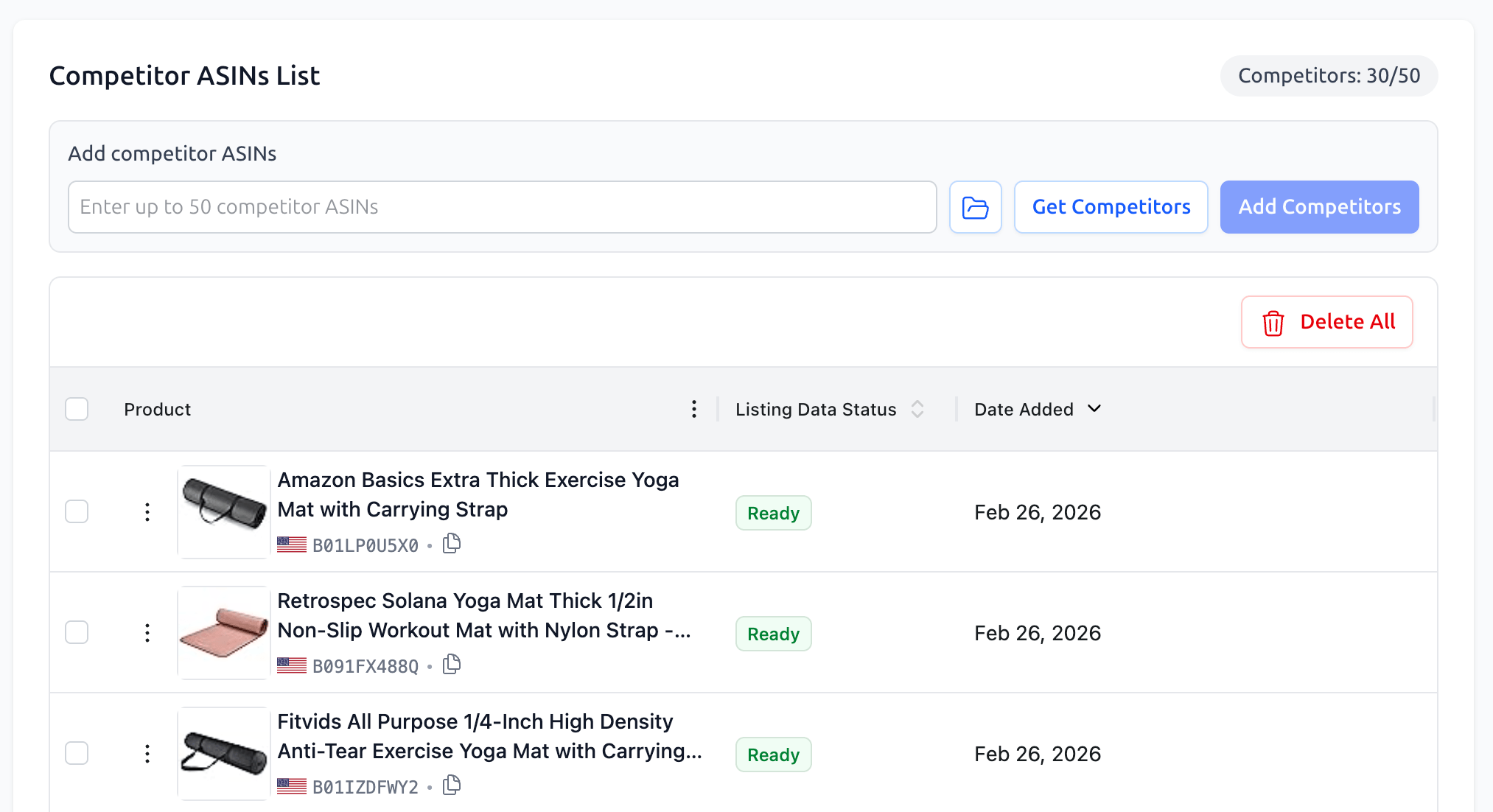
On the Competitor ASINs List page, you can view, add, or remove competitors linked to your project. There are three ways to build your list:
Manual Entry: Paste a specific list of ASINs directly into the input field.
From Bright List: Click the Folder icon to import competitors you have already researched and saved in your Bright Lists.
Get Competitors (AI): Use our AI-powered tool to automatically identify and suggest the top competitors for your specific niche.
The Competitors Leaderboard
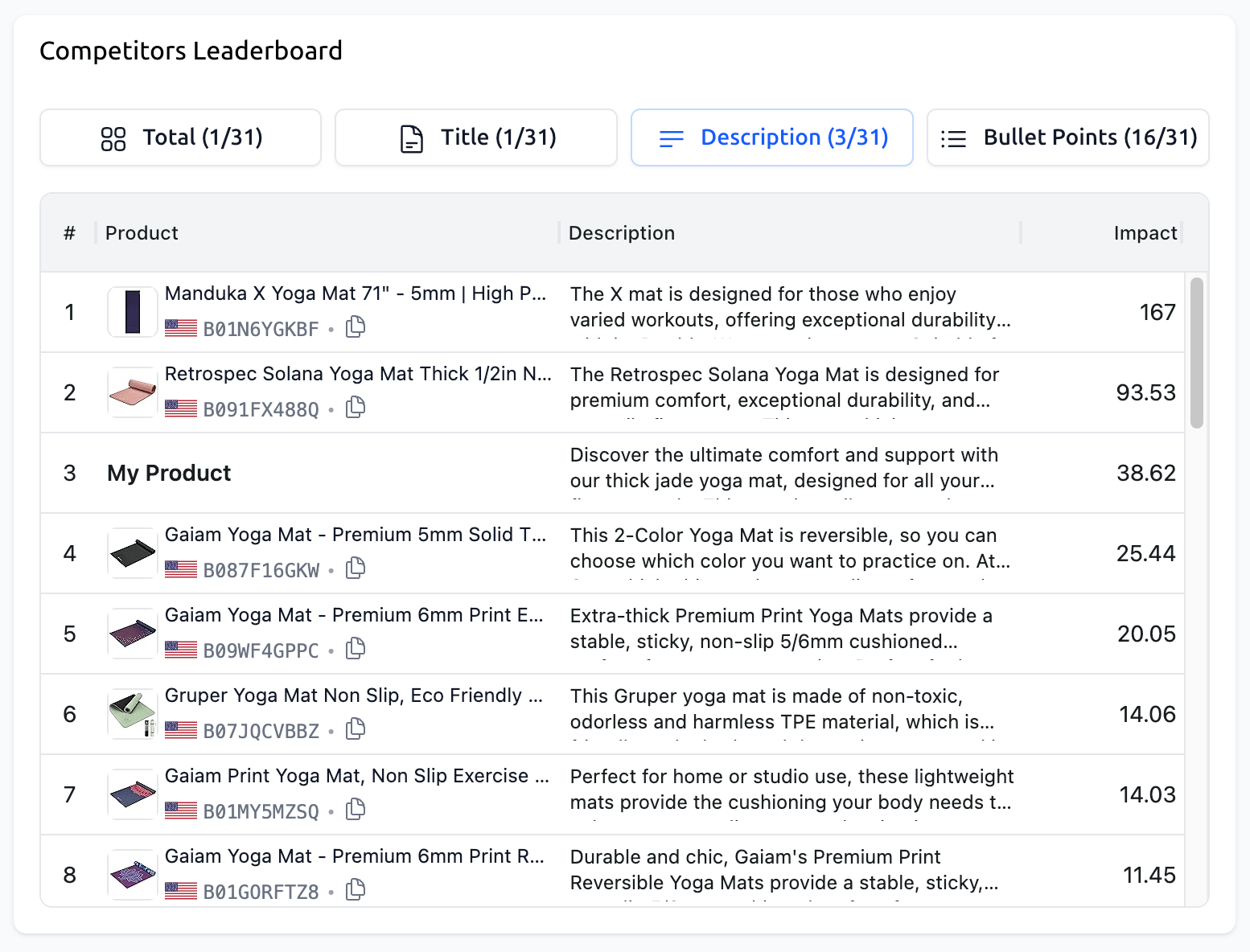
Once your competitors are added, the Competitors Leaderboard becomes available within the Editor interface. This live-ranking table shows exactly how your draft stacks up against the market leaders in real-time.
Four Perspectives on Performance
The Leaderboard features four distinct switches that allow you to analyze the market from different angles:
Total: Displays the overall Impact (SEO score). This is the master ranking of whose listing is technically best optimized for the target keyword set.
Title: Compares the SEO weight and quality of your Title against the competition.
Description: Ranks the effectiveness and optimization level of the product descriptions.
Bullet Points: Evaluates how your five key feature points compare to the top sellers.
Strategic Benchmarking and Inspiration
The Leaderboard is more than just a ranking - it is a "swipe file" for your content strategy:
Monitor Your Rank: The # column shows your current position compared to your rivals. "My Product" is highlighted so you can see exactly where you need to improve to climb to the #1 spot.
Content Analysis: The table displays the actual text used by your competitors in each section. This allows you to see their feature highlights, tone of voice, and formatting at a glance.
Copy for Inspiration: You can easily reference and copy competitor text to use as a baseline or inspiration for your own draft, ensuring your listing captures the best elements of the current market leaders.
What’s Next?
With your competitors analyzed and your listing optimized to beat them, it’s time to finalize your work and go live.
Working with the Keyword Bank: From Chaos to System: Deep dive into keyword organization and metrics.
The Art of Optimization: The Editor and AI Assist: Learn to use the smart editor and AI creative tools.
Publishing, Version History, and the Amazon API: Finalizing and going live.