The Art of Optimization: The Editor and AI Assist

Olivia Reyes
The Listing Builder Editor is where your data meets your brand voice. It is a live, intelligent workspace that monitors your SEO health, enforces compliance, and provides sophisticated AI Assist features to help you write high-converting copy without losing your keyword density.
The Smart Editor Interface
The editor is divided into the four essential zones of a listing. Each section includes live counters for characters and bytes to ensure your content is indexed correctly:
Title: The most critical area for search weight.
Bullet Points: Five fields to highlight features and benefits.
Description: Detailed product storytelling.
Generic Keywords: Backend terms for pure algorithmic reach.
Tips, Quality Checks, and Auto-Save
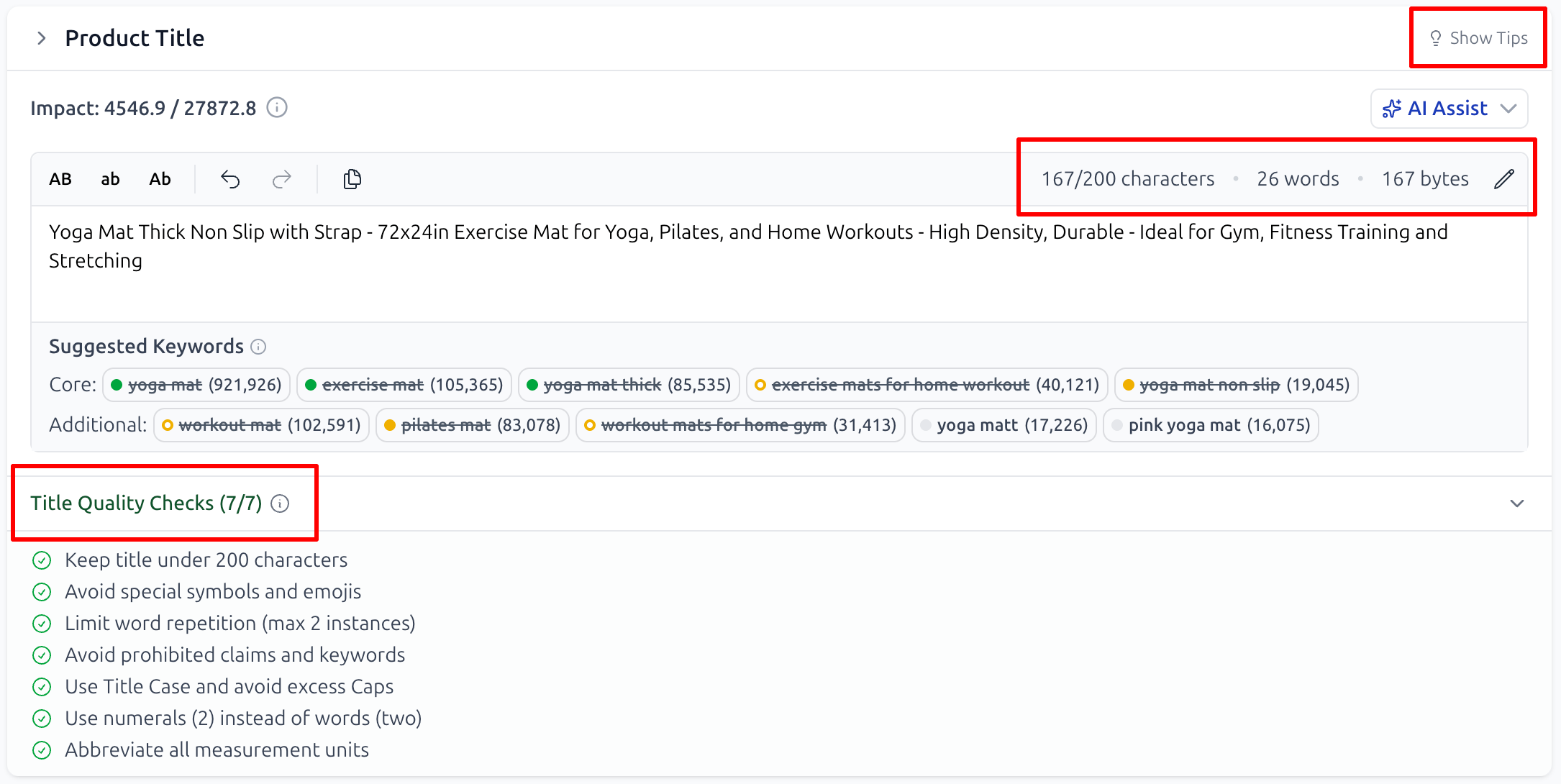
Show Tips: Every section has a Show Tips button. Clicking it reveals expert advice on how to structure your text for that specific area.
Individual Quality Checks: The system runs a unique set of checks for each section. If you use forbidden characters, exceed byte limits, or violate formatting rules, you’ll see an alert immediately.
Seamless Auto-Save: The system automatically saves your progress as you type. You can always see exactly when your work was last secured in the top right corner.
AI Assist: Your Smart Content Partner
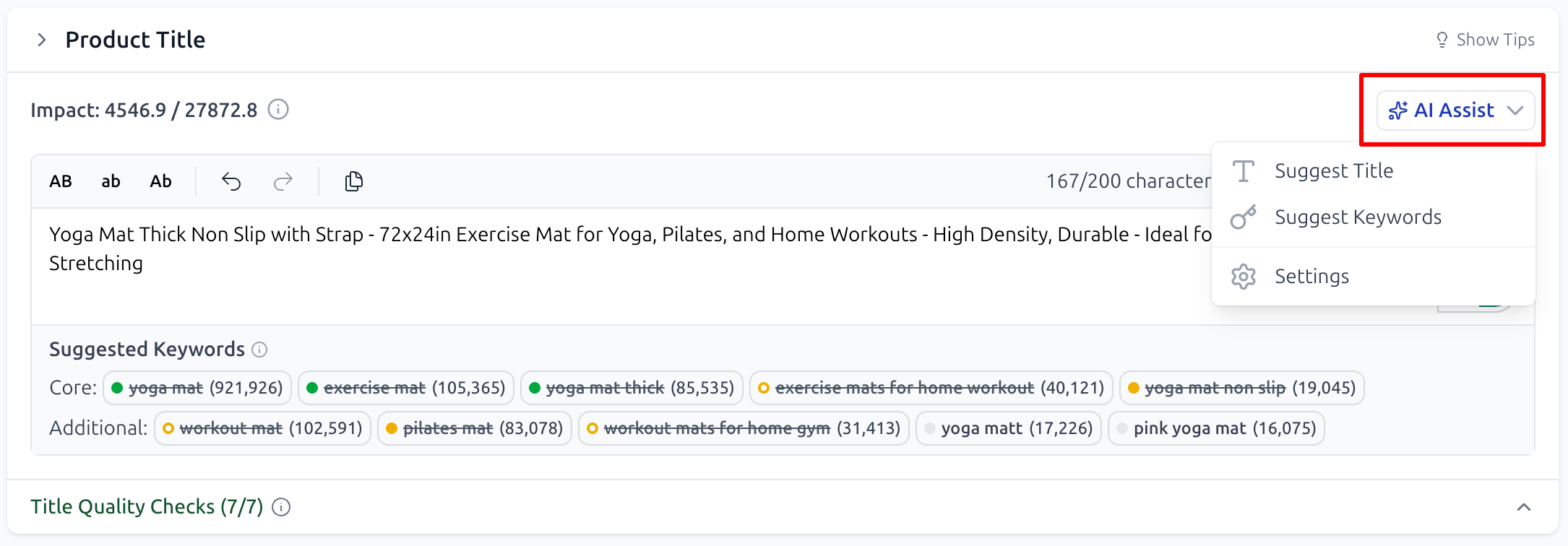
When you first use AI Assist, the system will ask for essential product details to ground its suggestions. In the "Build your listing with AI" setup, you can define:
Product Name & Characteristics: The core features of your item.
Brand Position & Tone: Whether your voice is formal, playful, or luxury, and where your brand name should appear in the title.
Target Audience & Exclusions: Define exactly who you are selling to and specify any words or characters the AI should strictly avoid.
How to Use AI Assist in the Editor
For the Title, Bullet Points, and Description sections, you have two primary ways to utilize the AI:
Suggest Keywords: The system identifies the most impactful terms from your niche that should be prioritized in that specific section.
Suggest [Section Name]: The AI generates a full draft of the text for you. If the first result isn't perfect, you can regenerate the content until you find the version that fits your brand best.
Maximizing Coverage with Generic Keywords
In the Generic Keywords section, the tool offers a specialized Suggest Generic Keywords feature.
Pro Tip: Run this feature last, once your Title, Bullets, and Description are finalized. The algorithm will automatically identify which high-value keywords from your bank are still missing and add them here to maximize your total search reach.
Intelligent Keyword Tracking
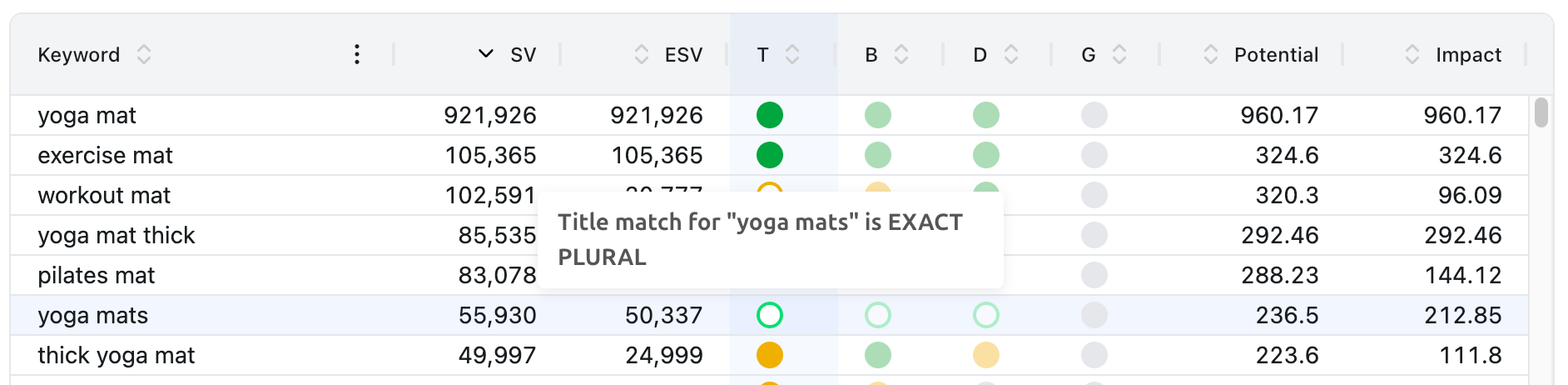
As you draft your text, the system scans your content in real-time and compares it against your Keyword Bank drawer.
Match Locations & Types
The system tracks usage across T (Title), B (Bullet Points), D (Description), and G (Generic Keywords). It specifically identifies:
EXACT: The keyword appears exactly as it is in your bank.
EXACT PLURAL: The system recognizes plural forms as a match.
BROAD: All words in the phrase are present, regardless of order.
BROAD PLURAL: Matches plural variations in any order.
Measuring Performance: The Listing Audit Summary
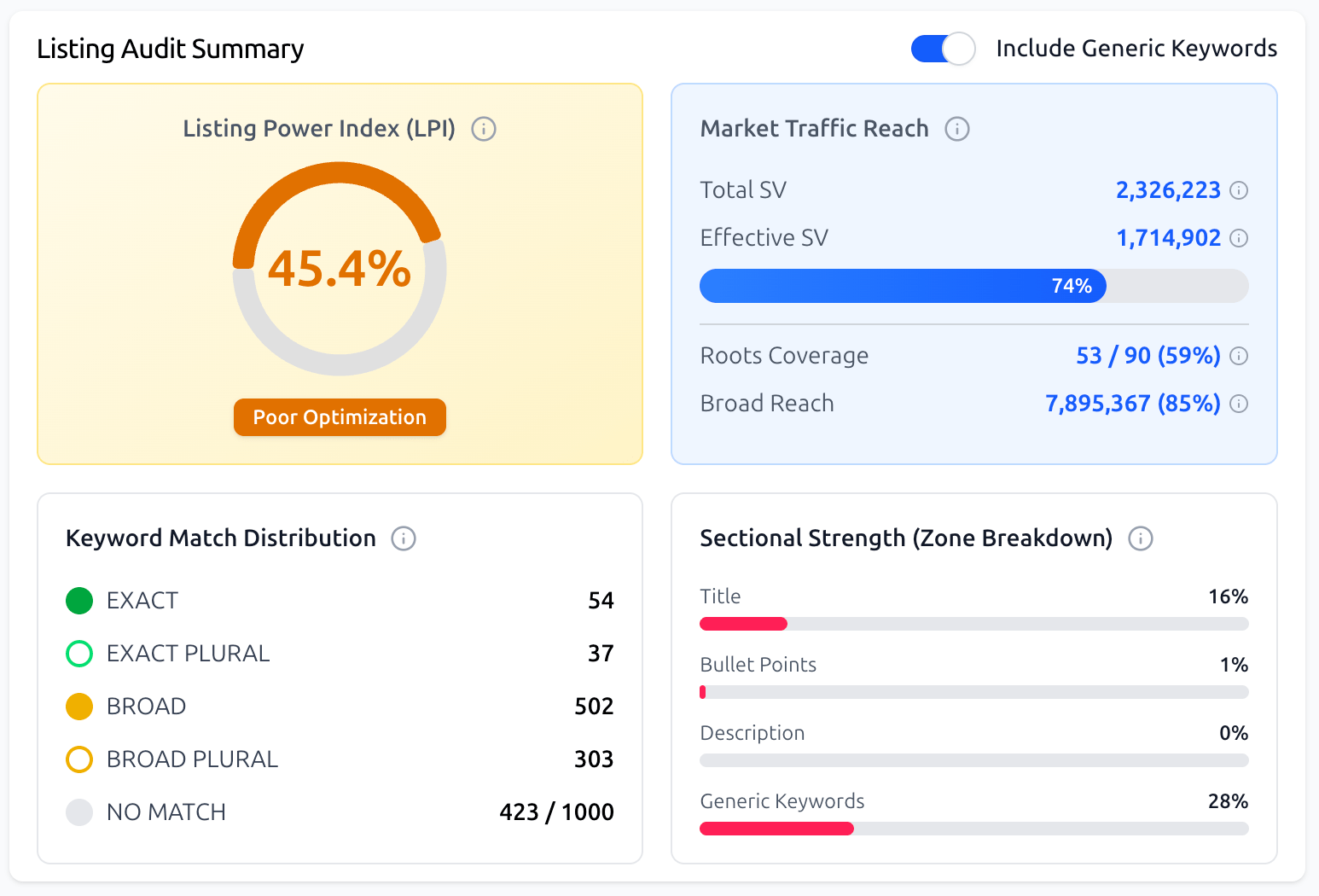
To give you an objective view of your optimization progress, the Listing Audit Summary provides a visual dashboard of your SEO health:
Listing Power Index (LPI): An overall optimization score (0–100%) with a status label, such as "Poor Optimization" or "Well Optimized".
Market Traffic Reach: Compares your Total SV (total search volume in your bank) against your Effective SV (the actual reach you've unlocked based on current placement and match types). It also tracks Roots Coverage and Broad Reach.
Keyword Match Distribution: A visual count showing exactly how many keywords are used as Exact, Broad, or are currently a "No Match".
Sectional Strength (Zone Breakdown): Individual progress bars for each section, showing you exactly where you need to improve keyword density.
What’s Next?
Publishing, Version History, and the Amazon API: Finalizing and going live.