Working with the Keyword Bank: From Chaos to System

Olivia Reyes
The Keyword Bank is the foundational SEO engine of your listing. It acts as a centralized repository where you gather, organize, and prioritize the terms you want to rank for before you even write your first sentence. By transforming a raw list of terms into a structured bank, you ensure that no high-value keyword is left behind.
Accessing the Keyword Bank
There are two primary ways to interact with your keywords, depending on whether you are in the "planning" or "writing" phase:
Management Mode: Click the Keyword Bank button in the top header of the Listing Builder to enter the full-screen management interface. This is where you perform bulk additions and organization.

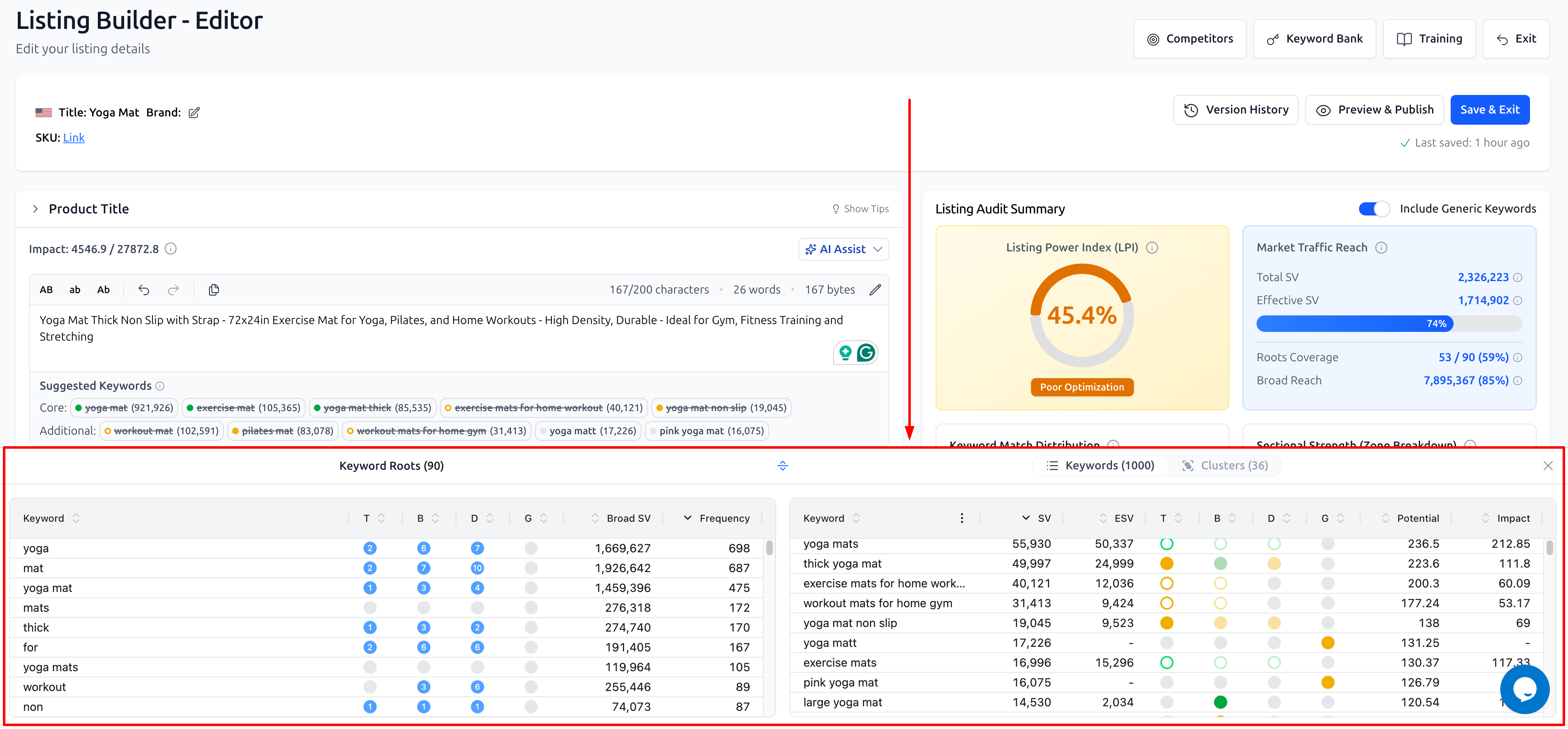
Writing Mode: When you are inside the Listing Builder Editor, the Keyword Bank is integrated as a bottom drawer. This allows you to reference your terms without losing focus on your copy.
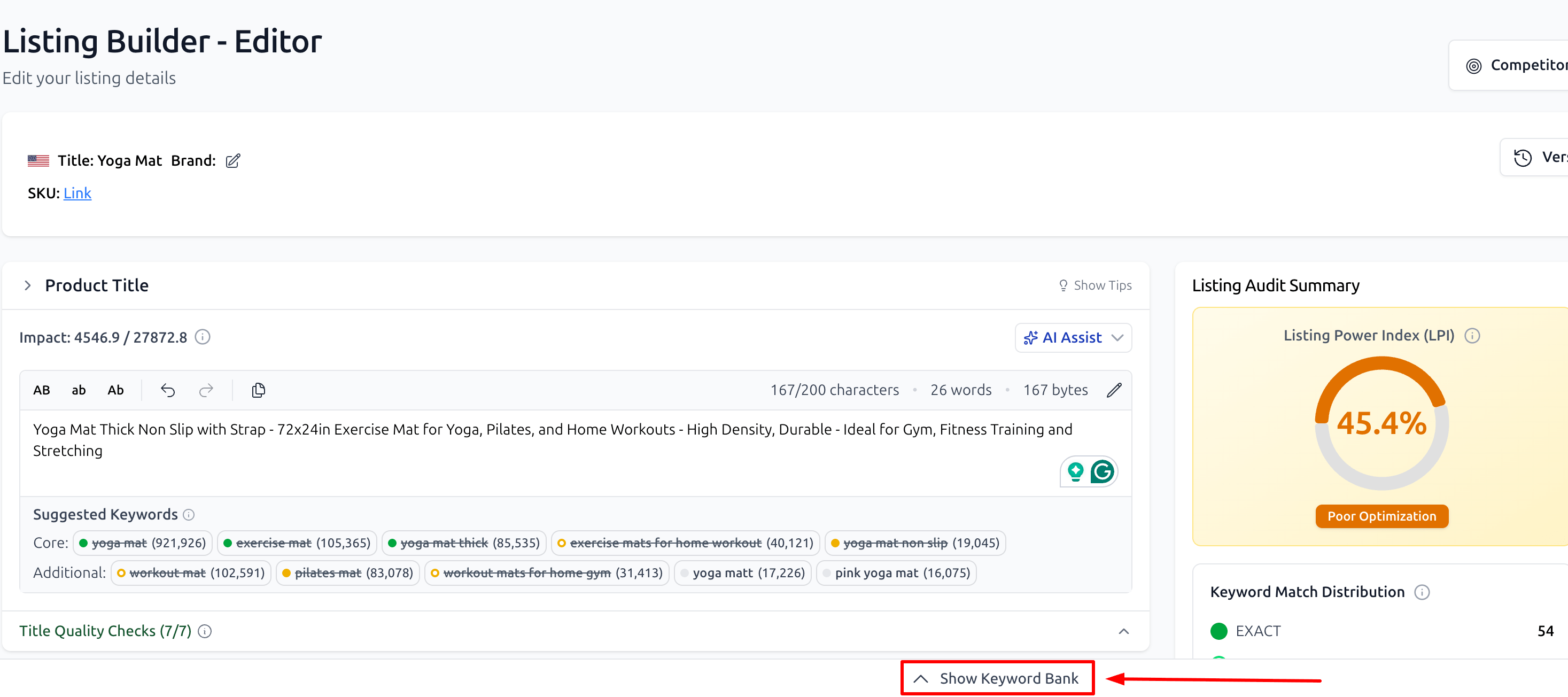
Collapsible Interface: If you need more vertical space while writing, you can close the drawer. A bar remains at the bottom of the screen with a "Show Keyword Bank" button to instantly expand it when needed.
Building Your Foundation: Adding Keywords
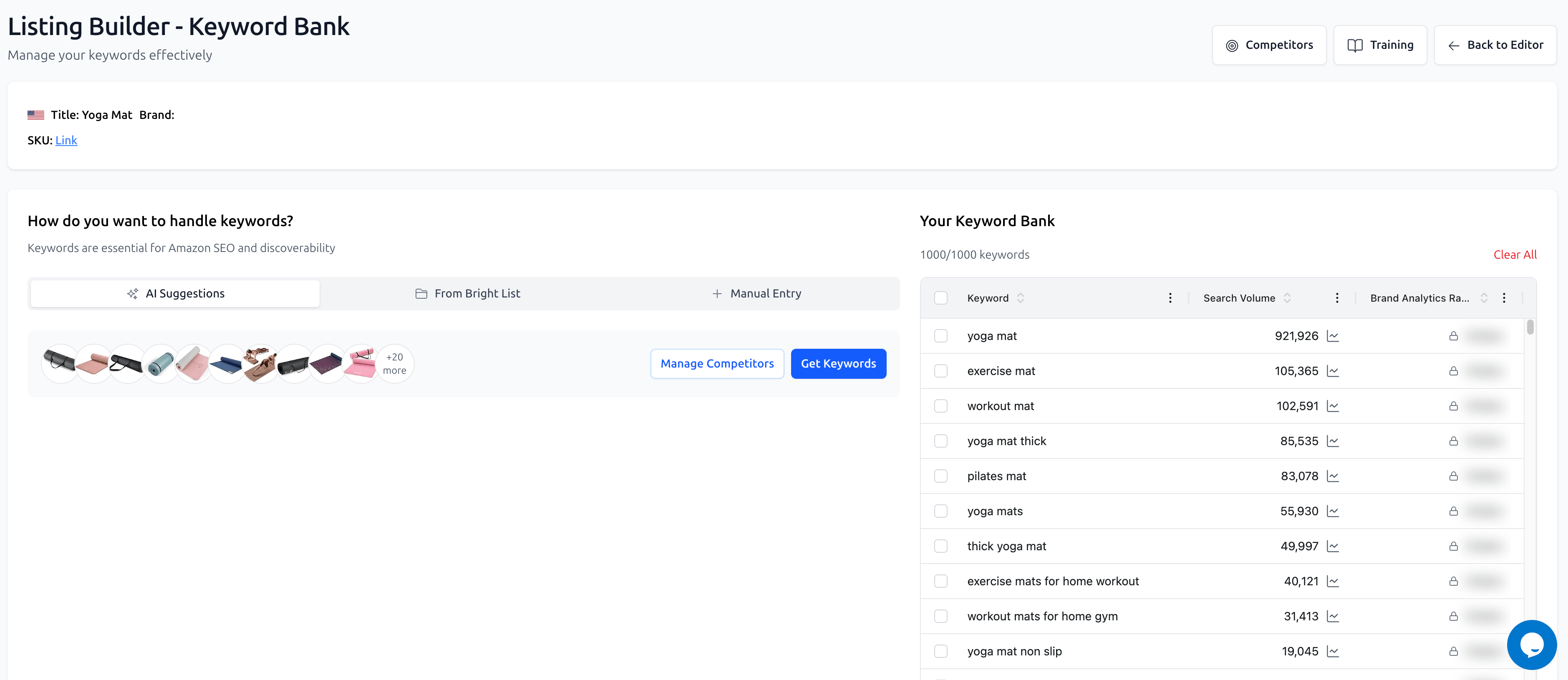
The Keyword Bank offers three distinct ways to populate your SEO "to-do" list:
AI Keyword Suggestions: Leverage AI to identify the most relevant terms for your niche. By adding competitor ASINs, the system analyzes their listings to suggest high-impact keywords you might have missed. If you haven't already linked competitors to your project, you can simply enter their ASINs into the input field provided to generate these suggestions.
From Bright List: This is the bridge between your research and your execution. If you have identified winning keywords in Keyword Research, you can save them to a Bright List and import them directly into the Listing Builder in a few clicks.
Manual Entry: If you already have a specific set of proprietary keywords or niche terms, you can add them manually to the bank at any time.
Organizing for Analysis
Once your keywords are added, the Keyword Bank provides three specialized views to help you dissect your SEO strategy:
1. The Keywords Table
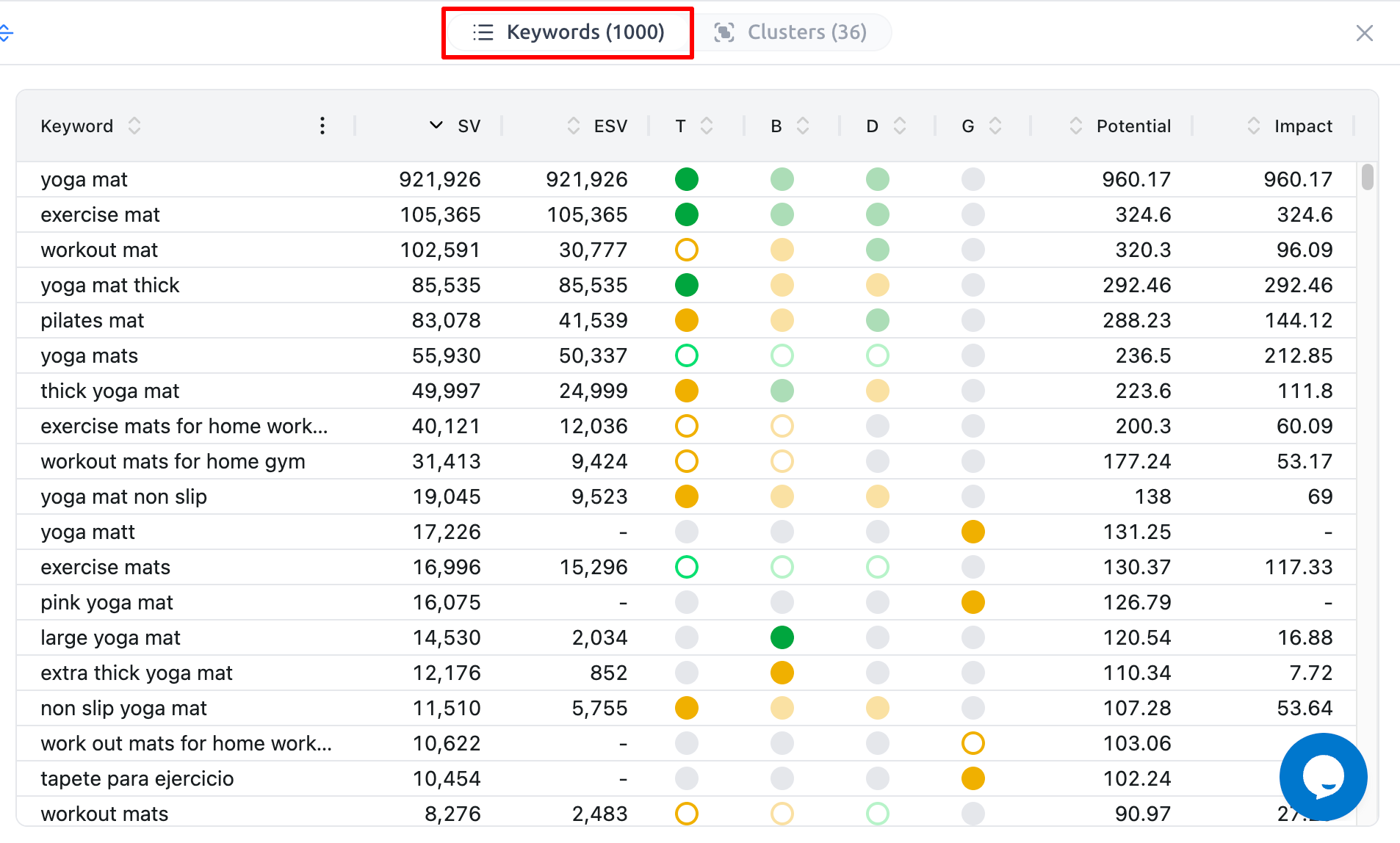
This is your master list. It tracks exactly how each keyword is performing and where it sits in your draft:
Keyword: The specific term or phrase.
SV (Search Volume): The estimated number of customer searches for this keyword over the past 30 days.
ESV (Effective Search Volume): This represents your estimated traffic reach. It scales the raw Search Volume based on how effectively the keyword is placed (e.g., Title carries more weight than Description) and the match type used.
Match Columns (T, B, D, G): These track the match type used in each listing section: T (Title), B (Bullet Points), D (Description), and G (Generic Keywords). Hover over any value in these cells to see detailed match information.
Potential: The maximum "Power Score" this keyword can offer, derived from its Search Volume. This represents the score you would achieve with 100% optimization for this term.
Impact: The actual SEO weight currently realized by your text. This is your Potential score adjusted by match type, location weight, and "stuffing" penalties.
2. The Clusters Table
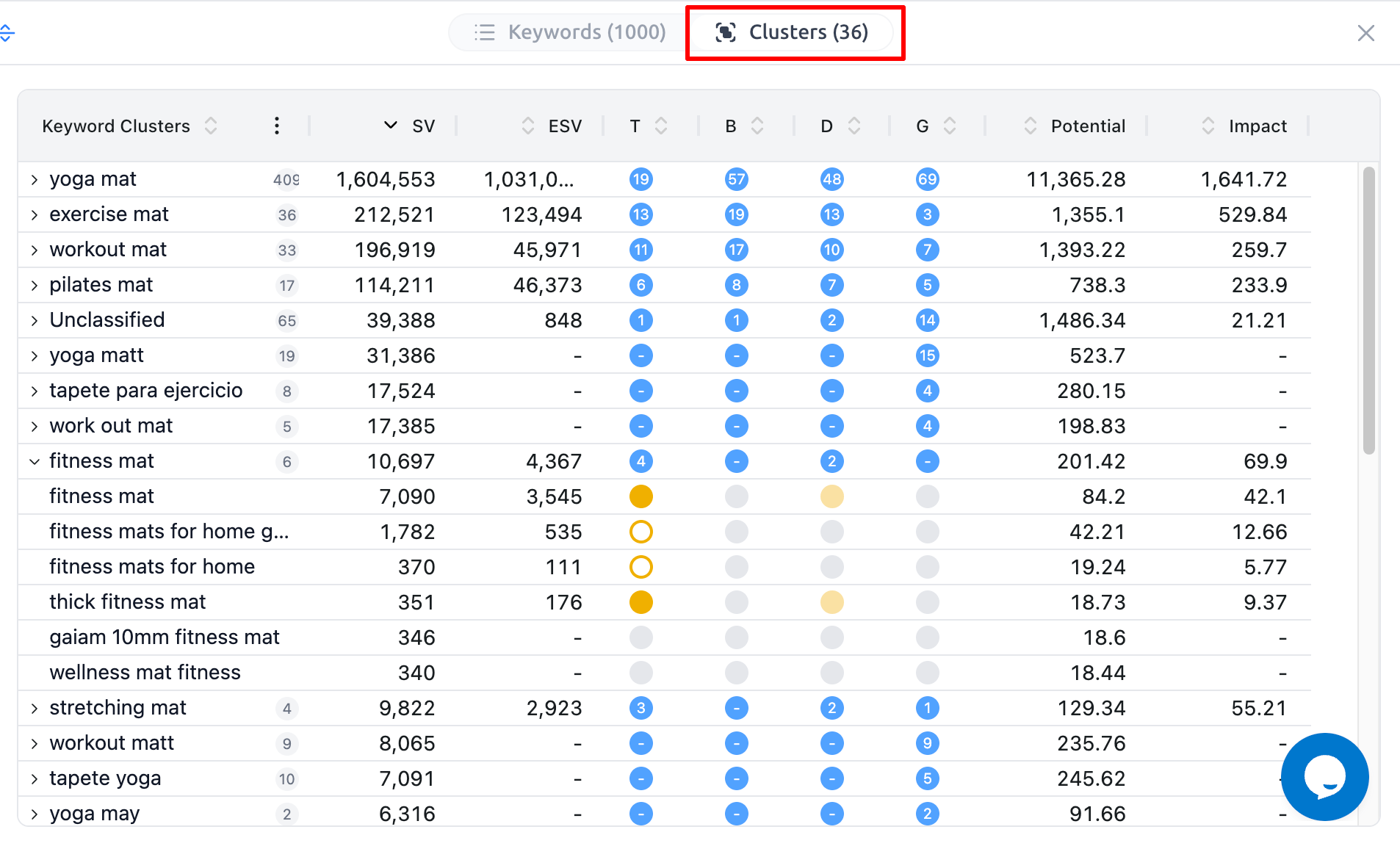
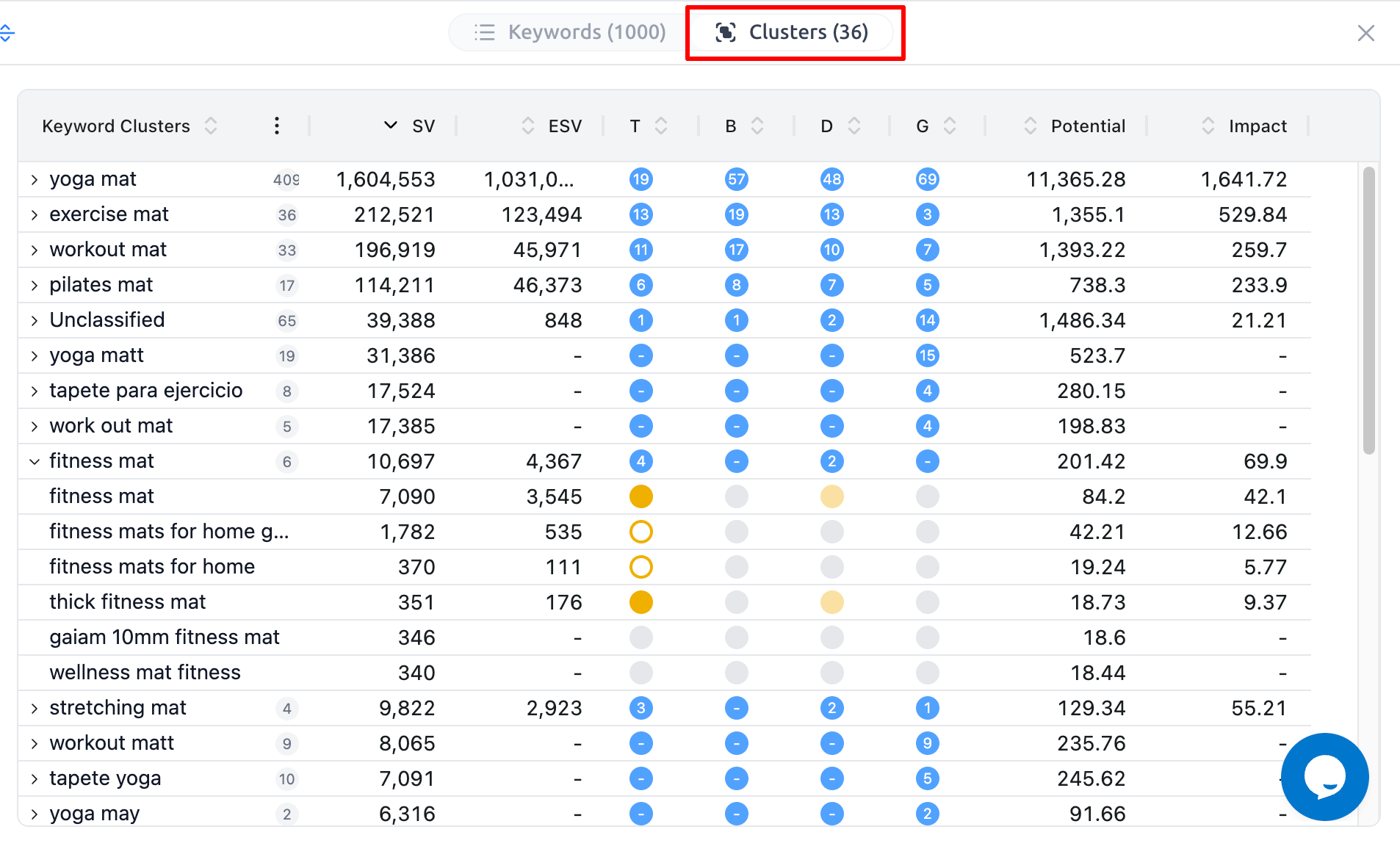
This view is identical to the Keywords table but automatically grouped by clusters based on common roots. In each cluster’s row, you will see:
The total number of matches in the T, B, D, and G columns.
The summarized SV, ESV, Potential, and Impact for every keyword within that specific cluster. This allows you to evaluate your total visibility for an entire niche group at once.
3. The Keyword Roots Table
This tool performs an n-gram analysis, breaking your keywords down into individual words or short phrases (roots) to see what is driving your traffic:
Keyword: The specific root or n-gram.
T, B, D, G: The number of times this specific n-gram appears in the corresponding section of your listing.
Broad SV: Represents the total search volume across all keywords in your bank that include this root, not just exact matches of the root itself.
Frequency: The number of different keywords in your bank in which this root appears. This helps you identify the most "essential" words for your niche's vocabulary.
What’s Next?
Now that your keywords are organized and your bank is full, it's time to start writing.
The Art of Optimization: The Editor and AI Assist: Learn to use the smart editor and AI creative tools.
Publishing, Version History, and the Amazon API: Finalizing and going live.