Automating Amazon Multi-Channel Fulfillment

Sarah Johnson

How Multi-Channel Fulfillment Automation Helps Amazon Sellers Ship Smarter
Manually pushing Shopify orders into FBA, checking tracking in one tab, and updating customers in another can work at low volume. It often breaks down as order counts and channel complexity rise.

Multi-channel fulfillment automation is what separates “we sell everywhere” from “we fulfill everywhere with consistent processes.” For Amazon sellers using FBA as a logistics backbone, the right Amazon MCF shipping automation setup can route orders from Shopify, Walmart, or wholesale portals into Multi-Channel Fulfillment, sync tracking back, and apply shipping rules with less day-to-day manual work. This article covers how it works, when it makes sense, and where the edge cases can create risk if the system is not designed carefully.
What Multi-Channel Fulfillment Automation Actually Means
Multi-channel fulfillment automation connects non-Amazon sales channels to your fulfillment infrastructure, often Amazon FBA, so orders can flow from checkout to shipment with fewer manual steps.
For Amazon sellers, this commonly involves:
Using Amazon’s Multi-Channel Fulfillment (MCF) to ship orders placed outside Amazon
Connecting Shopify, BigCommerce, WooCommerce, Walmart, or other channels to FBA
Automating order routing, shipping speed selection, and tracking updates
Syncing inventory quantities across platforms
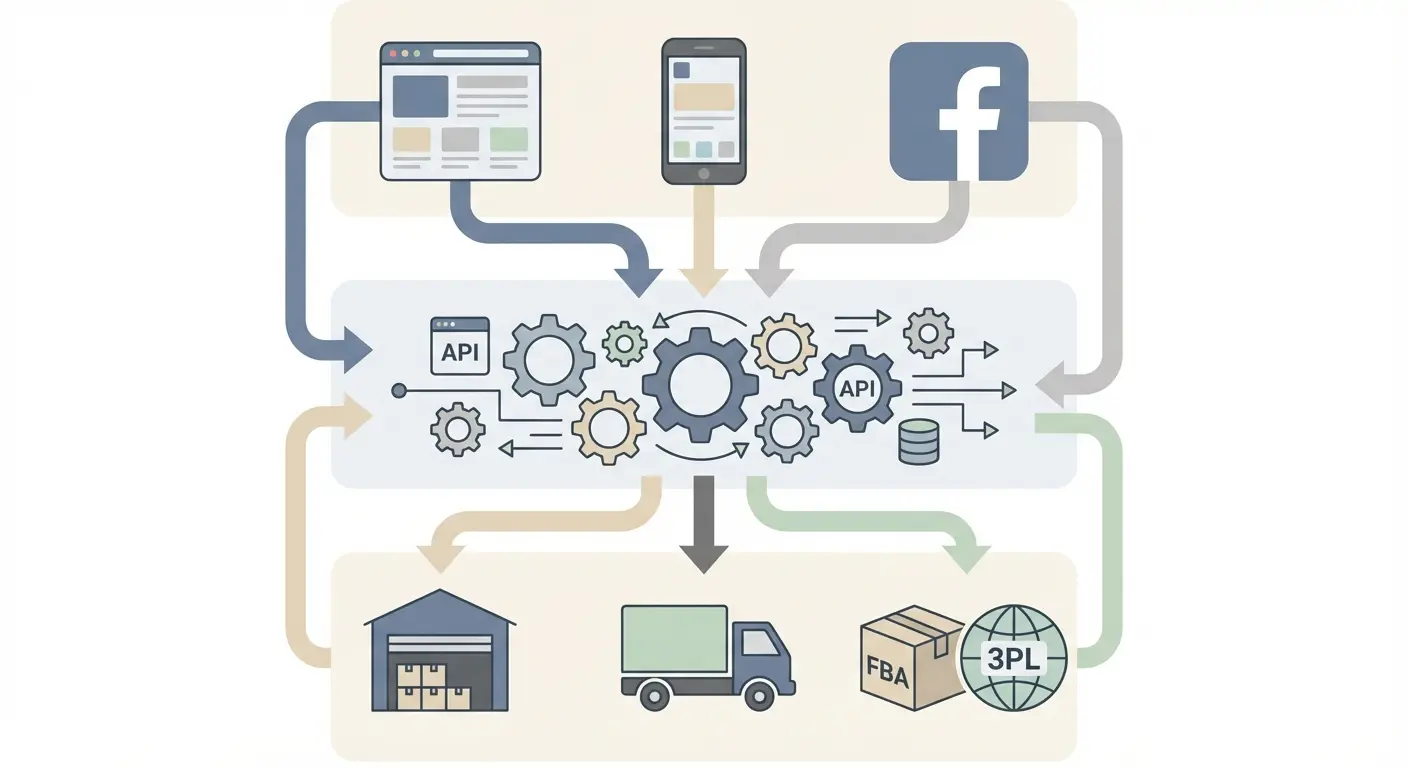
An Amazon seller cross channel fulfillment setup typically has three layers:
Sales channels (Shopify, Amazon, Walmart, etc.)
Middleware or integration tool (for example, ShipStation, an OMS, or custom API logic)
Fulfillment layer (FBA, 3PL, or hybrid)
When sellers hire an Amazon MCF setup service or an Amazon multi channel fulfillment consultant, the goal is usually to design and configure this stack so it runs with predictable exception handling, not daily manual corrections.
Automation is not just about connecting platforms. It is about defining rules that match your customer promises, inventory constraints, and operational reality.
How Orders Flow from Shopify to FBA (With Minimal Manual Touch)
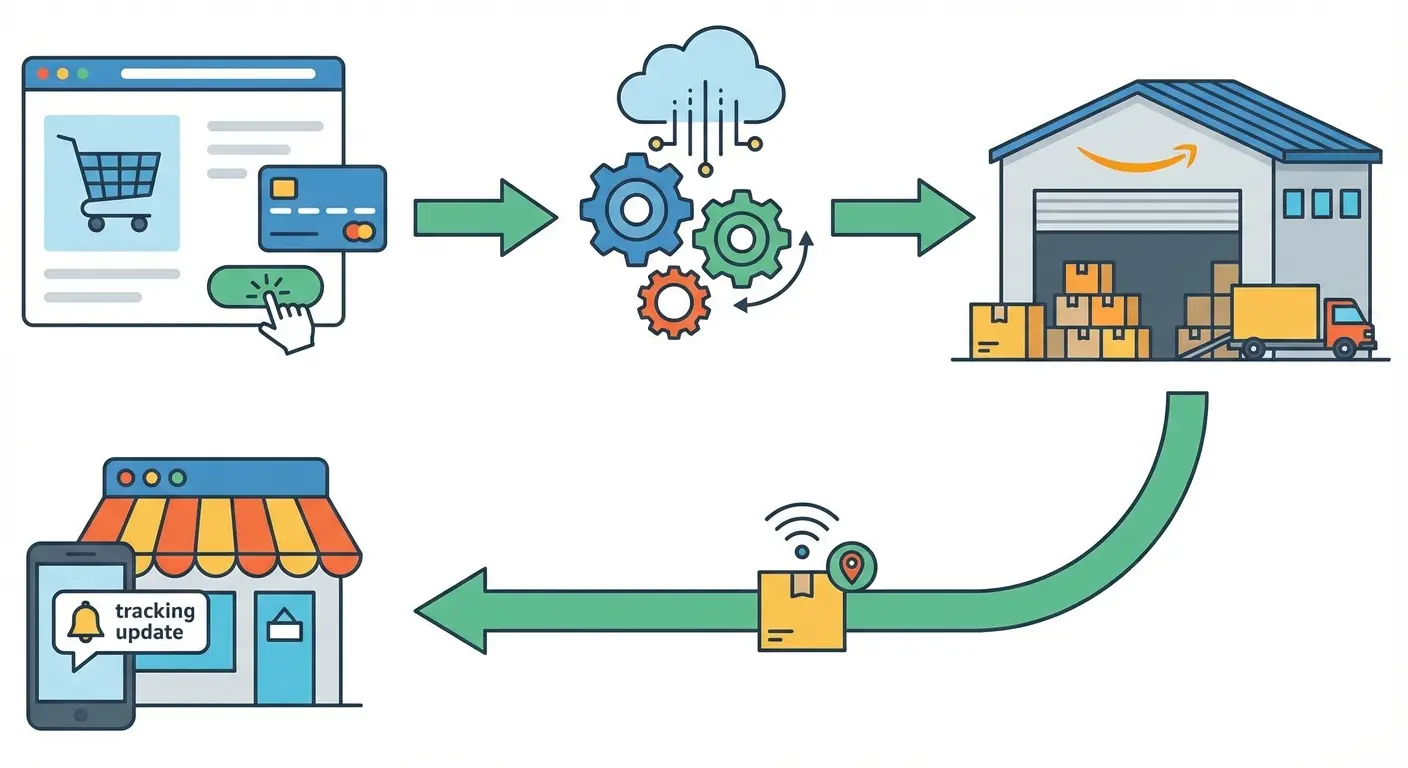
Step 1: Order Capture
A customer places an order on Shopify. That order is captured by your integration layer. This could be direct Shopify to Amazon FBA integration help or a third-party tool.
If you are using ShipStation, solid ShipStation Amazon integration help matters. The connection must authenticate correctly, map stores and warehouses properly, and ensure the workflow sends eligible orders to MCF instead of the wrong fulfillment method.
Step 2: SKU Mapping
SKU mapping is where many builds fail.
Your Shopify SKU needs to map to the correct Amazon fulfillment SKU (and, where applicable, the correct ASIN and marketplace). If there is a mismatch, the automation can fail, route the wrong item, or split orders in ways you did not intend.
Teams providing Amazon fulfillment agency services usually treat SKU mapping as a structured project with testing, not a last-step checklist item.
Step 3: Routing to FBA (MCF Order Creation)
Once validated, the integration creates an MCF order in Amazon. This usually includes:
Shipping speed selection (the available options depend on your MCF configuration and what Amazon offers at the time)
Customer address
Item quantities
If you plan to automate Shopify Amazon FBA orders, define rules that reflect real constraints. Examples include:
Using faster service only when margin supports it
Handling PO Boxes and address validation in a way that matches the carriers and service levels available
Verifying bundle logic so component availability is checked before submitting the order
Without rules, automation can be fast and still wrong.
Step 4: Fulfillment and Tracking Sync
FBA pick, pack, and ship the order. Tracking is generated in Amazon and then pushed back to Shopify or your OMS when the integration is configured correctly.
A complete Amazon MCF shipping automation setup focuses on reliability, including:
Tracking sync that is consistent across channels
Order status updates that trigger the right customer notifications
Cancellation and refund handling that does not corrupt inventory logic
Why Sellers Move to Automated Multi-Channel Fulfillment
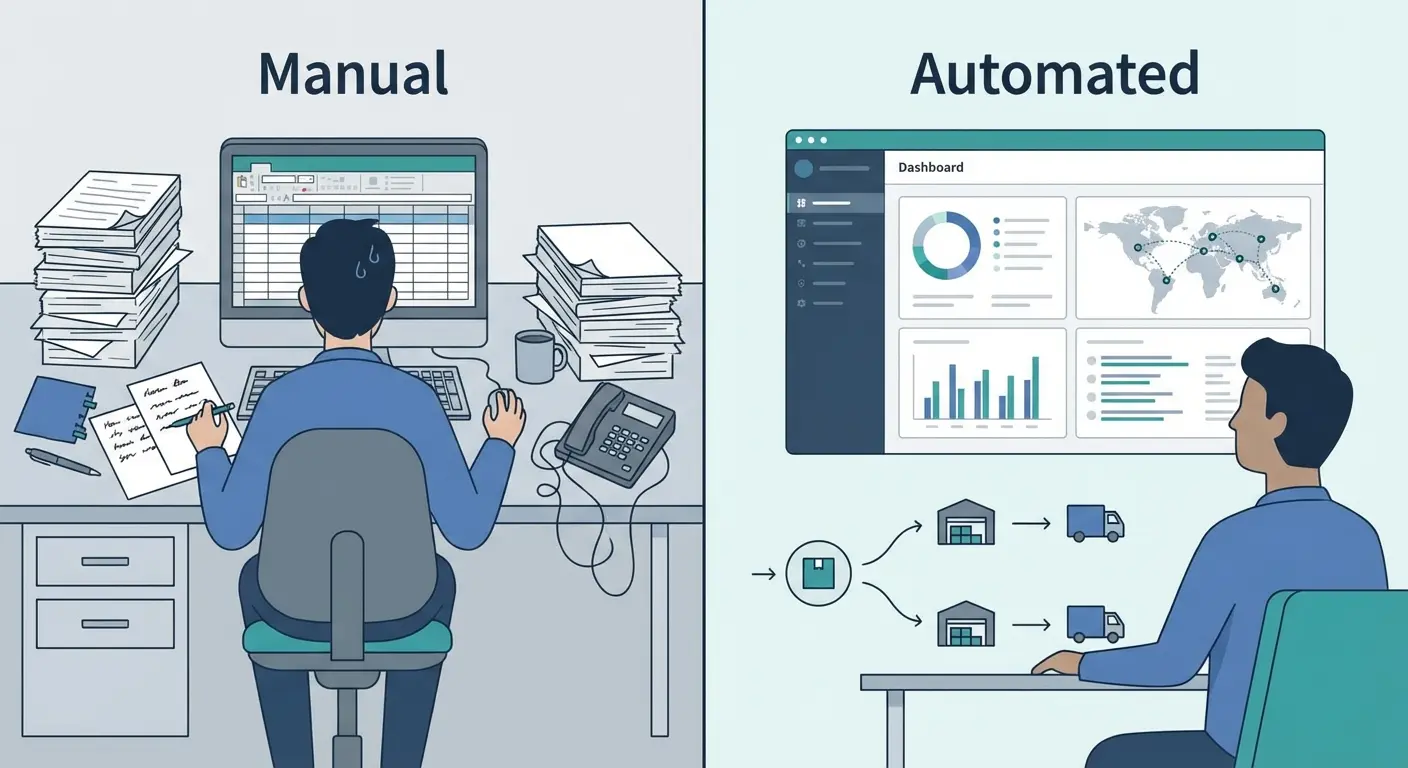
The biggest driver is often operational stability, not convenience.
Manual processes tend to create:
Slower fulfillment on non-Amazon channels
Inventory mismatches across platforms
Labor cost growth as volume increases
With well-designed multi channel ecommerce fulfillment services, sellers can centralize inventory and use FBA as one fulfillment option across channels. This can simplify inbound planning and reduce duplicated inventory positions, but it only works if inventory synchronization is accurate and you manage channel allocations to avoid overselling.
An Amazon FBA multichannel fulfillment agency will often implement safeguards such as:
Inventory buffers on non-Amazon channels
Automatic out-of-stock rules
Fallback routing to alternate fulfillment locations when appropriate
Automation without guardrails can increase risk as you scale.
Three Realistic Scenarios
Case 1: The Growing DTC Brand
A seller launches on Amazon, then builds a Shopify store. Orders start small but grow after paid traffic ramps up.
At first, they create MCF orders manually in Seller Central. When daily volume reaches a level where manual entry becomes a bottleneck, they implement automation and reduce the time spent creating shipments and updating tracking.
Key insight: automation tends to pay off when the time and error cost per order becomes meaningful. Before that, complexity can outweigh the benefit.
Case 2: The Hybrid FBA + 3PL Operator
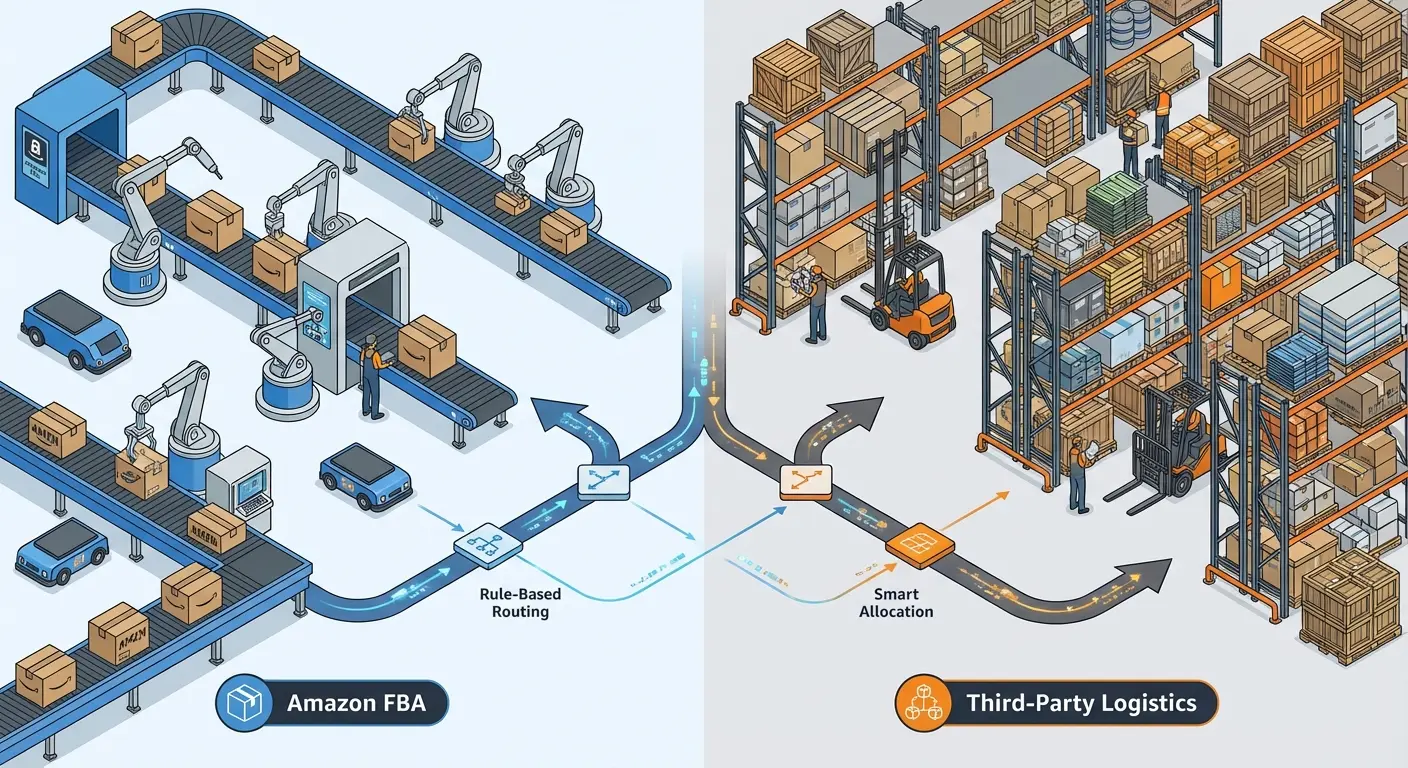
A larger seller uses FBA for small standard items and a 3PL for oversized SKUs.
They need rule-based routing, for example:
If SKU is small-standard, route to FBA (MCF)
If SKU is oversize, route to 3PL
If FBA available inventory drops below a threshold, reroute to 3PL
This is a common place to outsource Amazon MCF management or bring in an Amazon multi channel fulfillment consultant. The logic must be precise, especially during peak season and promo spikes.
Case 3: International Expansion
A US-based seller opens a Shopify store targeting additional regions.
Using local FBA inventory in each region can require:
Separate Amazon marketplace accounts and correct linkage for fulfillment
Region-specific SKU mapping and catalog alignment
Tax and shipping logic appropriate to each storefront and destination
In this scenario, an Amazon MCF setup service often focuses on aligning the correct regional accounts, SKUs, and storefront settings so orders are sent to the intended fulfillment country and program.
Expectation vs. Reality in MCF Automation
Expectation: “Once connected, everything runs itself.” Reality: automation magnifies system design. If catalog structure, SKU logic, or inventory discipline is messy, automation will surface the problems faster.
Expectation: “FBA will always be the fastest and cheapest option.” Reality: MCF fees and delivery speed options vary by size tier, destination, and Amazon’s current program settings. In some lanes, a regional 3PL can be more cost-effective or faster.
Expectation: “Integration is a one-time project.” Reality: new SKUs, bundles, marketplaces, and routing rules require ongoing updates. That is a common reason sellers outsource Amazon MCF management instead of treating it as a one-time implementation.
Where Sellers Get It Wrong
Treating Integration as Purely Technical
Many sellers assume it is just API keys and toggles. In practice, integration is operational design.
Answer these before you automate:
What happens when FBA is out of stock?
What shipping speeds do you promise, by channel?
How will you handle returns initiated on non-Amazon channels?
Will MCF shipments meet your branding expectations, including packaging and inserts where applicable?
Amazon’s packaging and branding options for MCF can differ from a dedicated 3PL, and they can change over time. Plan for what you can control, and document what you cannot.
Ignoring Inventory Buffers
If you sell on Amazon and Shopify from overlapping inventory, you can oversell if buffers and sync timing are not managed.
A common approach is a buffer on secondary channels. For example, if FBA shows 100 units available, Shopify only lists 80.
Forgetting Margin Math
MCF is convenient, but cost should be modeled by SKU and lane.
Before committing, compare:
MCF fees by size tier
3PL pick-and-pack and storage costs
Carrier rates by zone
Return and replacement handling differences
Automation should support profitability, not just speed.
When to Bring in Outside Help
If your catalog is small and your expansion is modest, you may not need an Amazon FBA multichannel fulfillment agency.
External support becomes more valuable when:
You run hybrid FBA plus 3PL logistics
You operate across multiple regions
You sell bundles or kits
You need custom routing logic and monitoring
You lack in-house ops and systems expertise
An Amazon multi channel fulfillment consultant typically focuses on architecture and rules. An Amazon fulfillment agency services partner may also handle monitoring, inventory syncing, exception management, and ongoing optimization. In some cases, sellers also use an Amazon MCF setup service for initial build-out and then retain a partner to maintain it.
The Real Limits of Multi-Channel Fulfillment Automation

Automation cannot fix:
Poor demand forecasting
Chronic stockouts
Supplier delays
Inaccurate SKU and bundle data
It also does not remove the need to monitor:
Late shipment performance on non-Amazon channels
Customer complaints tied to delivery promises
MCF processing times during peak periods
Amazon can change MCF fees, delivery options, and program details. Your workflows should be adaptable, and your team should review the impact when Amazon updates policies or service levels.
Returns can also be complex. MCF returns do not always mirror Amazon marketplace returns. Define your process for:
Return authorization and address
Inventory disposition and reconciliation
Refund timing and customer communication
Automation can trigger workflows, but oversight is still required.
What Smart Sellers Do Differently
Experienced sellers treat automation as infrastructure.
They:
Standardize SKU systems before integrating
Implement inventory buffers intentionally
Test shipping rules in controlled batches
Recheck MCF costs against 3PL options on a schedule
Build fallback fulfillment paths for stockouts and peak constraints
They also document their logic so it can be audited and transferred if tools or providers change.
If you want to automate Amazon multi channel fulfillment, design it like an operations system, not a plugin.
Practical Takeaways for Scaling with MCF
Use FBA as a centralized inventory option only if your forecasting and inventory controls are reliable.
Before automating, define routing, fallback, and shipping-speed rules in writing.
Map SKUs carefully. Most automation failures trace back to catalog structure and mapping.
Model MCF fees against 3PL costs by size tier and zone.
Implement buffers on non-Amazon channels to reduce oversell risk.
Review your Amazon MCF shipping automation setup on a regular cadence as the catalog and channels evolve.
Consider whether to outsource Amazon MCF management when you span multiple warehouses, regions, or fulfillment methods.
For teams that prefer a managed approach, an Amazon MCF setup service can implement the foundation, then an Amazon FBA multichannel fulfillment agency can handle ongoing optimization. When brands need more hands-on execution across channels, multi channel ecommerce fulfillment services can also include OMS configuration, SLA monitoring, and exception handling. If your stack includes ShipStation and Shopify, targeted ShipStation Amazon integration help plus Shopify to Amazon FBA integration help can reduce early-stage misroutes and SKU mapping errors. For sellers moving quickly, an Amazon MCF shipping automation setup that can automate Shopify Amazon FBA orders end-to-end is often the difference between growth and operational drag. In higher-complexity environments, an Amazon multi channel fulfillment consultant can define the rules, while you automate Amazon multi channel fulfillment with clear ownership, monitoring, and escalation paths. In that model, many brands also choose to outsource Amazon MCF management to a partner offering Amazon fulfillment agency services, especially when Amazon seller cross channel fulfillment needs to work across multiple storefronts and tools.