Introduction to Listing Builder

Olivia Reyes
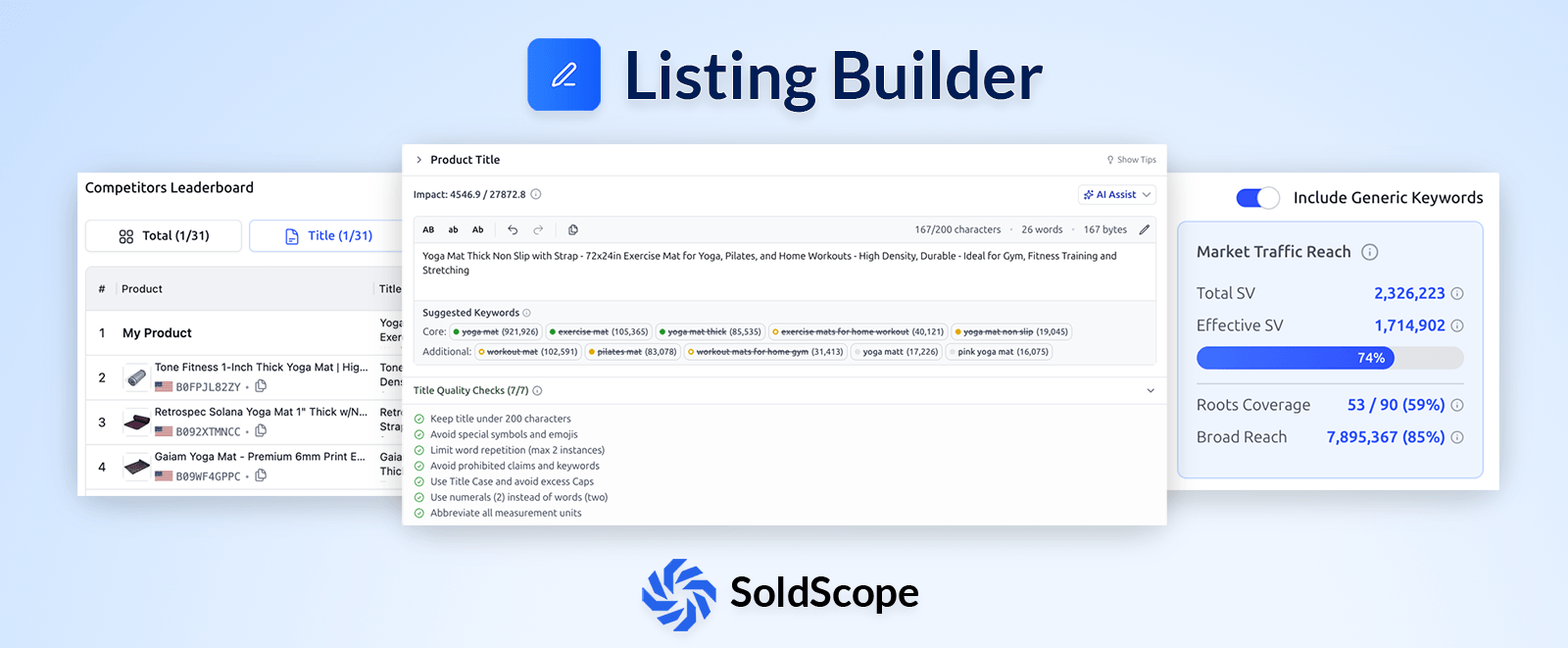
Writing a listing that both satisfies Amazon's search algorithm and converts a browsing customer is a balancing act. The SoldScope Listing Builder is designed to take the guesswork out of this process, providing a real-time, data-driven environment to draft, optimize, and publish your product content.
What is Listing Builder?
The Listing Builder is a comprehensive workspace where you can craft every textual element of your Amazon listing. Instead of jumping between spreadsheets and keyword lists, everything you need is integrated into a single interface.
Managed Content Sections:
Product Title: The most critical factor for both SEO and Click-Through Rate (CTR).
Bullet Points: Five key areas to highlight benefits and features while weaving in secondary keywords.
Product Description: Detailed information to help the customer finalize their decision.
Generic Keywords (Backend Search Terms): Invisible to the customer but vital for the algorithm to index your product correctly.
Core Components of the Interface
To help you work efficiently, the tool is divided into three main functional areas:
1. The Smart Editor
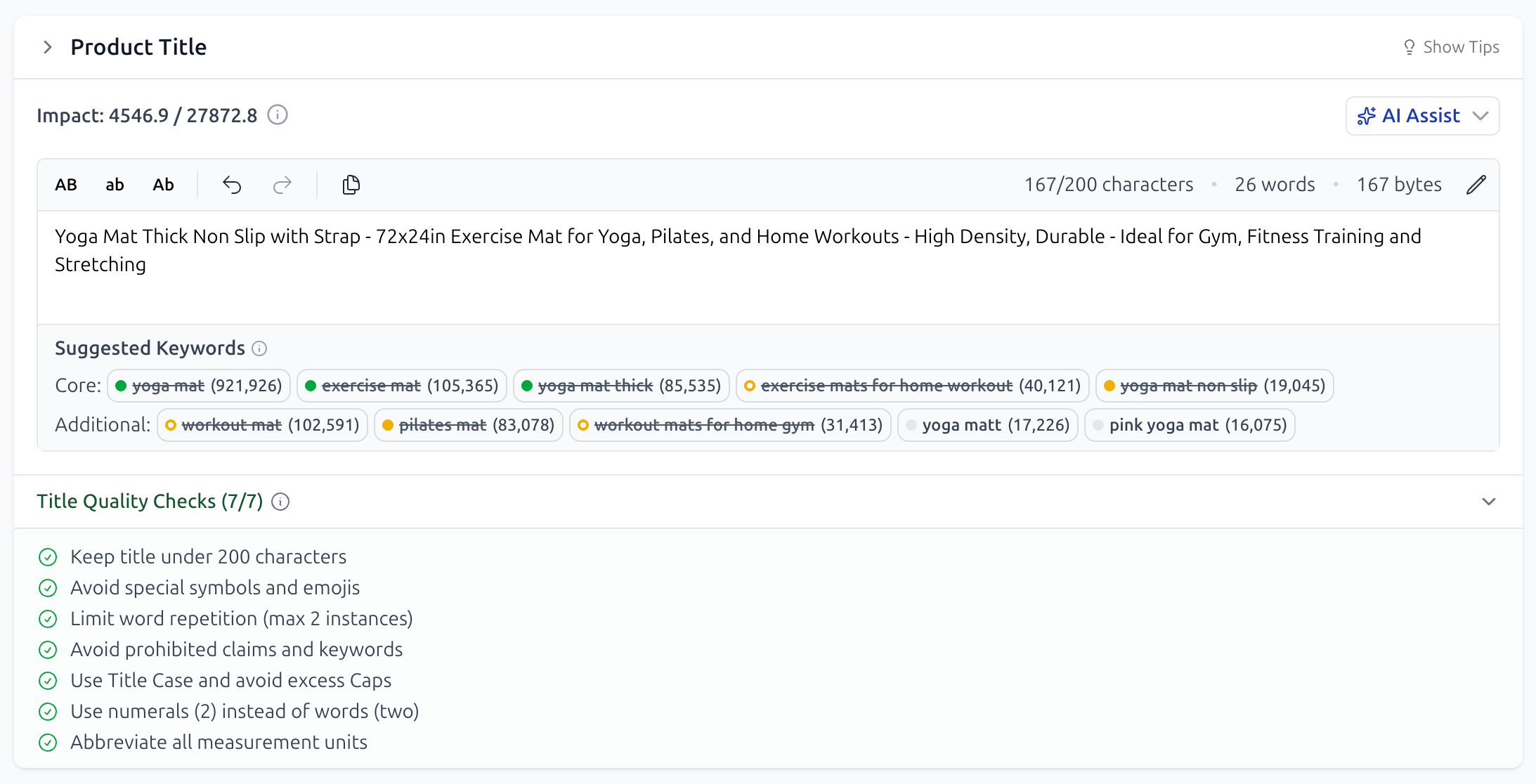
A live text editor with built-in Amazon character limits and formatting checks. As you type, the editor interacts directly with your keyword list, showing you exactly how your SEO is performing in real time.
2. The Keyword Bank
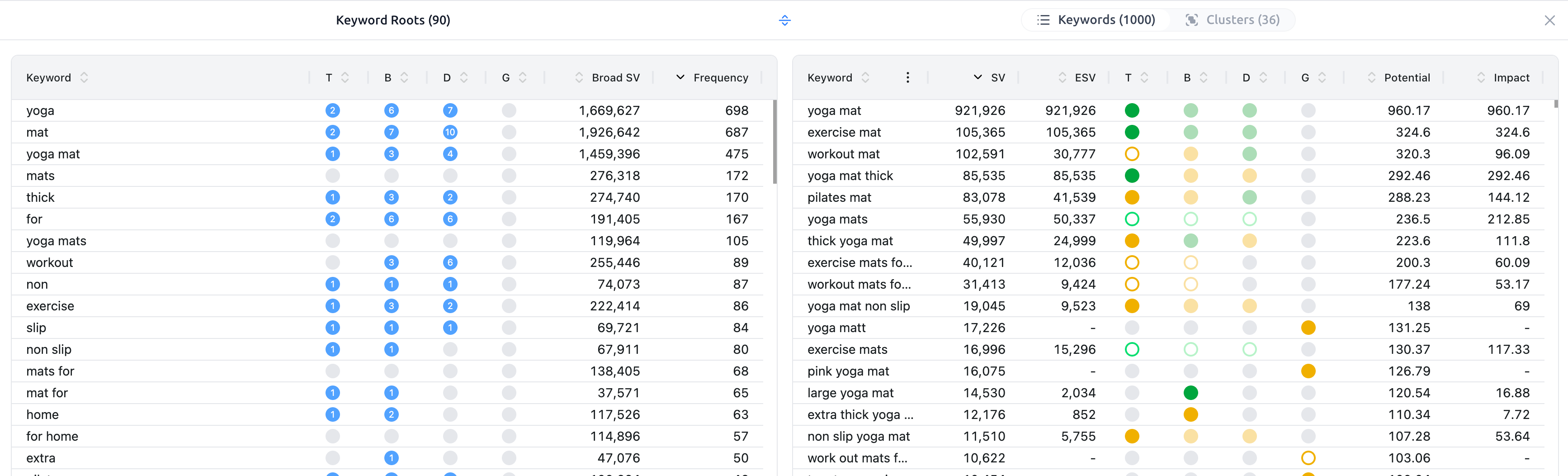
Located right next to the editor, the Keyword Bank is your "to-do" list for SEO. It organizes every keyword you intend to use, tracking whether they have been included and in what form (Exact or Broad). You can populate this bank manually, pull from your Bright Lists, or use AI Suggestions.
3. Competitor Insights & Leaderboard
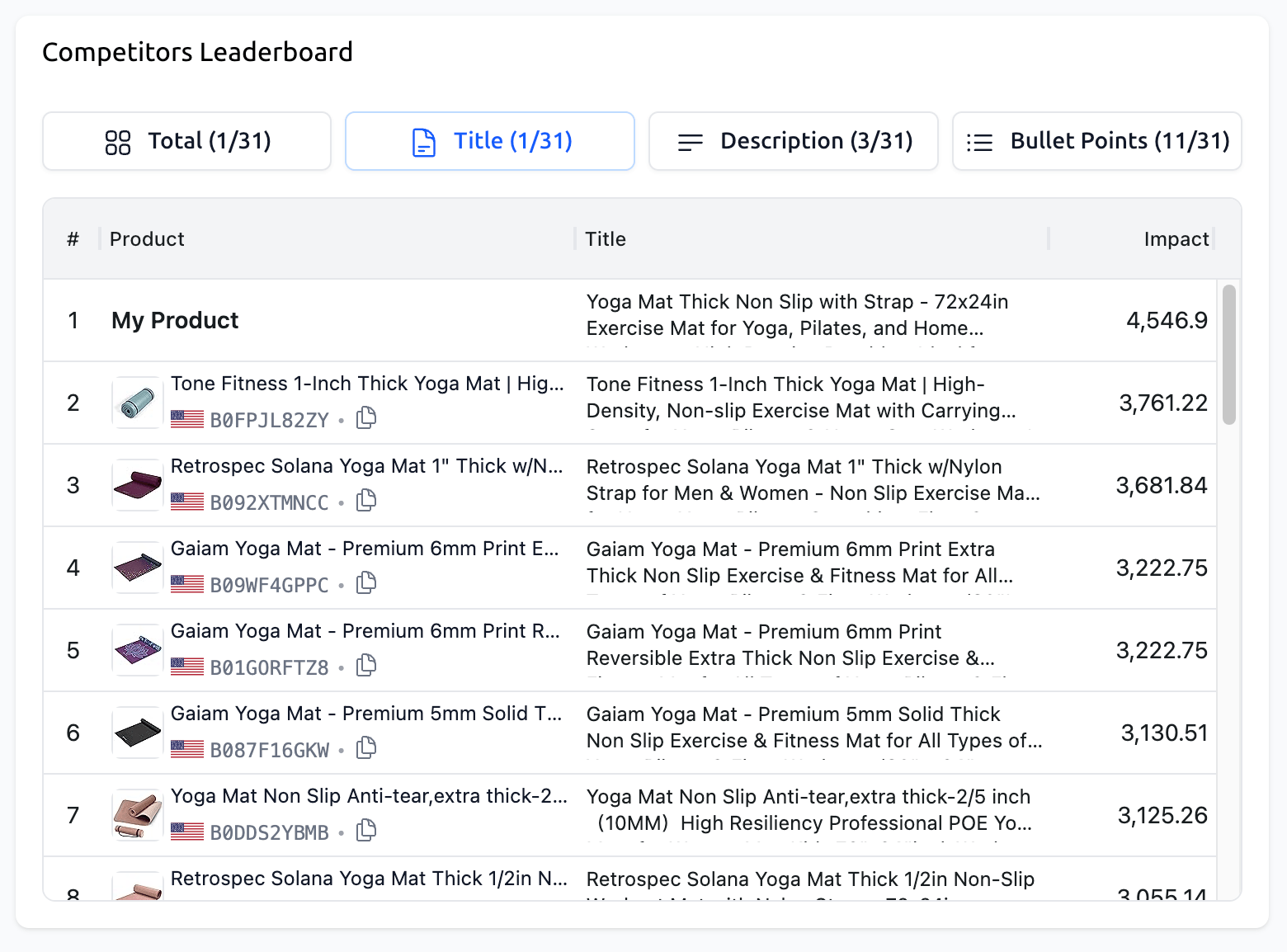
Don't write in a vacuum. You can add competitor ASINs directly to your project to compare your optimization levels against theirs. See their texts side-by-side with yours to find gaps in their strategy that you can exploit.
Listing Power Index (LPI): Your SEO Score
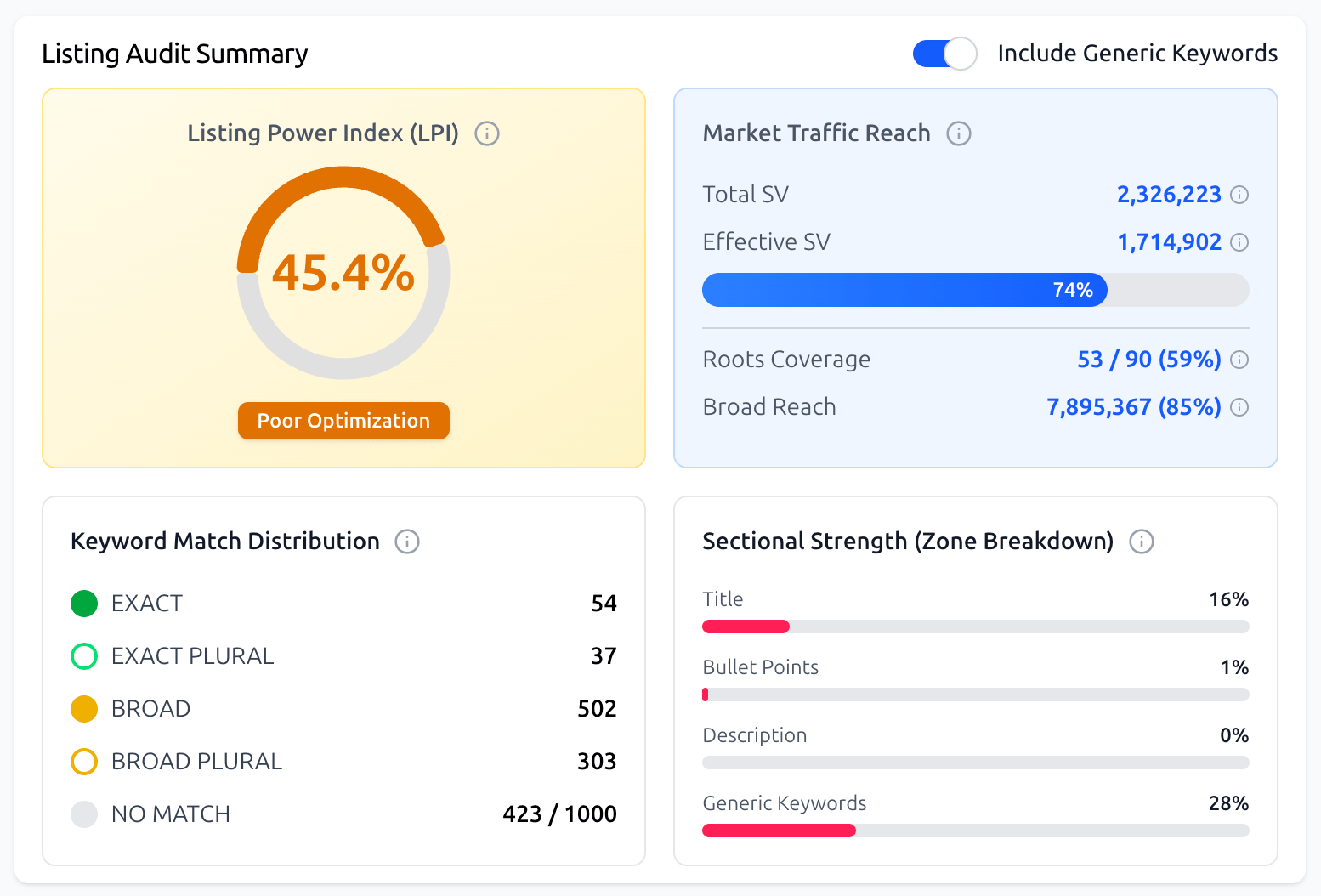
How do you know when your listing is "finished"? We’ve introduced the Listing Power Index (LPI) to answer that question.
The LPI is a proprietary scoring system (0–100%) that evaluates the SEO potential of your listing. It calculates:
Keyword Coverage: How many of your target keywords are used.
Placement Quality: Are your high-volume keywords in high-weight areas like the Title?
Compliance: Does your text meet Amazon’s character and formatting requirements?
Note: The goal isn't just to hit 100%, but to ensure your most important keywords are utilized where they matter most.
Why Use Listing Builder?
Data-Driven Writing: No more guessing if you've used a keyword. The system tracks every form of the word, including plurals.
AI-Powered Efficiency: Use AI Assist to generate creative copy or get keyword suggestions based on your niche and competition.
Historical Control: With Version History, you can experiment with different copy strategies and always have a "safety net" to roll back to previous versions.
Direct Publishing: Once your listing is perfect, publish it directly to Amazon via API without ever leaving SoldScope.
What’s Next?
Ready to master the Listing Builder? Follow our step-by-step guides to optimize your workflow:
Getting Started: Creating Your First Listing: The creation flow in SoldScope is designed to be a guided, flexible experience.
Competitor Analysis and the Leaderboard: Learn how to use the Competitors Leaderboard to compare your listing against the market leaders and find your competitive edge.
Working with the Keyword Bank: From Chaos to System: Learn how to build your keyword foundation using manual entries, Bright Lists, and AI suggestions.
The Art of Optimization: The Editor and AI Assist: Discover how to use the smart editor, AI Assist, and our advanced keyword tracking (Exact vs. Broad) to write high-converting copy.
Publishing, Version History, and the Amazon API: Finalize your work with listing previews, direct API publishing, and managing your version history.