Automatically Enable Review Automation for Current and Future Products

Olivia Reyes
Global Automation allows you to apply Review Automation settings to all current and future products in a selected Amazon marketplace.
Instead of manually enabling automation every time a new product is added, you can configure the settings once. New products added to that marketplace will automatically use your Global Automation settings.
Global Automation is configured separately for each connected Amazon account.
If you have multiple Amazon accounts connected to SoldScope, you need to configure automation for each account individually.
You can also customize or disable automation for individual products at any time.
How to enable Global Automation
Go to Review Automation.
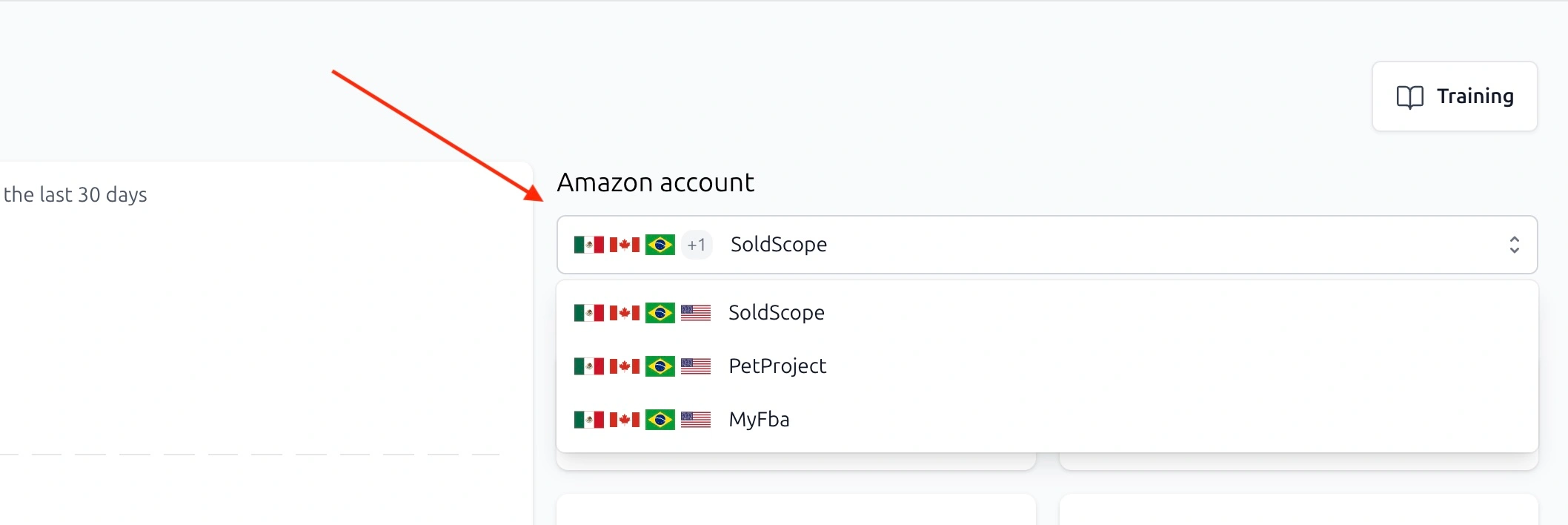
First, select the Amazon account you want to configure from the Amazon account dropdown.
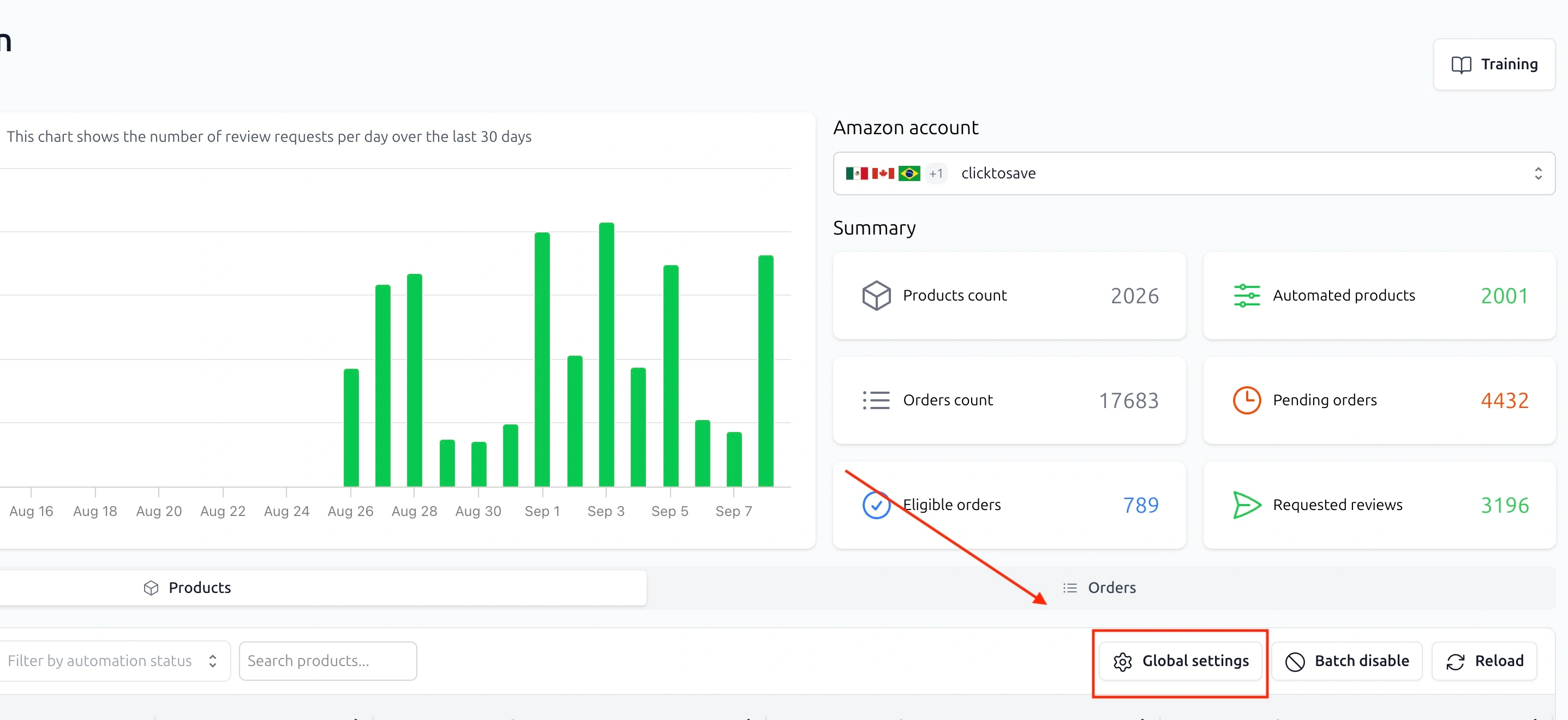
Then click Global settings.
The Global automation settings window will show the marketplaces available for the selected Amazon account.
For each marketplace, you can:
Enable or disable Global Automation
Choose the number of days after shipping before the review request is sent
Set the time when the review request should be sent
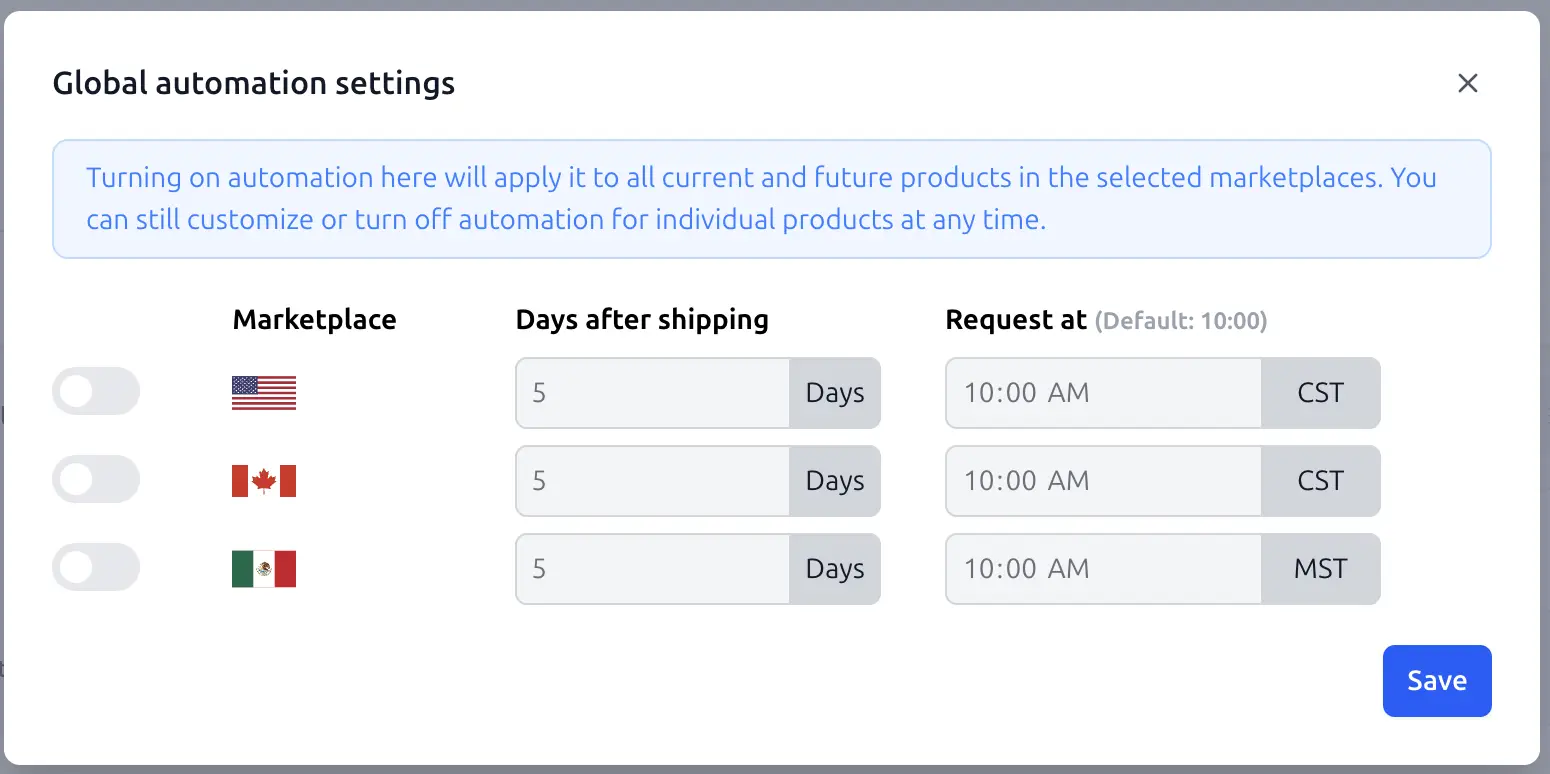
Turn on automation for the marketplaces you want to include, configure the timing, and click Save.
Using multiple Amazon accounts
Global Automation settings are managed separately for each connected Amazon account.
If you have multiple Amazon accounts connected to SoldScope, select the account you want to manage from the Amazon account dropdown before changing automation settings.
For each Amazon account, you can independently:
Enable Global Automation for selected marketplaces
Configure request timing
Disable automation for selected marketplaces
Customize automation for individual products
Settings configured for one Amazon account do not automatically apply to your other connected Amazon accounts.
What happens after you enable Global Automation?
Once Global Automation is enabled for a marketplace, the settings are applied to:
Products already available in that marketplace
New products added to that marketplace in the future
This means you do not need to manually enable Review Automation every time a new product appears in your catalog.
New products will automatically inherit the Global Automation settings configured for that marketplace.
How to disable automation for a marketplace
If you no longer want Review Automation enabled for a marketplace, you can disable it for all products at once.
Make sure the correct Amazon account is selected, then click Batch disable.
Select one or more marketplaces, or choose Select All.
Disabling automation this way will:
Turn off Review Automation for all current products in the selected marketplaces
Prevent Review Automation from being automatically enabled for new products added to those marketplaces
If you have multiple Amazon accounts connected to SoldScope, repeat this process separately for each account where you want to disable automation.
Can I change the settings for an individual product?
Yes.
Global Automation acts as the default configuration for products in the selected marketplace.
You can still customize the automation settings for an individual product or disable automation for that product at any time.
This allows you to automatically manage Review Automation across your catalog while keeping control over specific products when needed.