Step-by-Step: How to Connect Your Amazon Store

Olivia Reyes
Connecting your Amazon store is a straightforward process that takes less than five minutes. Follow these steps to authorize SoldScope to sync with your Seller Central data.
Prerequisites
Before you start, ensure you meet the following requirements:
Professional Seller Account: Amazon only allows API access for Professional plans.
Admin Access: You must be logged into the primary Amazon Seller Central account or have "Manage Permissions" rights for third-party applications.
Step-by-Step Connection Guide
1. Navigate to API Connections
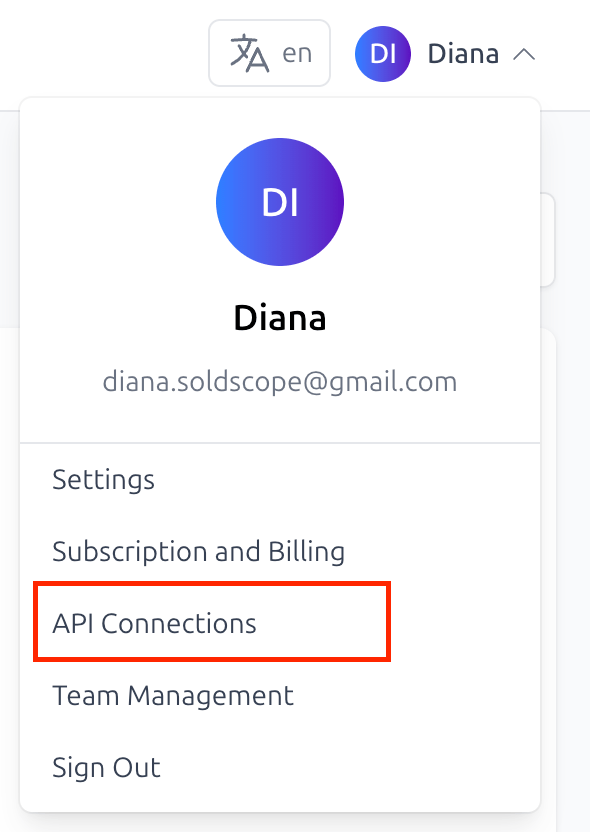
Log in to your SoldScope dashboard. Click on your profile icon in the top right corner and select API Connections from the dropdown menu.
2. Choose Your Marketplace
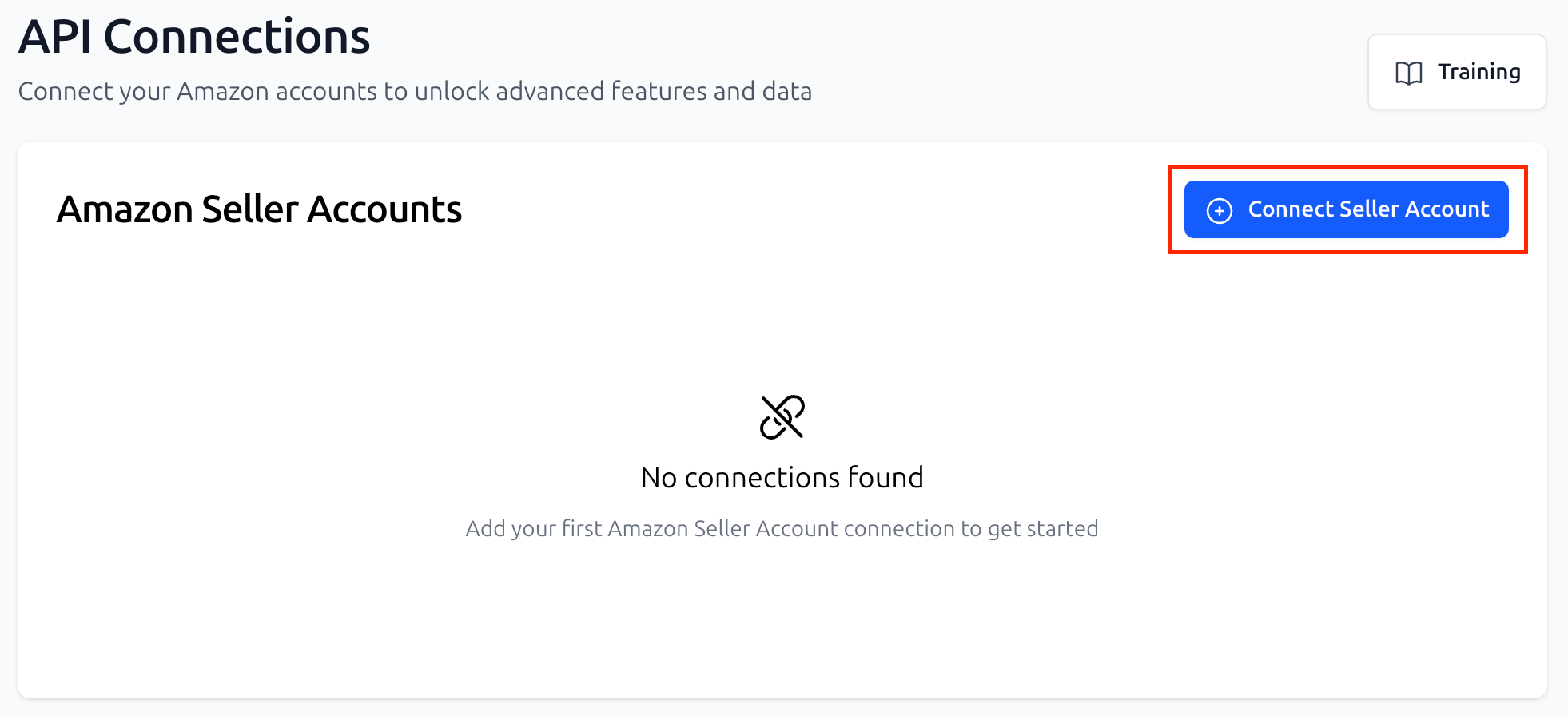
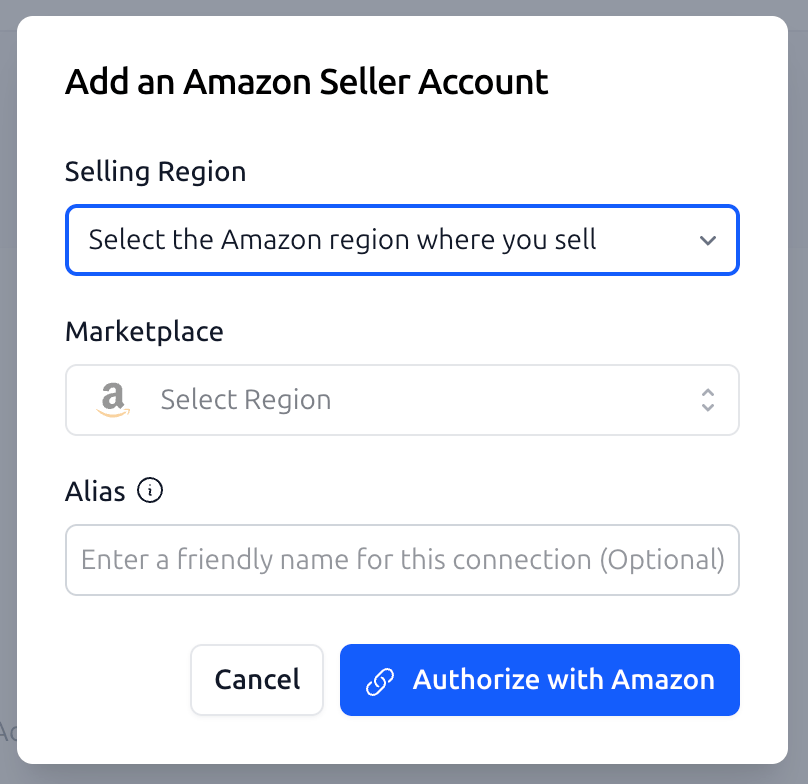
Click the blue Connect Seller Account button. A setup window will appear where you must select:
Region: Choose from North America (USA, Canada, Mexico, Brazil), Europe (UK, Germany, France, etc.), or the Far East (Japan, Australia, Singapore).
Marketplace: Select the specific country where your primary inventory is held.
Alias (optional): Using an alias instead of your Seller ID makes it easier to identify connections - especially if you manage multiple Amazon accounts.
3. Authorize in Seller Central
After selecting your marketplace, click Authorize with Amazon. You will be automatically redirected to the official Amazon Seller Central login page.
Log in with your Amazon credentials.
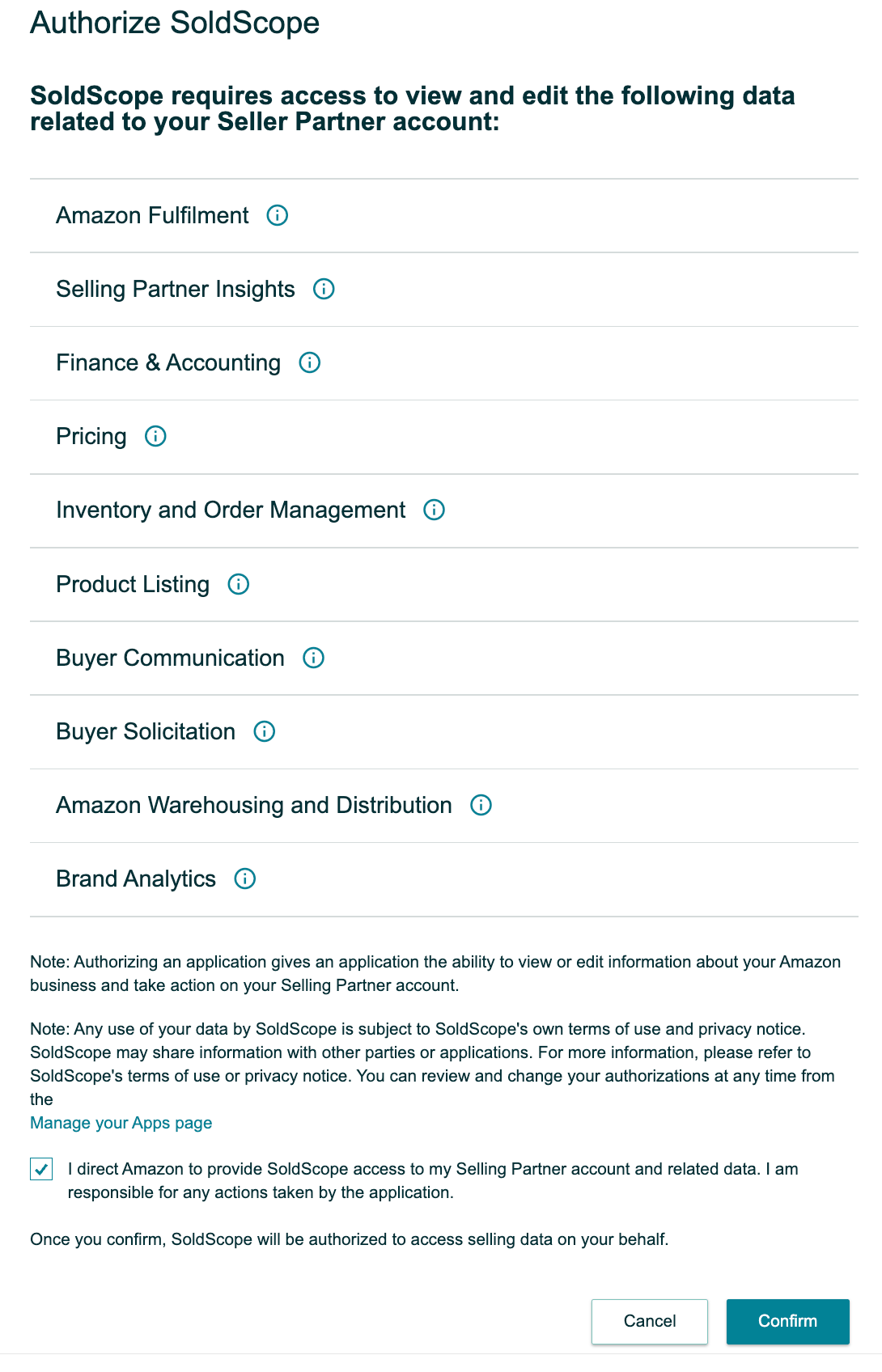
A permissions page will appear, listing the data SoldScope needs to function (Product Listings, Brand Analytics, Finance, and Inventory).
Check the box that says "I direct Amazon to provide SoldScope access to my Selling Partner account and related data. I am responsible for any actions taken by the application." and click Confirm.
4. Return to SoldScope
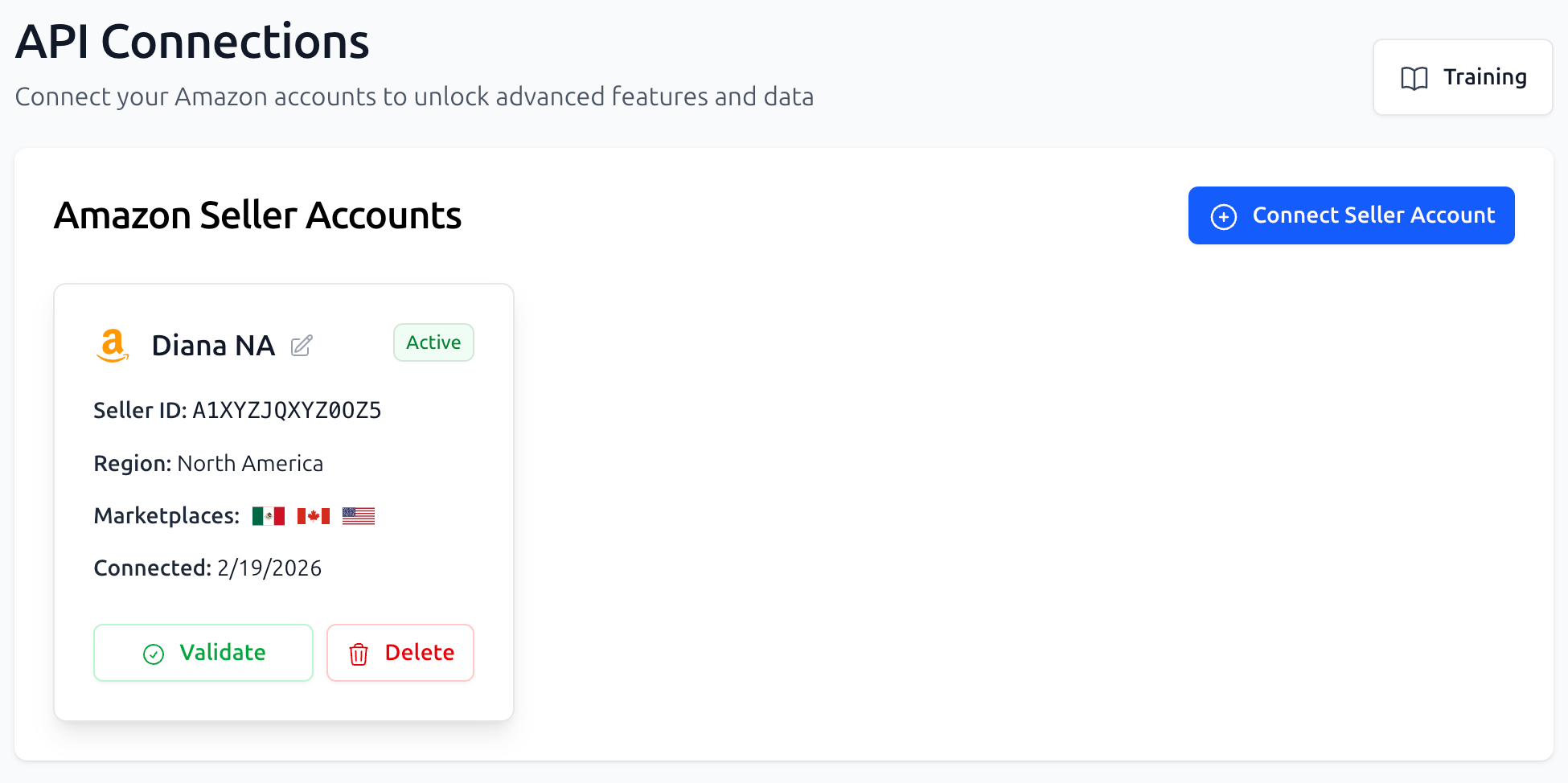
Amazon will redirect you back to the SoldScope API Connections page. You should now see your store listed on the page with a green "Active" status.
Important Notes on Data Syncing
Initial Sync Time: Once connected, it can take 2 to 24 hours for Amazon to complete the first full data transfer. Features like Reimbursement Service audits require this time to populate accurately.
Unified Accounts: If you have a Unified Account (e.g., one account covering all of Europe), authorizing one marketplace in that region usually connects the others automatically.
Token Expiration: For your protection, Amazon security tokens eventually expire. If your connection status changes to "Expired," simply click the Validate button in the table and follow the steps again to refresh the link.